Vigor2760 Series User’s Guide
82
4
4
.
.
1
1
.
.
2
2
.
.
4
4
L
L
A
A
N
N
S
S
t
t
a
a
t
t
u
u
s
s
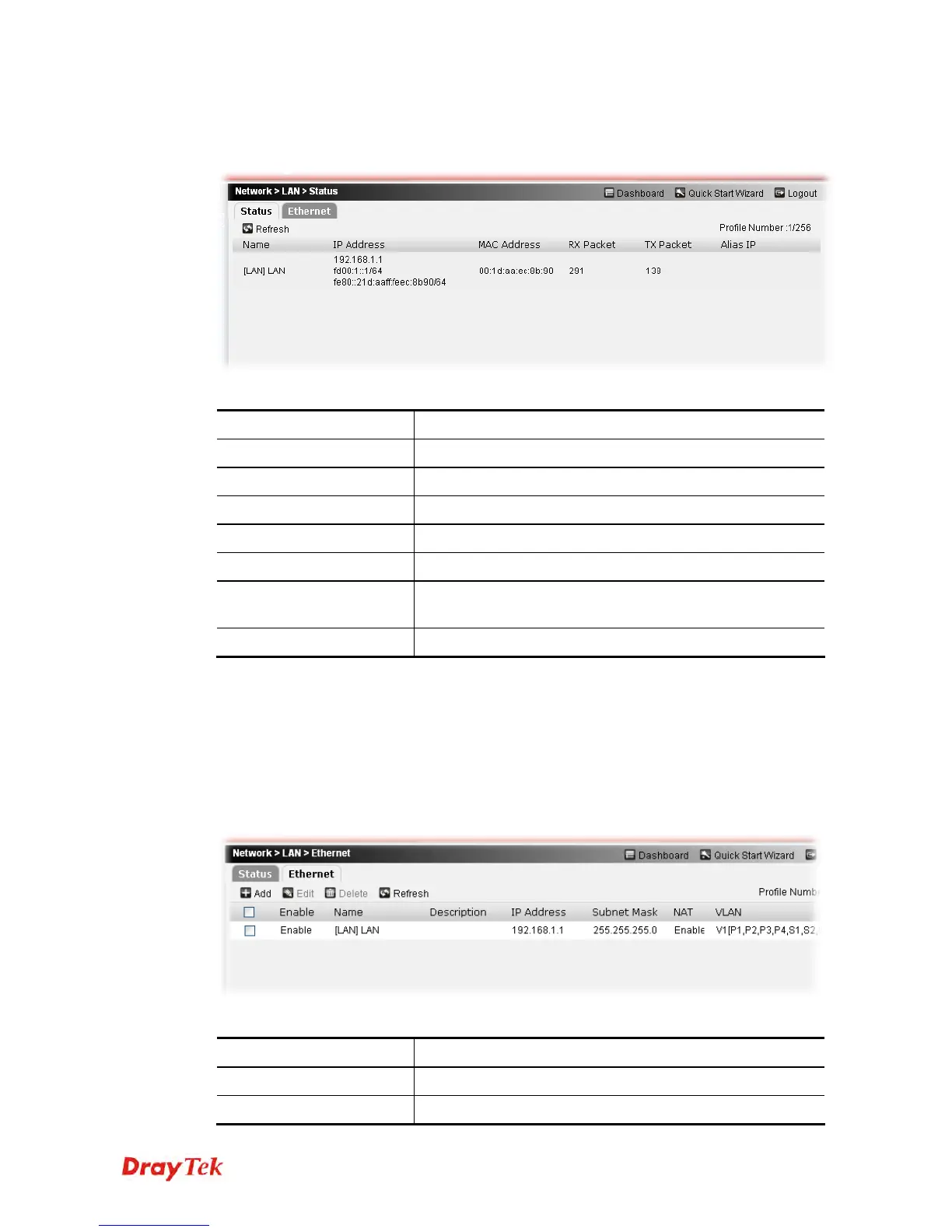
This page allows you to check LAN status of the router.
Each item will be explained as follows:
Item Description
Refresh
Click it to refresh the web page.
Name
Display the profile name for LAN interface.
IP Address
Display the LAN IP address of the router.
MAC Address
Display the MAC address of the router.
RX Packet
Display the total received packets via such LAN interface.
TX Packet
Display the total transmission packets via such LAN
interface.
Alias
Display the IP alias setting.
4
4
.
.
1
1
.
.
2
2
.
.
5
5
E
E
t
t
h
h
e
e
r
r
n
n
e
e
t
t
This page can define the details settings of the LAN ports in a profile, including IP settings,
physical interface members (LAN ports on the front panel of the router) and wireless
interfaces (SSID and WDS settings).
Currently, two LAN interfaces may be configured for the Vigor2760. Each LAN interface can
be configured to support different firewall settings, servers, and applications according to the
settings in other configuration web pages
Available parameters are listed below:
Item Description
Add
Create new LAN profiles.
Edit
Edit the selected LAN profile.











 To Next Page