Vigor2760 Series User’s Guide
221
Peer Number
Display the telephone number of the peer side.
4
4
.
.
8
8
B
B
a
a
n
n
d
d
w
w
i
i
d
d
t
t
h
h
M
M
a
a
n
n
a
a
g
g
e
e
m
m
e
e
n
n
t
t
Below shows the menu items for Bandwidth Management.
4
4
.
.
8
8
.
.
1
1
S
S
e
e
s
s
s
s
i
i
o
o
n
n
L
L
i
i
m
m
i
i
t
t
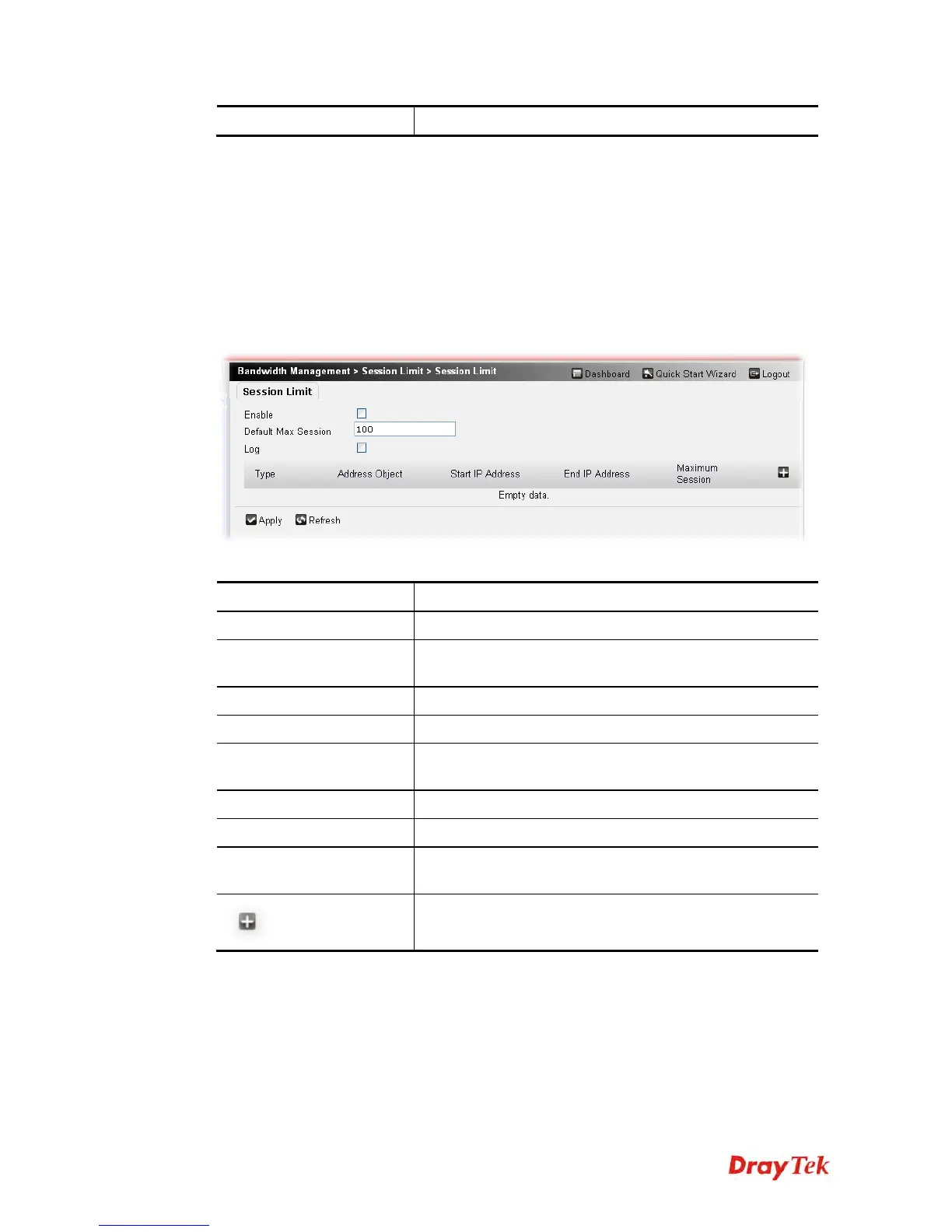
A PC with private IP address can access to the Internet via NAT router. The router will
generate the records of NAT sessions for such connection. The P2P (Peer to Peer) applications
(e.g., BitTorrent) always need many sessions for procession and also they will occupy over
resources which might result in important accesses impacted. To solve the problem, you can
use limit session to limit the session procession for specified Hosts.
Available settings are explained as follows:
Item Description
Enable
Check the box to activate the function of limit session..
Default Max Session
Defines the default maximum session number used for each
computer in LAN.
Log
Check the box to record related information in Syslog.
Type
Display the type selected for such session limit profile.
Address Object
Display the address object selected for such session limit
profile.
Start IP Address
Display the start IP address for such session limit profile.
End IP Address
Display the end IP address for such session limit profile..
Maximum Session
Display the default maximum session of the session limit
profile.
This button allows you to add new rule for session limit. A
pop up dialog will appear if it is pressed.











 To Next Page