Vigor2760 Series User’s Guide
143
3. After finished the settings above, click Apply to save the settings. A new filter rule
profile has been created.
4
4
.
.
3
3
.
.
2
2
.
.
4
4
L
L
o
o
c
c
a
a
l
l
D
D
e
e
f
f
a
a
u
u
l
l
t
t
R
R
u
u
l
l
e
e
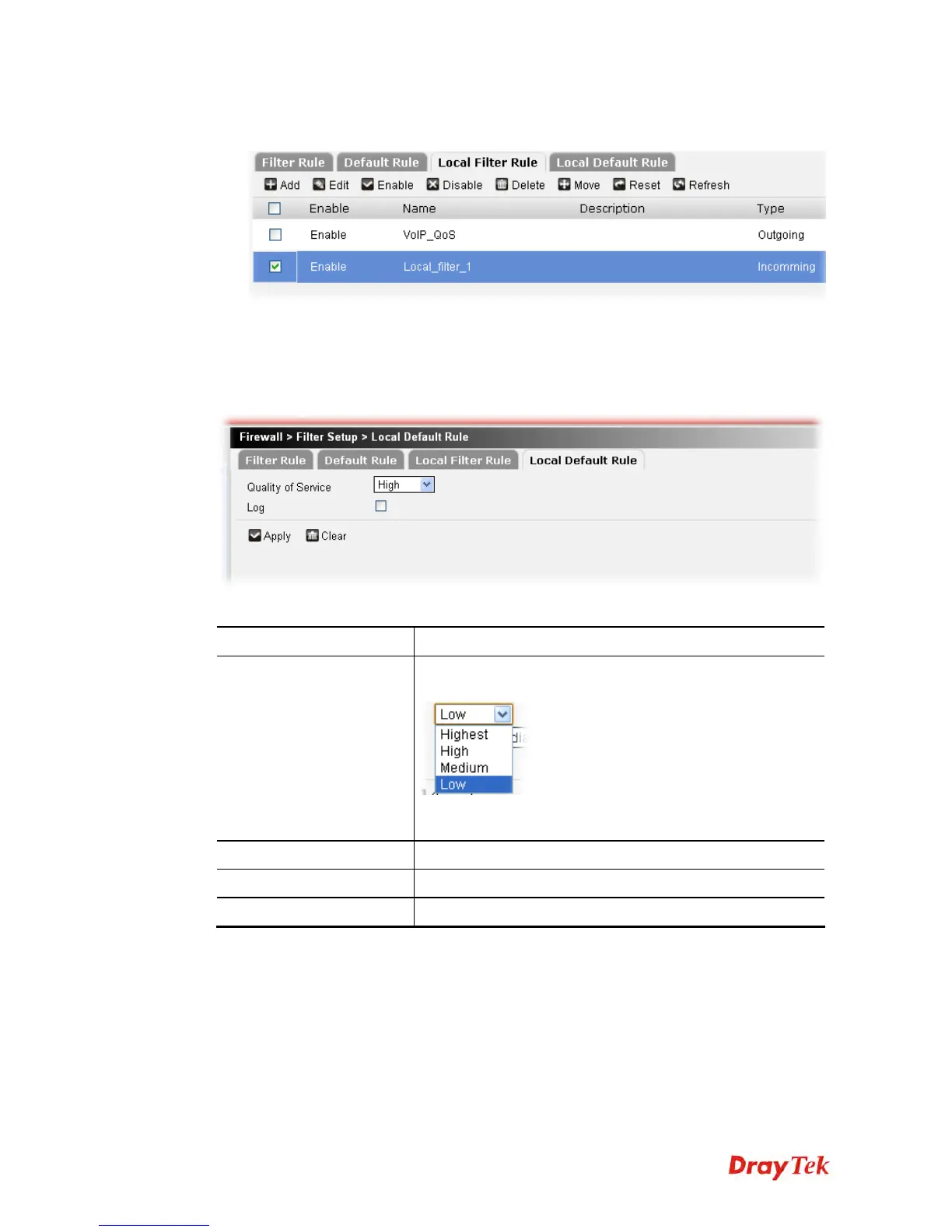
Local Default Rule is used for filtering the packets in and out between the host and the router.
Whereas Default Rule is used for filtering the packets forwarded by other hosts.
Available parameters are listed below:
Item Description
Quality of Service
Choose one of the QoS class to be applied as firewall rule.
Highest indicates highest bandwidth ratio.
For detailed information of setting QoS, please refer to the
related section later.
Log
Check the box to record related information on Syslog.
Apply
Click it to save the settings.
Clear
Click it to remove the modification of the web page.











 To Next Page