Vigor2760 Series User’s Guide
243
Manufacturer
Display the manufacturer of the disk.
Product
Display the model number of the printer.
4
4
.
.
1
1
0
0
.
.
2
2
S
S
A
A
M
M
B
B
A
A
Samba is the technology that allows Windows or Mac users to access a drive in the Linux
system. Vigor2760 allows users in different operating system (Windows, Mac, Android, iOS,
Linux and etc.) to access either the "internal storage" or "USB disks" plugged in the
Vigor2760 USB port.
4
4
.
.
1
1
0
0
.
.
2
2
.
.
1
1
D
D
i
i
s
s
k
k
S
S
h
h
a
a
r
r
e
e
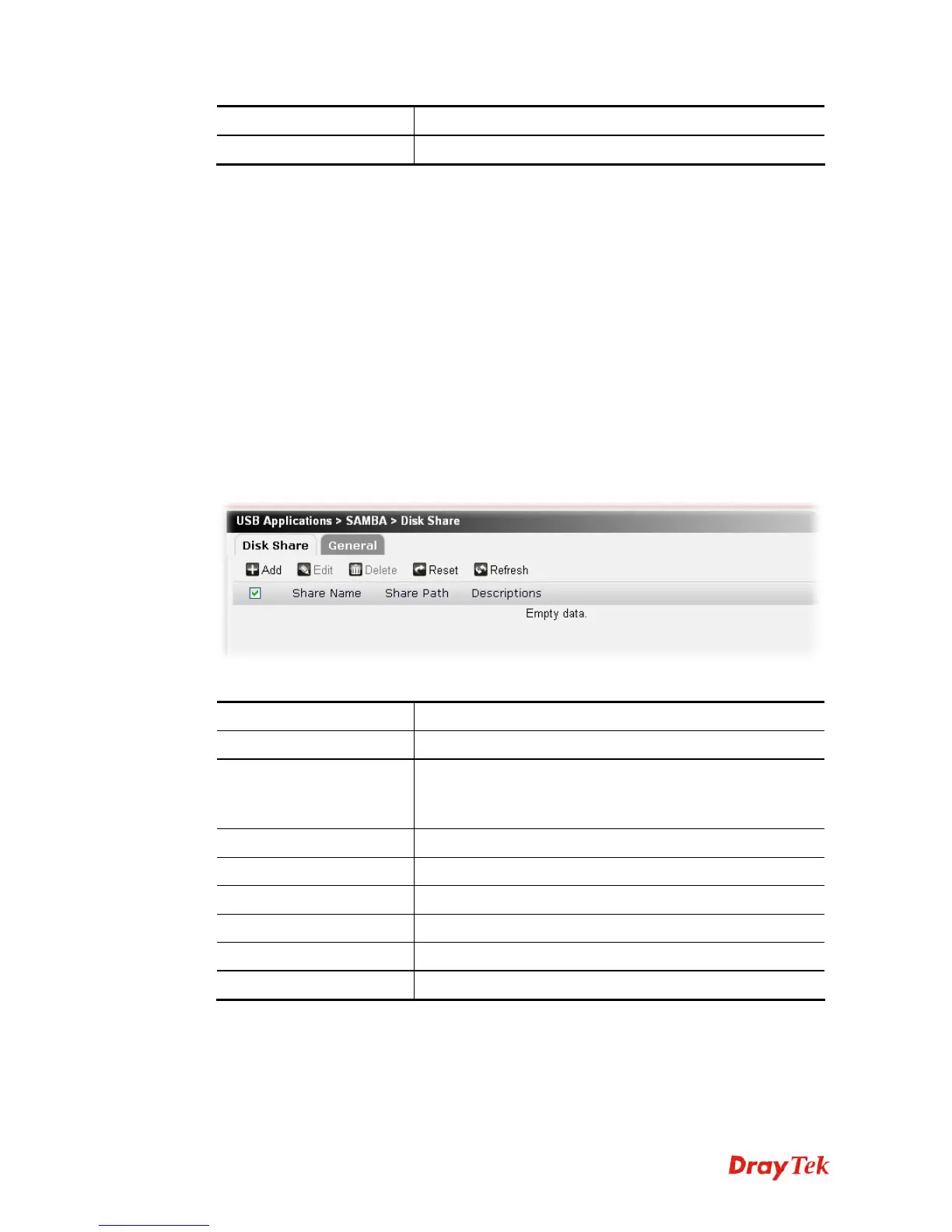
Disk Share profile is a storage space to which different users can write/read/create/delete files
as if it is a folder on your own machine once those users connect to Vigor2760 Samba server
successfully. A disk share is either the "internal storage" or "USB disks" plugged in the
Vigor2760 USB ports.
Under the Disk Share tab, you can specify a name for this share. When someone types in say
\\192.168.1.1 on the file explorer, he/she will see a folder with such name. Share Path is where
this share actually stores its data. You can also specify who can access this share (i.e. allowed
users) and to what extent he/she can access this share (i.e. read only, read-write).
Each item will be explained as follows:
Item Description
Add
Create a new disk share profile.
Edit
Edit the selected profile.
To edit the profile, simply check the profile box you want to
edit and then click this button.
Delete
Remove the selected profile.
Reset
Click it to retrieve the default settings of this page.
Refresh
Click it to fresh the web page.
Share Name
Display the name for such profile
Share Path
Display the location of the hardware storage.
Descriptions
Display the brief explanation for such profile.











 To Next Page