Vigor2760 Series User’s Guide
202
4
4
.
.
7
7
.
.
2
2
P
P
h
h
o
o
n
n
e
e
S
S
e
e
t
t
t
t
i
i
n
n
g
g
4
4
.
.
7
7
.
.
2
2
.
.
1
1
P
P
h
h
o
o
n
n
e
e
S
S
e
e
t
t
t
t
i
i
n
n
g
g
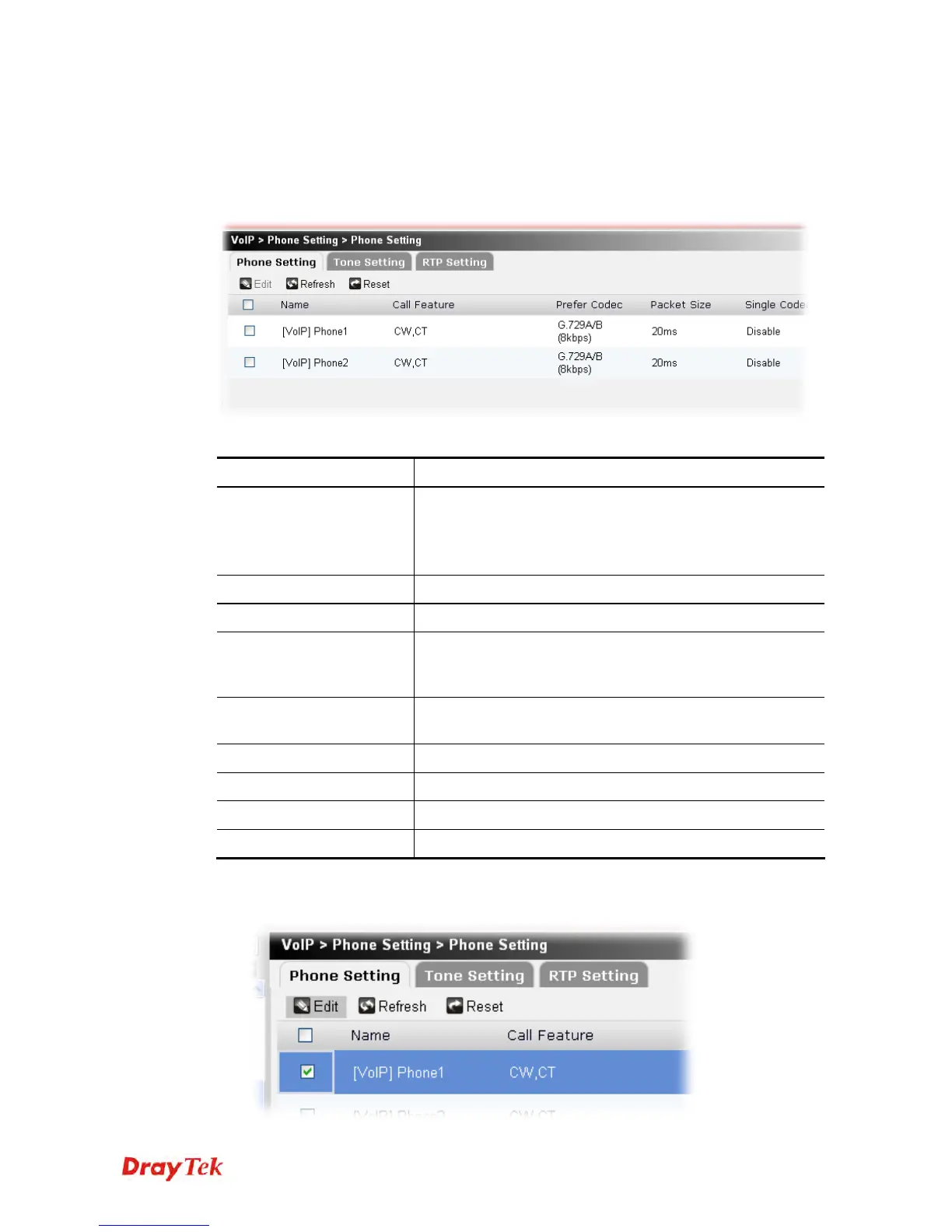
This page allows user to set phone settings for Phone 1 and Phone 2 respectively. However, it
changes slightly according to different model you have.
Each item will be explained as follows:
Item Description
Edit
Modify the selected phone setting profile.
You have to check the phone setting profile you want and
then click this button to open the edit window for
modification.
Refresh
Click it to fresh the web page.
Reset
Click it to retrieve the default settings of this page.
Name
There are two phone ports provided here for you to
configure. Phone1/Phone2 allows you to set general settings
for PSTN phones.
Call Feature
A brief description for call feature will be shown in this field
for your reference.
Prefer Codec
Display the codec used for each call.
Packet Size
Display the amount of data contained in a single packet
Single Codec
Display if such feature is enabled or not.
Default SIP Account
Display the default SPI account selected for such profile.
To edit a phone setting profile, please do the following:
1. Choose the phone setting profile you want and click the check box.











 To Next Page