Vigor2760 Series User’s Guide
203
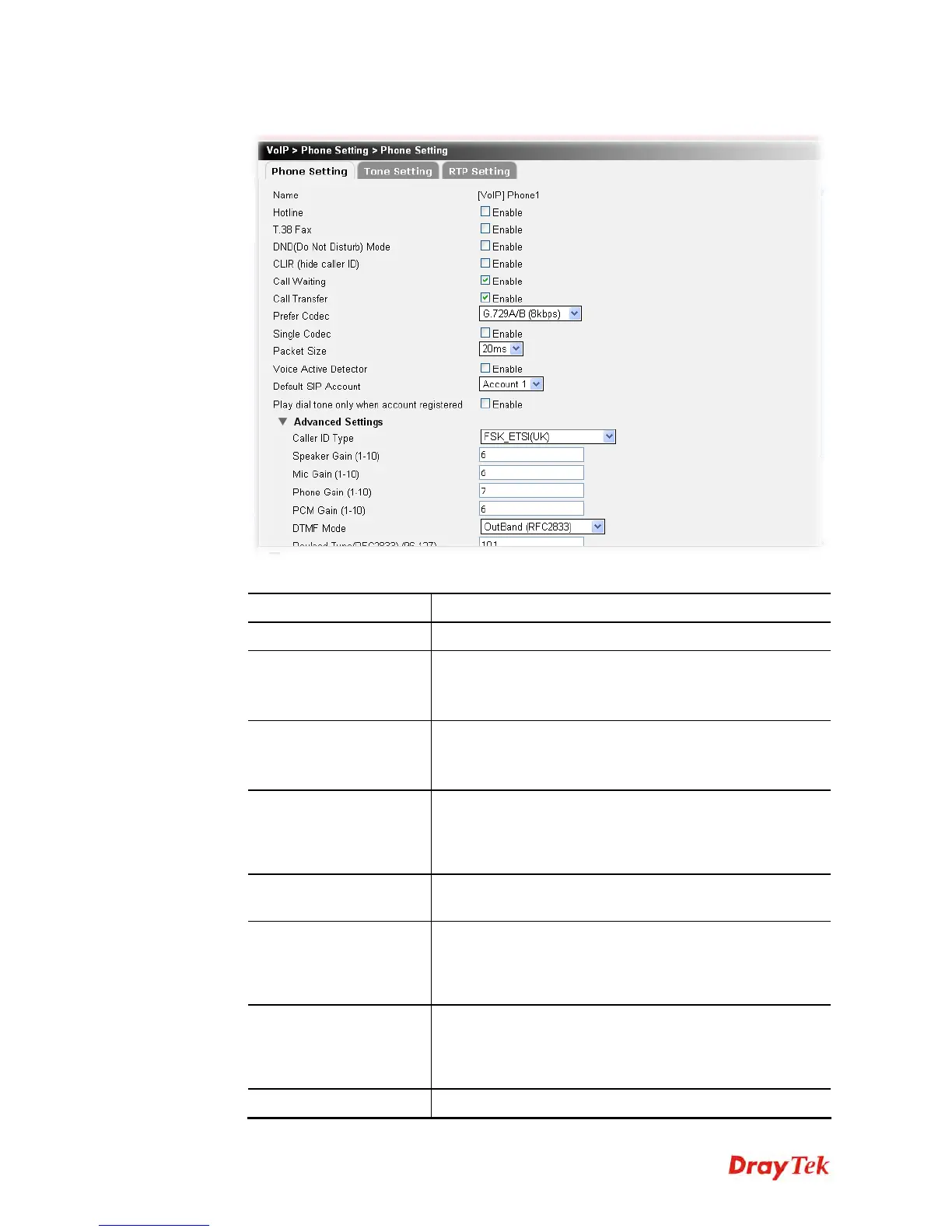
2. Click Edit to open the following page.
Available parameters are listed below:
Item Description
Name
Display the name of the phone setting profile.
Hotline
Check the box to enable it..
Hotline Number - Type in the SIP URL in the field for
dialing automatically when you pick up the phone set
T.38 Fax
Check the box to enable T.38 fax function.
Error Correction Mode – choose a mode for error
correction.
DND (Do Not Disturb)
Mode
Check the box to set a period of peace time without
disturbing by VoIP phone call. During the period, the one
who dial in will listen busy tone, yet the local user will not
listen any ring tone.
CLIR (hide caller ID)
Check this box to hide the caller ID on the display panel of
the phone set.
Call Waiting
Check this box to invoke this function. A notice sound will
appear to tell the user new phone call is waiting for your
response. Click hook flash to pick up the waiting phone
call.
Call Transfer
Check this box to invoke this function. Click hook flash to
initiate another phone call. When the phone call connection
succeeds, hang up the phone. The other two sides can
communicate, then.
Prefer Codec
Select one of five codecs as the default for your VoIP calls.











 To Next Page