Vigor2760 Series User’s Guide
217
4
4
.
.
7
7
.
.
3
3
.
.
4
4
C
C
a
a
l
l
l
l
B
B
a
a
r
r
r
r
i
i
n
n
g
g
A
A
d
d
v
v
a
a
n
n
c
c
e
e
d
d
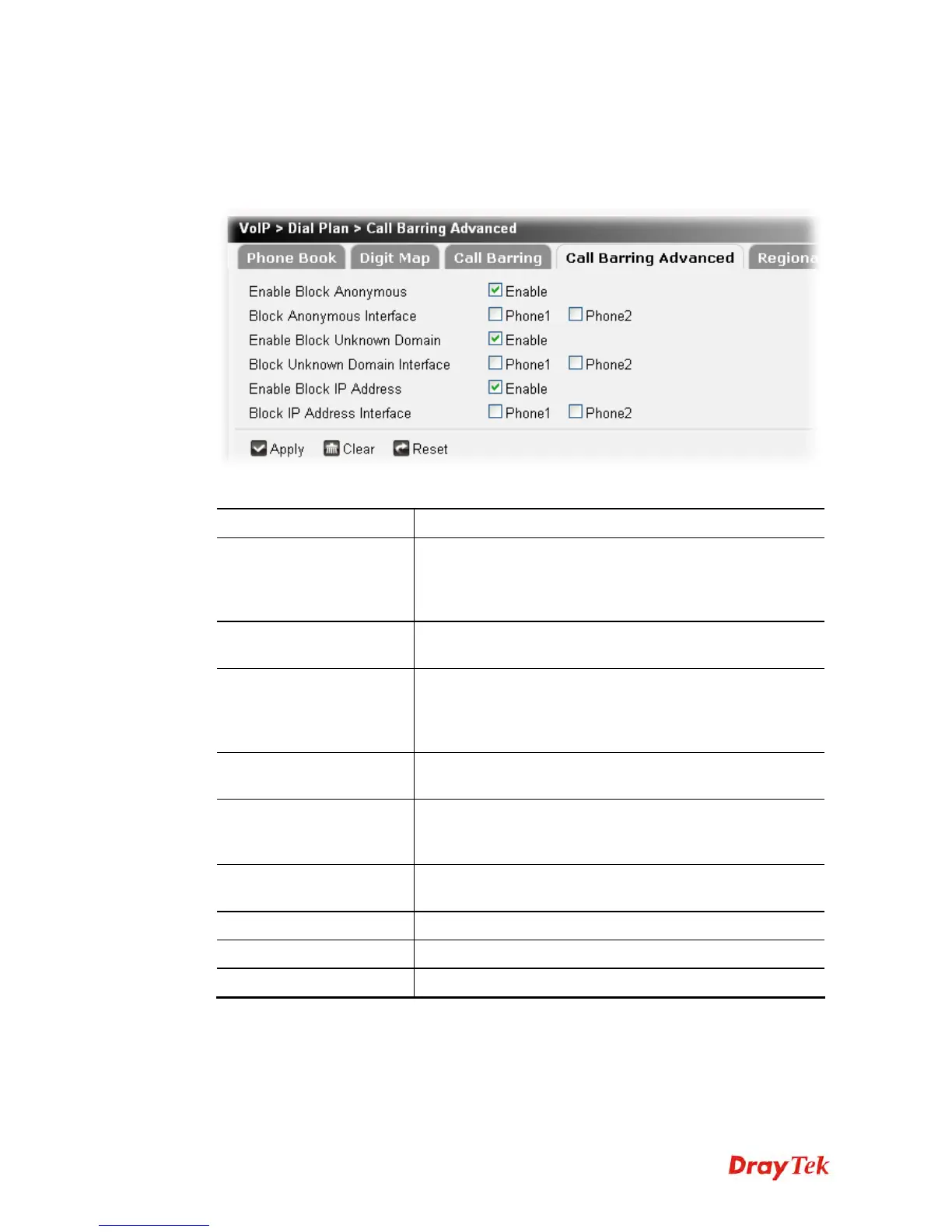
Additionally, you can set advanced settings for call barring such as Block Anonymous, Block
Unknown Domain or Block IP Address. Simply click the relational links to open the web
page.
Available parameters are listed below:
Item Description
Enable Block Anonymous
This function can block the incoming calls without caller ID
on the interface (Phone port) specified in the following
window. Such control also can be done based on
preconfigured schedules.
Block Anonymous
Interface
Specify the interface (phone 1 and / or phone 2) to apply the
function.
Enable Block Unknown
Domain
This function can block incoming calls (through Phone port)
from unrecognized domain that is not specified in SIP
accounts. Such control also can be done based on
preconfigured schedules.
Enable Unknown Domain
Interface
Specify the interface (phone 1 and / or phone 2) to apply the
function.
Enable Block IP Address
This function can block incoming calls (through Phone port)
coming from IP address. Such control also can be done
based on preconfigured schedules.
Block IP Address
Interface
Specify the interface (phone 1 and / or phone 2) to apply the
function.
Apply
Click it to save the settings.
Clear
Click it to remove the modification of the web page.
Reset
Click it to rest to factory default settings.











 To Next Page