Vigor2760 Series User’s Guide
207
VoIP phone.
Apply
Click it to save the settings.
Clear
Click it to remove the modification of the web page.
Reset
Click it to rest to factory default settings.
4
4
.
.
7
7
.
.
2
2
.
.
3
3
R
R
T
T
P
P
S
S
e
e
t
t
t
t
i
i
n
n
g
g
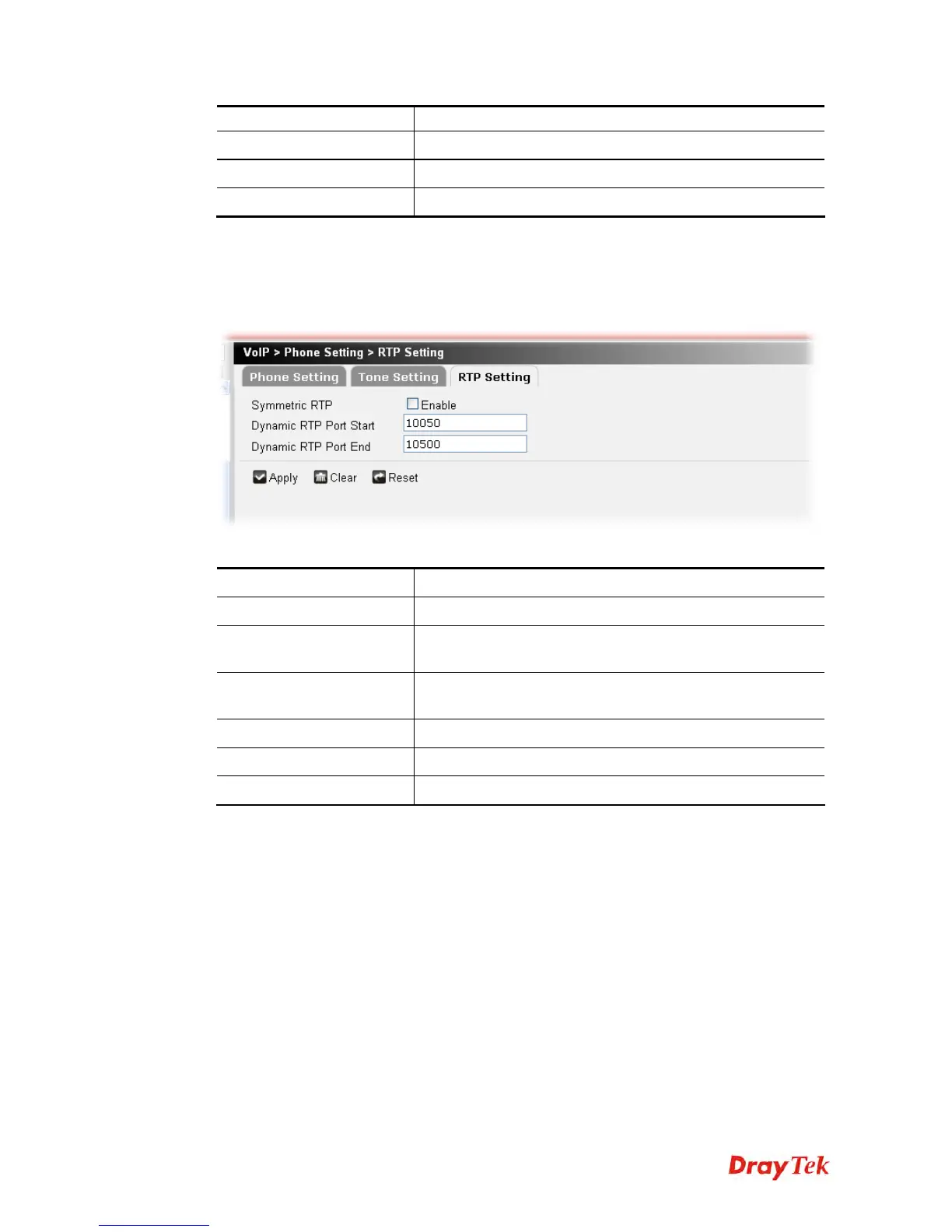
To make the data transmission going through on both ends of local router and remote router
not misleading due to IP lost (for example, sending data from the public IP of remote router to
the private IP of local router), you can configure RTP setting to solve this problem.
Available parameters are listed below:
Item Description
Symmetric RTP
Check this box to invoke the function.
Dynamic RTP Port Start
Specifies the start port for RTP stream. The default value is
10050.
Dynamic RTP Port End
Specifies the end port for RTP stream. The default value is
10500.
Apply
Click it to save the settings.
Clear
Click it to remove the modification of the web page.
Reset
Click it to rest to factory default settings.











 To Next Page