Vigor2760 Series User’s Guide
214
4
4
.
.
7
7
.
.
3
3
.
.
3
3
C
C
a
a
l
l
l
l
B
B
a
a
r
r
r
r
i
i
n
n
g
g
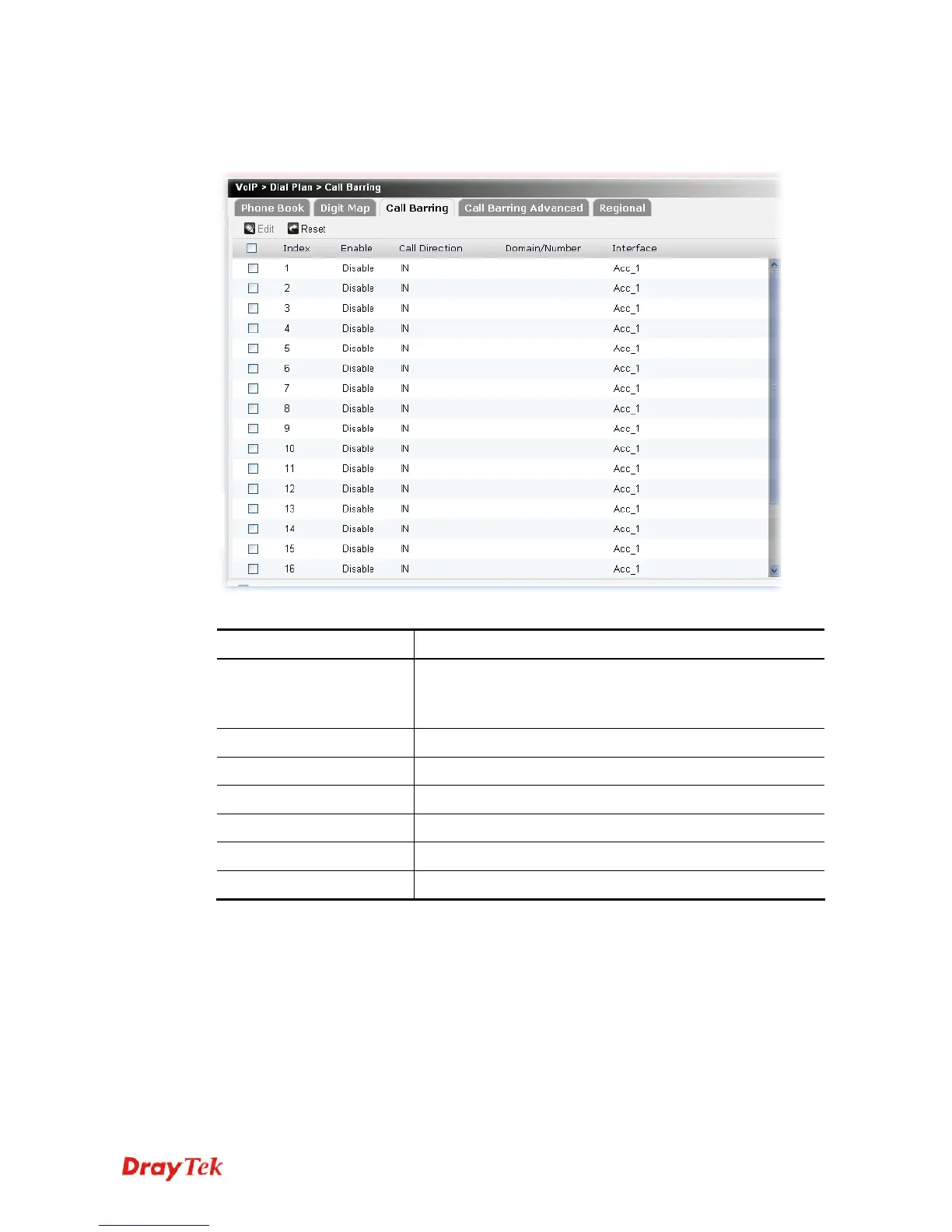
Call barring is used to block phone calls coming from the one that is not welcomed.
Each item will be explained as follows:
Item Description
Edit
Edit the selected call barring profile.
To edit the profile, simply check the profile box you want to
edit and then click this button.
Reset
Click it to rest to factory default settings.
Index
Display the sequence number of the profile.
Enable
Display the status (enable or disable) of this profile.
Call Direction
Display the direction of the phone call.
Domain/Number
Display the domain or the number.
Interface
Display the SIP account number applied by the profile.











 To Next Page