Vigor2760 Series User’s Guide
215
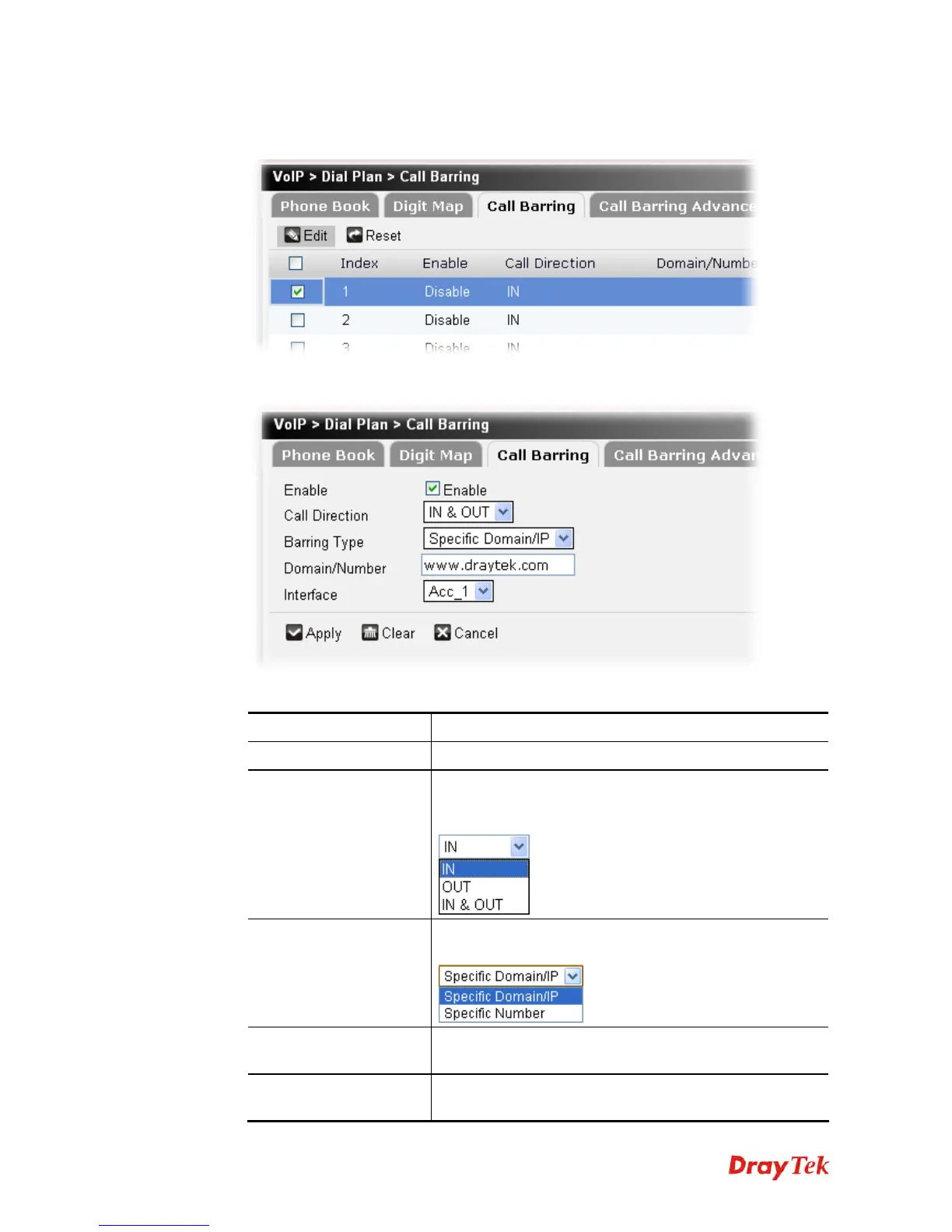
To edit a call barring profile, please do the following:
1. Choose the call barring profile you want and click the check box.
2. Click Edit to open the following page.
Available parameters are listed below:
Item Description
Enable
Click this to enable this entry.
Call Direction
Determine the direction for the phone call, IN – incoming
call, OUT-outgoing call, IN & OUT – both incoming and
outgoing calls.
Barring Type
Determine the type of the VoIP phone call, URI/URL or
number.
Domain/Number
Type the domain or the number in this field according to
the barring type selected.
Interface
Choose an SIP account for applying the call barring
function.











 To Next Page