Vigor2760 Series User’s Guide
224
4
4
.
.
8
8
.
.
3
3
Q
Q
u
u
a
a
l
l
i
i
t
t
y
y
o
o
f
f
S
S
e
e
r
r
v
v
i
i
c
c
e
e
Service levels required and sufficient bandwidth to meet performance expectations is indeed
one important aspect of modern enterprise network.
One reason for QoS is that numerous TCP-based applications tend to continually increase their
transmission rate and consume all available bandwidth, which is called TCP slow start. If
other applications are not protected by QoS, it will detract much from their performance in the
overcrowded network. This is especially essential to those are low tolerant of loss, delay or
jitter (delay variation).
Another reason is due to congestions at network intersections where speeds of interconnected
circuits mismatch or traffic aggregates, packets will queue up and traffic can be throttled back
to a lower speed. If there’s no defined priority to specify which packets should be discarded
(or in another term “dropped”) from an overflowing queue, packets of sensitive applications
mentioned above might be the ones to drop off. How this will affect application performance?
There are two components within Primary configuration of QoS deployment:
Classification: Identifying low-latency or crucial applications and marking them for
high-priority service level enforcement throughout the network.
Scheduling: Based on classification of service level to assign packets to queues and
associated service types
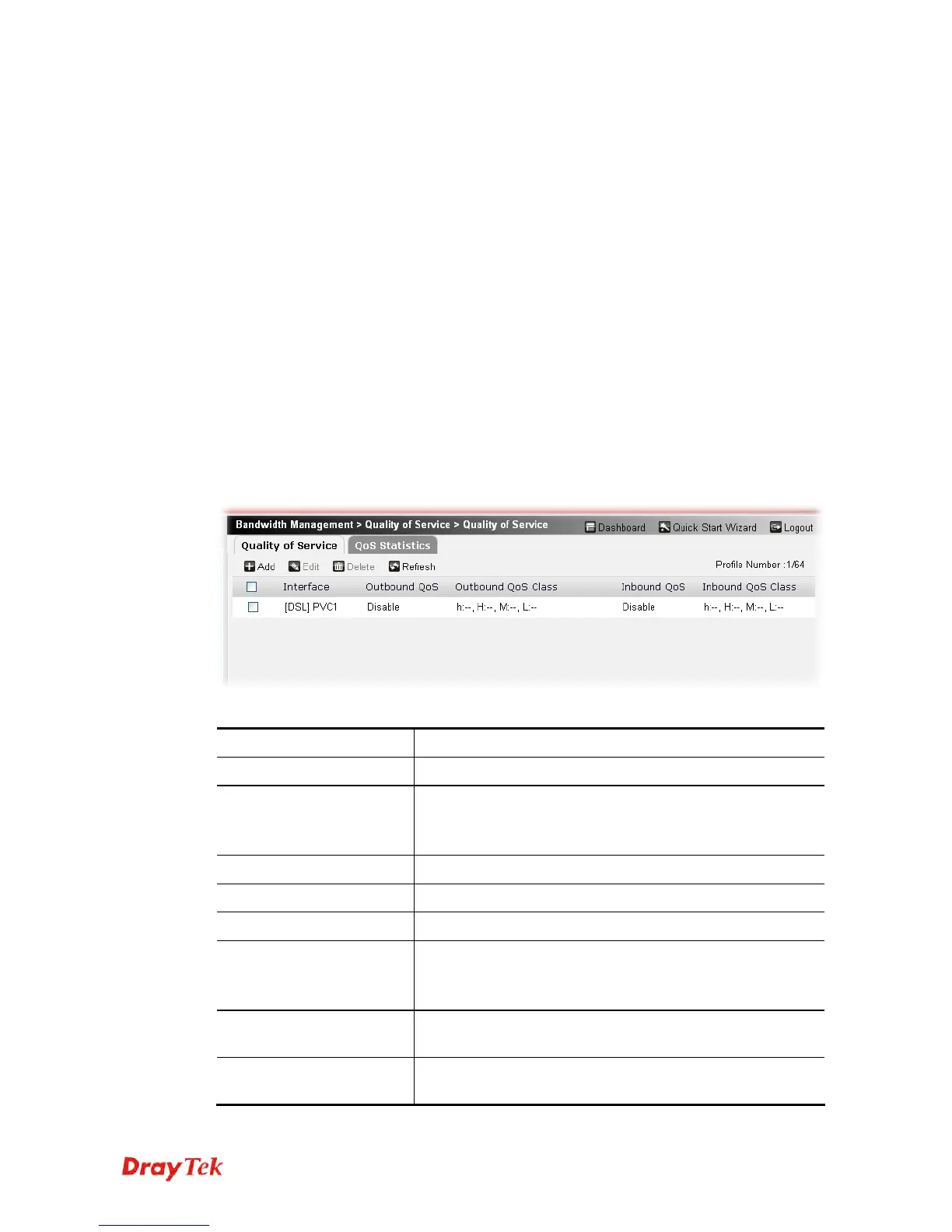
Each item will be explained as follows:
Item Description
Add
Create new QoS profiles.
Edit
Edit the selected QoS profile.
To edit the profile, simply check the profile box you want to
edit and then click this button.
Delete
Remove the selected QoS profile.
Refresh
Click it to refresh the web page.
Interface
Display the interface used by such profile.
Outbound QoS
Enable – The outbound QoS is activated for such interface.
Disable –The outbound QoS is not activated for such
interface.
Outbound QoS Class
Display the percentage for each QoS class used by such
profile.
Inbound QoS
Enable – The inbound QoS is activated for such interface.
Disable –The intbound QoS is not activated for such











 To Next Page