Vigor2760 Series User’s Guide
100
Clear
Click it to remove the modification of the web page.
Cancel
Click it to return to previous web page.
3. After finished the settings above, click Apply to save the settings.
4
4
.
.
1
1
.
.
5
5
R
R
o
o
u
u
t
t
e
e
P
P
o
o
l
l
i
i
c
c
y
y
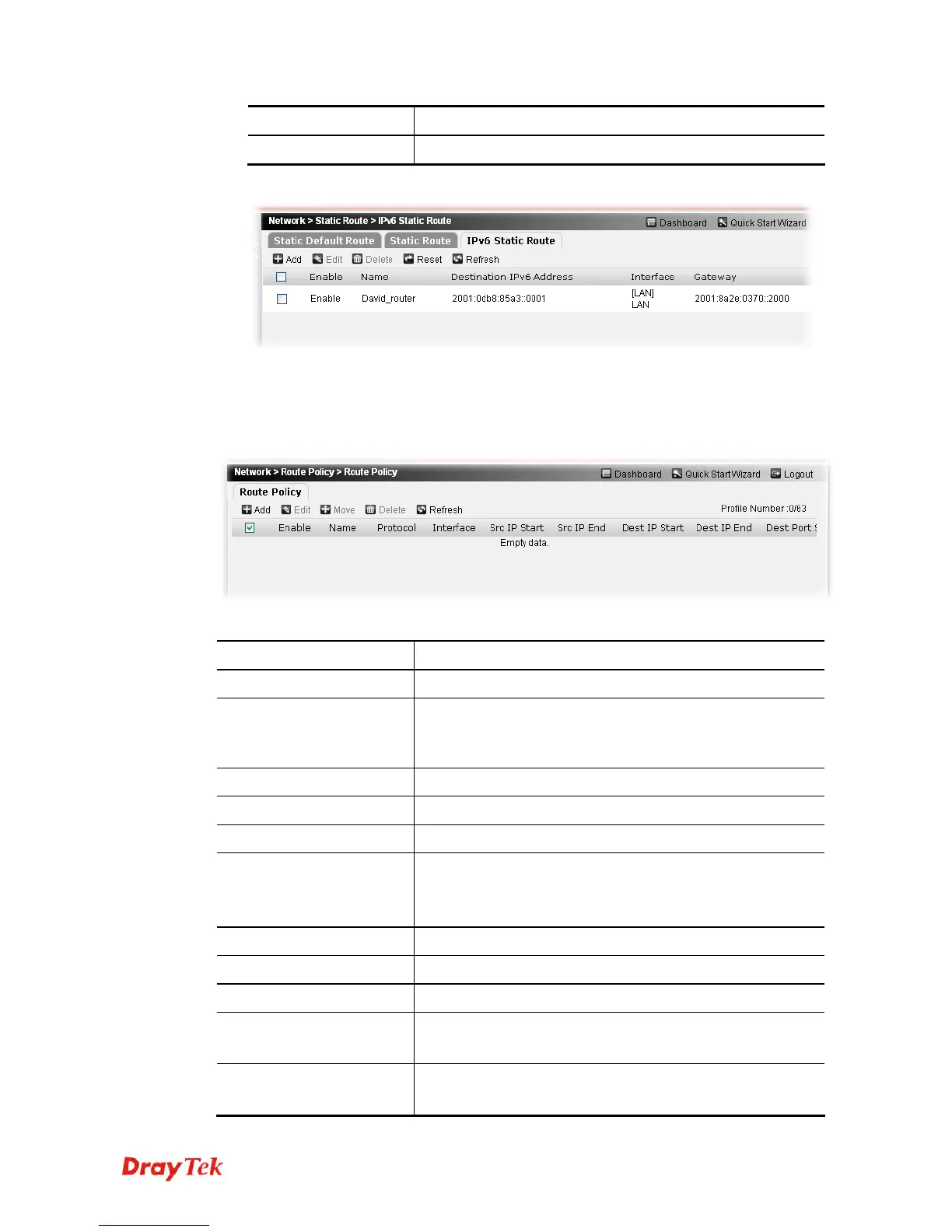
Route Policy (Cisco called it "policy-based routing") is a feature where a set of rules or
"policies" are defined first. Then, if there comes a packet that matches any one of the
"policies", it will be directed to the specified interface.
Each item will be explained as follows:
Item Description
Add
Create new policy route profiles.
Edit
Edit the selected policy route profile.
To edit the profile, simply check the profile box you want to
edit and then click this button.
Delete
Remove the selected policy route profile.
Reset
Click it to rest to factory default settings.
Refresh
Click it to refresh the web page.
Enable
Display the activation status for such interface.
Enable – The profile is activated.
Disable –The profile is not activated.
Name
Display the profile name for the static route.
Protocol
Display the protocol used for this policy.
Interface
Display the interface used for this policy.
Src IP Start/
Src IP End
Displays the IP address for the start/end of the source IP.
Dest IP Start/
Dest IP End
Displays the IP address for the start/end of the destination IP.











 To Next Page