Vigor2760 Series User’s Guide
244
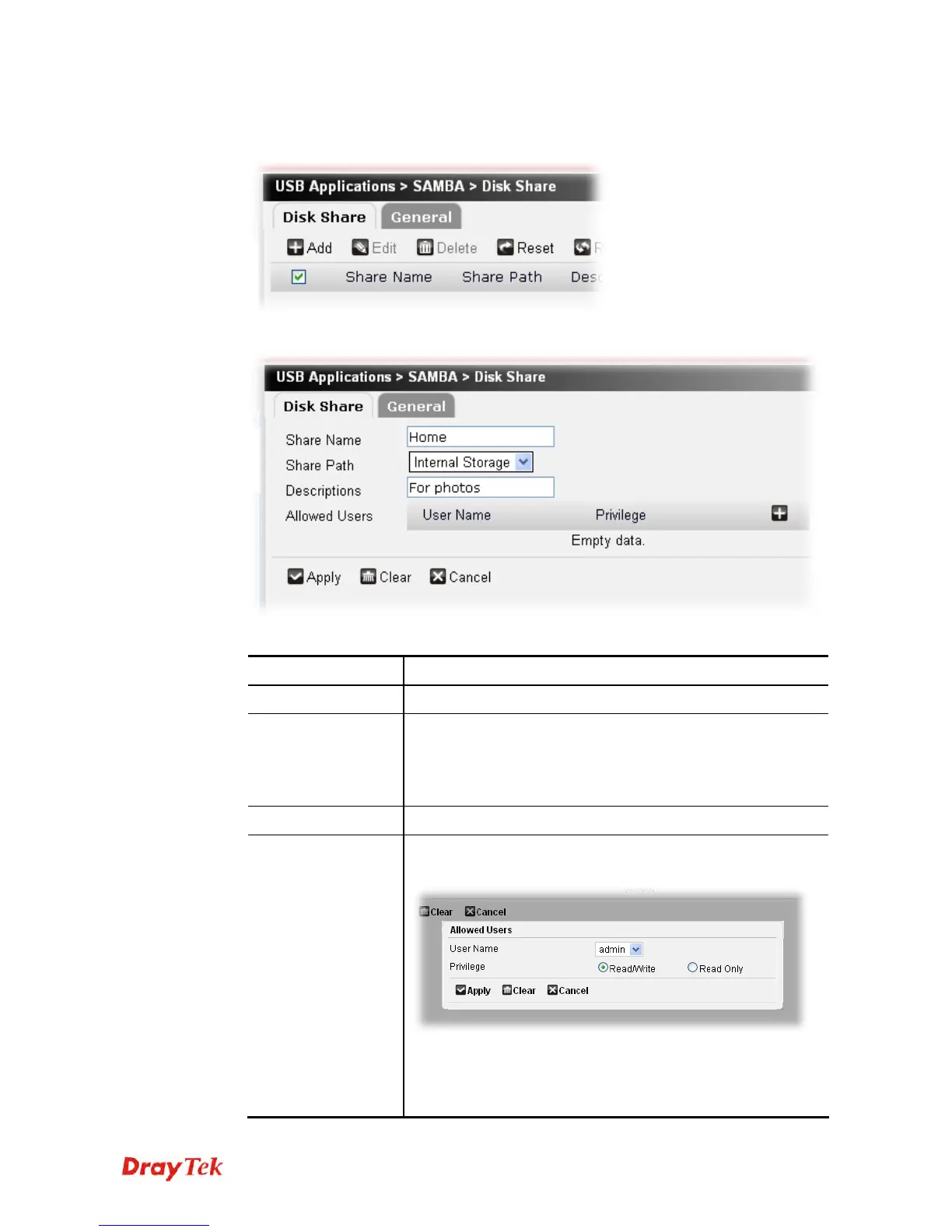
To add a new profile for disk share, please do the following:
1. Click the Add button.
2. The following setting page will appear.
Available parameters are listed as follows:
Item Description
Share Name
Type a name for such profile.
Share Path
Specify the location of the hardware storage.
Internal Storage – Such profile is applied to the internal
storage of Vigor router.
USB Disk – Such profile is applied to an external USB disk.
Description
Give a brief explanation for such profile.
Allowed Users
Click the + button to create a new one.
A dialog box will be popped up.
User Name – Use the drop down list to select a name from a
list of available users or user groups created under User
Management >>User Profile.
Privilege – Determine the right (read/write or ready only) that











 To Next Page