Vigor2760 Series User’s Guide
170
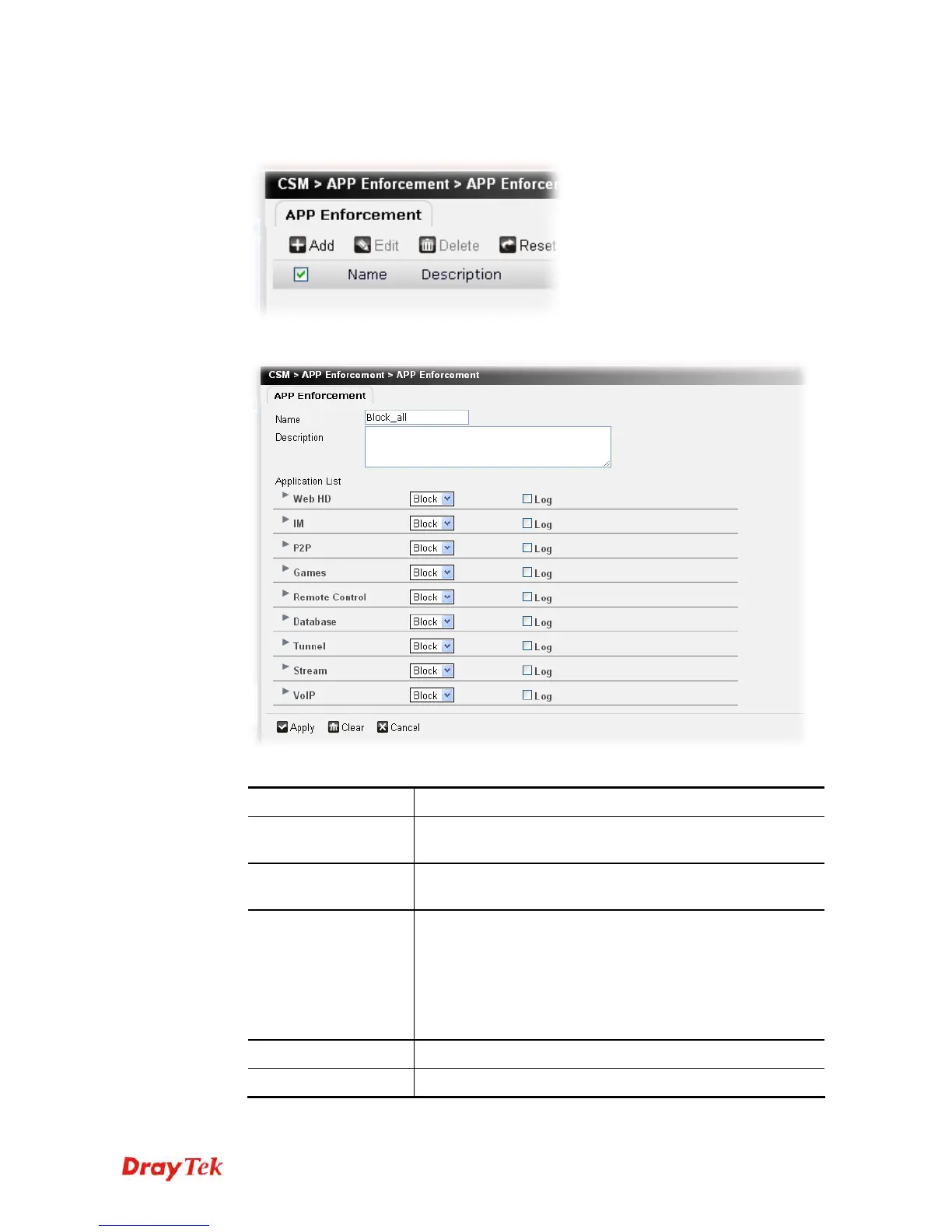
To create a new filter profile, please do the following:
1. Click the Add button.
2. The following setting page will appear.
Available parameters are listed below:
Item Description
Name
Type a name for this filter profile. Maximum 63 characters
are allowed.
Description
Type a brief description for such profile. Maximum 63
characters are allowed.
Application List
In default, there are several types of applications listed on
this page.
Block/Pass – Use the drop down list to choose Block or Pass
the data transmission for each application.
Log – After checking the box, related record for such
application will be shown in Syslog.
Apply
Click it to save the settings.
Clear
Click it to remove the modification of the web page.











 To Next Page