Vigor2760 Series User’s Guide
172
You have to check the filter profile you want and then click
this button.
Reset
Click it to retrieve the default settings of this page.
Refresh
Click it to fresh the web page.
Name
Display the name of the profile.
Action
Display the action applied to the profile.
Log
Display the type of the action that the related information
about that action will be recorded in Syslog.
URL Filter
Display the URL filter applied to the profile.
Block IP Address Access
Display the activation of IP address blocked or not.
Enable – The function is enabled.
Disable – The function is disabled.
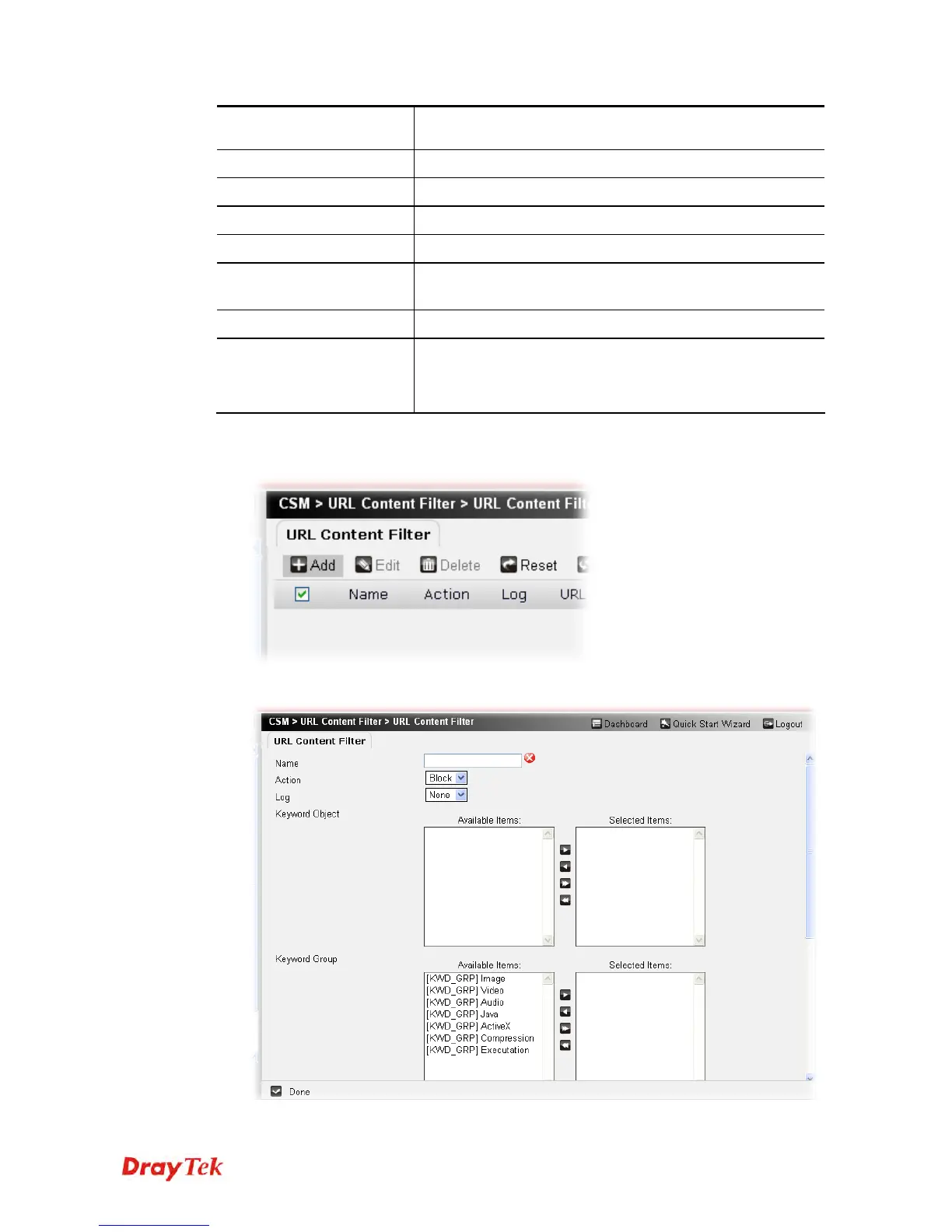
To create a new filter profile, please do the following:
1. Click the Add button.
2. The following setting page will appear.











 To Next Page