Vigor2760 Series User’s Guide
176
You have to check the filter profile you want and then click
this button.
Reset
Click it to retrieve the default settings of this page.
Refresh
Click it to fresh the web page.
Name
Display the name of the profile.
Log
Display the type of the action that the related information
about that action will be recorded in Syslog.
License Service Provider
Display the name of the WCF service provider.
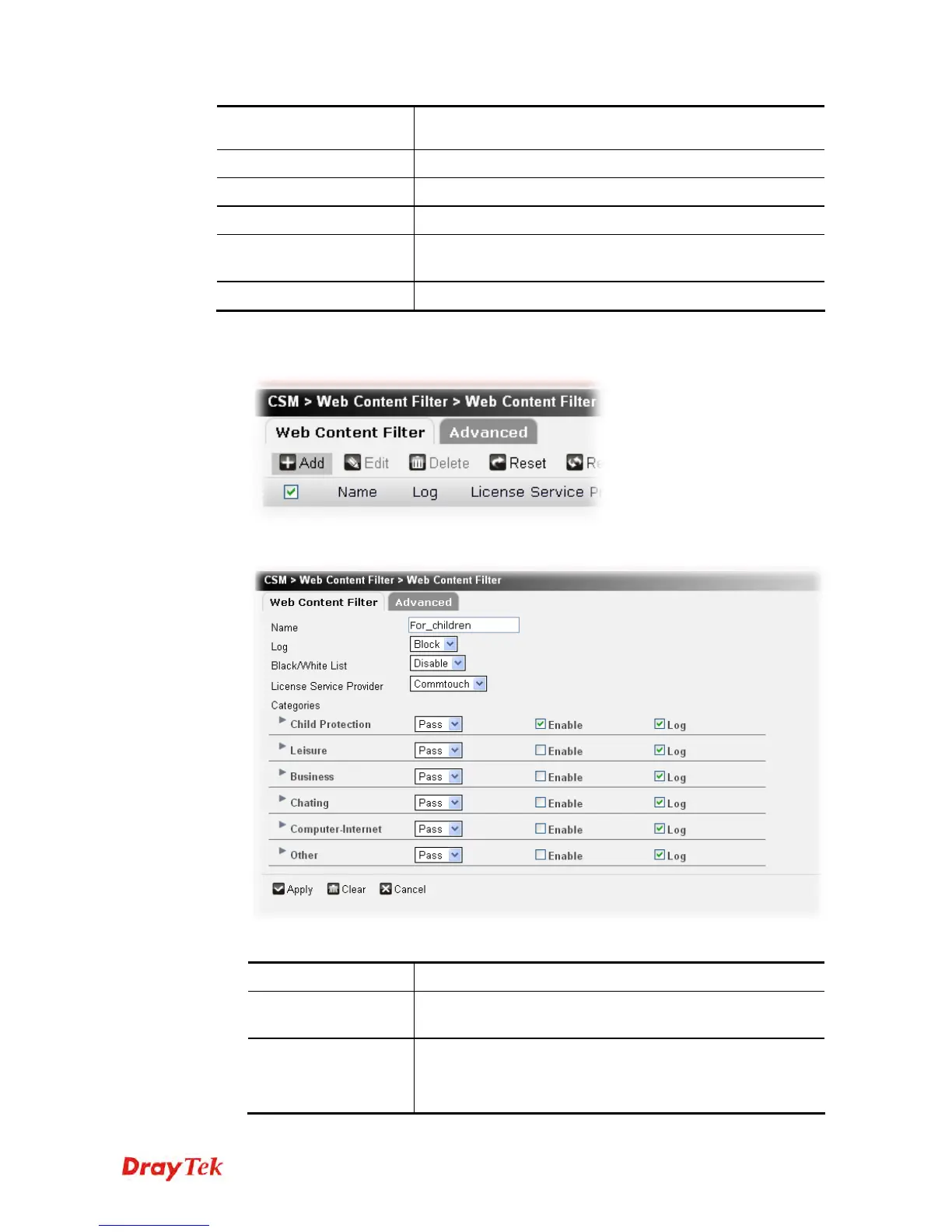
To create a new filter profile, please do the following:
1. Click the Add button.
2. The following setting page will appear.
Available parameters are listed below:
Item Description
Name
Type a name for this filter profile. Maximum 63 characters
are allowed.
Log
None – There is no log file will be recorded for this profile.
Pass – Only the log about Pass will be recorded in Syslog.
Block – Only the log about Block will be recorded in Syslog.











 To Next Page