Vigor2760 Series User’s Guide
191
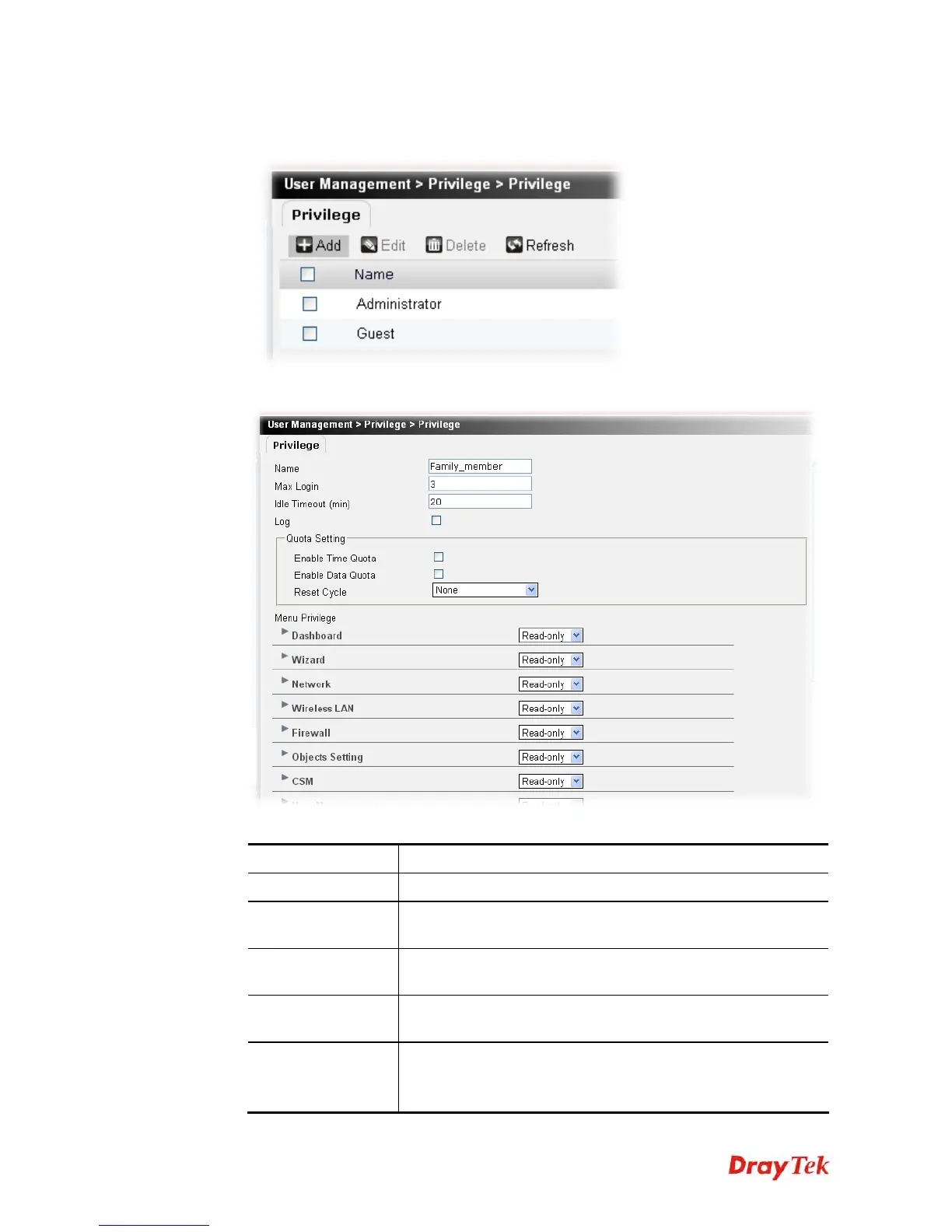
To create a new privilege profile, please do the following:
1. Click the Add button.
2. The following setting page will appear.
Available parameters are listed below:
Item Description
Name
Type a name for such new privilege profile.
Max Login
The number specified here means the system allows the number
of the remote user accessing into web user interface at one time.
Idle Timeout
Set the timeout for breaking down the Internet after passing
through the time without any action.
Log
Check the box to make the accessing information of the user be
displayed in Syslog
Quota Setting
You can set total connection time allowed by the router and the
total amount allowed for data transmission.











 To Next Page