Vigor2760 Series User’s Guide
209
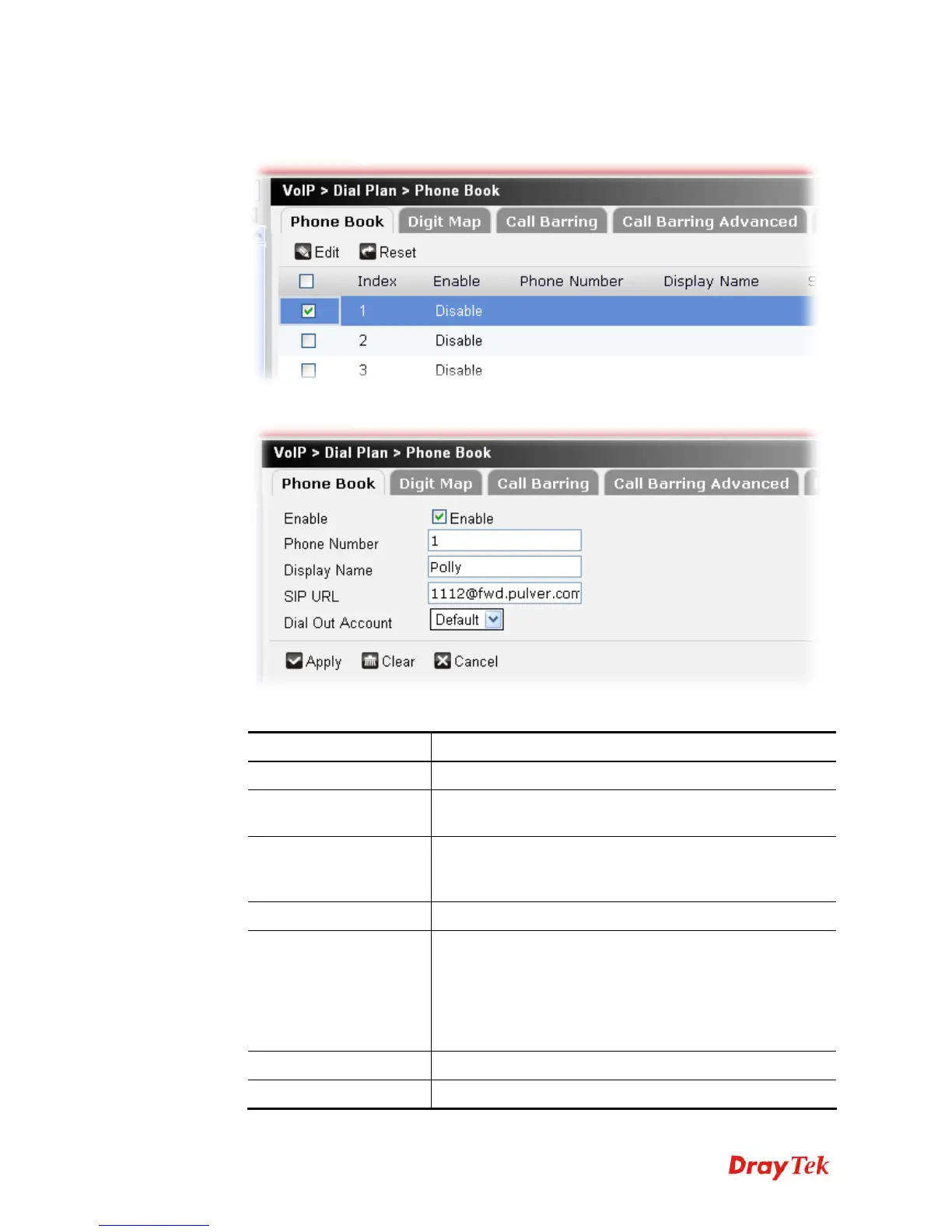
To edit a phone book profile, please do the following:
1. Choose the phone book profile you want and click the check box.
2. Click Edit to open the following page.
Available parameters are listed below:
Item Description
Enable
Click this to enable this entry.
Phone Number
The speed-dial number of this index. This can be any
number you choose, using digits 0-9 and * .
Display Name
The Caller-ID that you want to be displayed on your
friend’s screen. This let your friend can easily know who’s
calling without memorizing lots of SIP URL Address.
SIP URL
Enter your friend’s SIP Address.
Dial Out Account
Choose one of the SIP accounts for this profile to dial out. It
is useful for both sides (caller and callee) that registered to
different SIP Registrar servers. If caller and callee do not
use the same SIP server, sometimes, the VoIP phone call
connection may not succeed. By using the specified dial out
account, the successful connection can be assured.
Apply
Click it to save the settings.
Clear
Click it to remove the modification of the web page.











 To Next Page