Vigor2760 Series User’s Guide
248
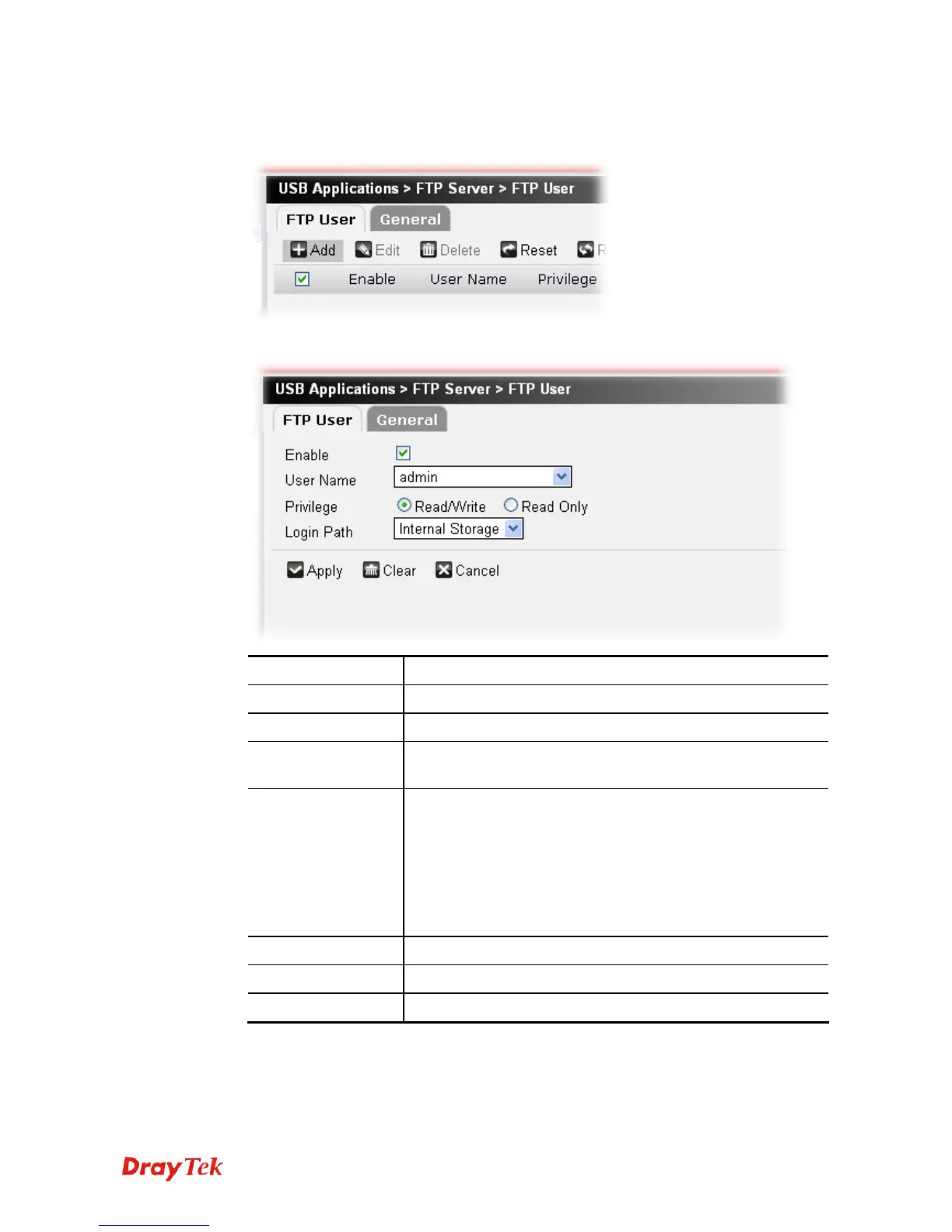
To add a new profile for disk share, please do the following:
1. Click the Add button.
2. The following setting page will appear.
Item Description
Enable
Check the box to enable such profile.
User Name
Use the drop down list to specify the name for the user.
Privilege
Determine the right (read/write or ready only) that such user
profile will have.
Login Path
Specify the directory that a user will find himself/herself
residing in once logging in.
Internal Storage – It indicates Vigor2760 internal NAND
flash storage, which is about 38MB and is designed to store
configuration related settings. Currently the path is /mnt/share.
USB Disk – Each USB disk plugged in will have a mounting
path, e.g. /mnt/usb/Disc-A1.
Apply
Click it to save the settings.
Clear
Click it to remove the modification of the web page.
Cancel
Click it to exit the web page without saving the configuration.











 To Next Page