Vigor2760 Series User’s Guide
250
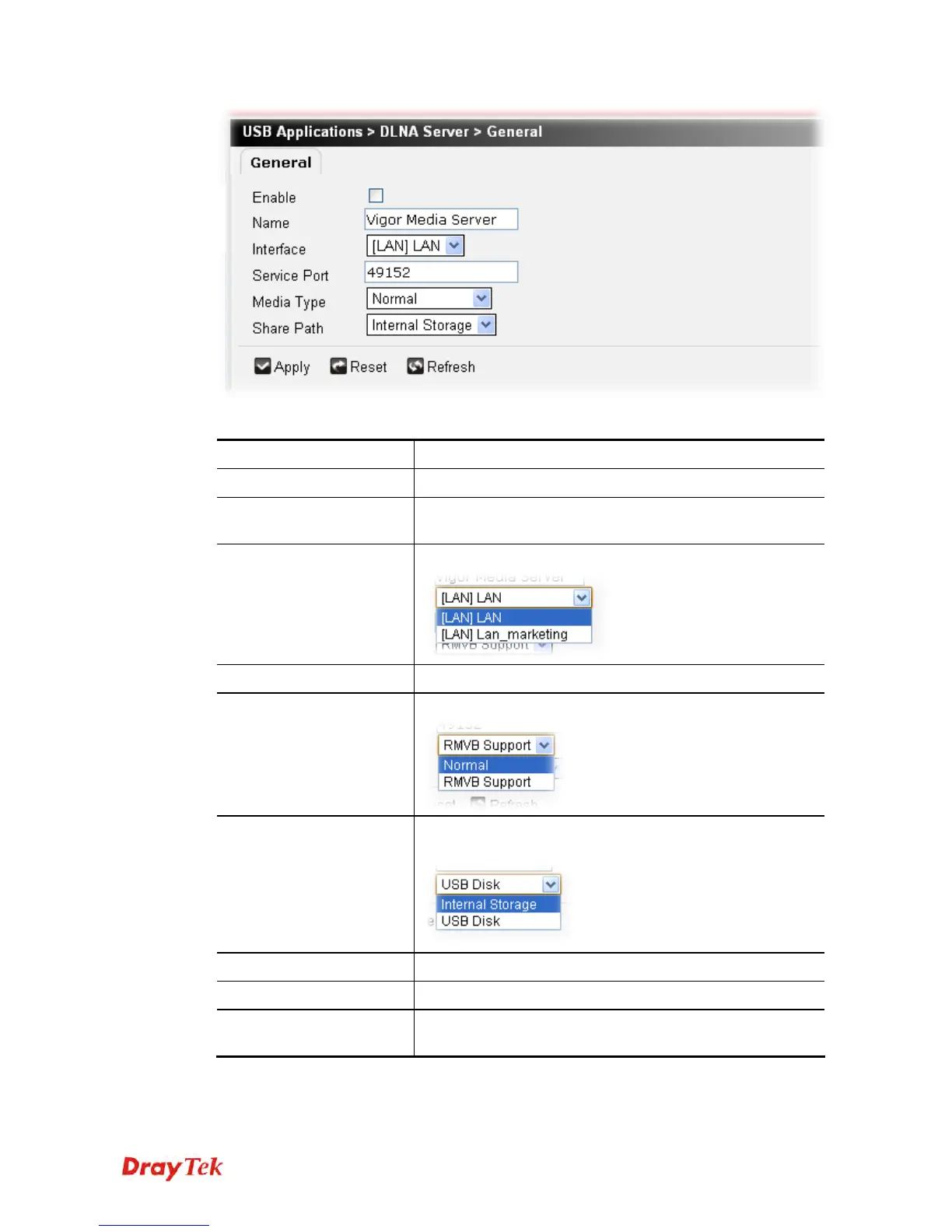
Available settings are explained as follows:
Item Description
Enable
Check it to enable DLNA Server function.
Name
The default name will be displayed in this page. You can
change it if you want.
Interface
Choose an interface for the DLNA server.
Service Port
Specify the port number for the DLAN server.
Media Type
Choose Normal or RMVB Support as the media type.
Share Path
Specify Internal Storage or USB Disk for storing the files
onto the hard disk or USB disk.
Apply
Click it to save the settings.
Reset
Click it to retrieve the default settings of this page.
Refresh
Click it to clear current settings and return to the settings
saved previously.











 To Next Page