Vigor2760 Series User’s Guide
291
Delete
Remove the selected SNMP profile.
Reset
Click it to rest to factory default settings.
Refresh
Click it to refresh the web page.
Enable
Display the activation status for such interface.
Enable – The SNMP profile is activated.
Disable –The SNMP profile is not activated.
Get Community
Display the name for getting community.
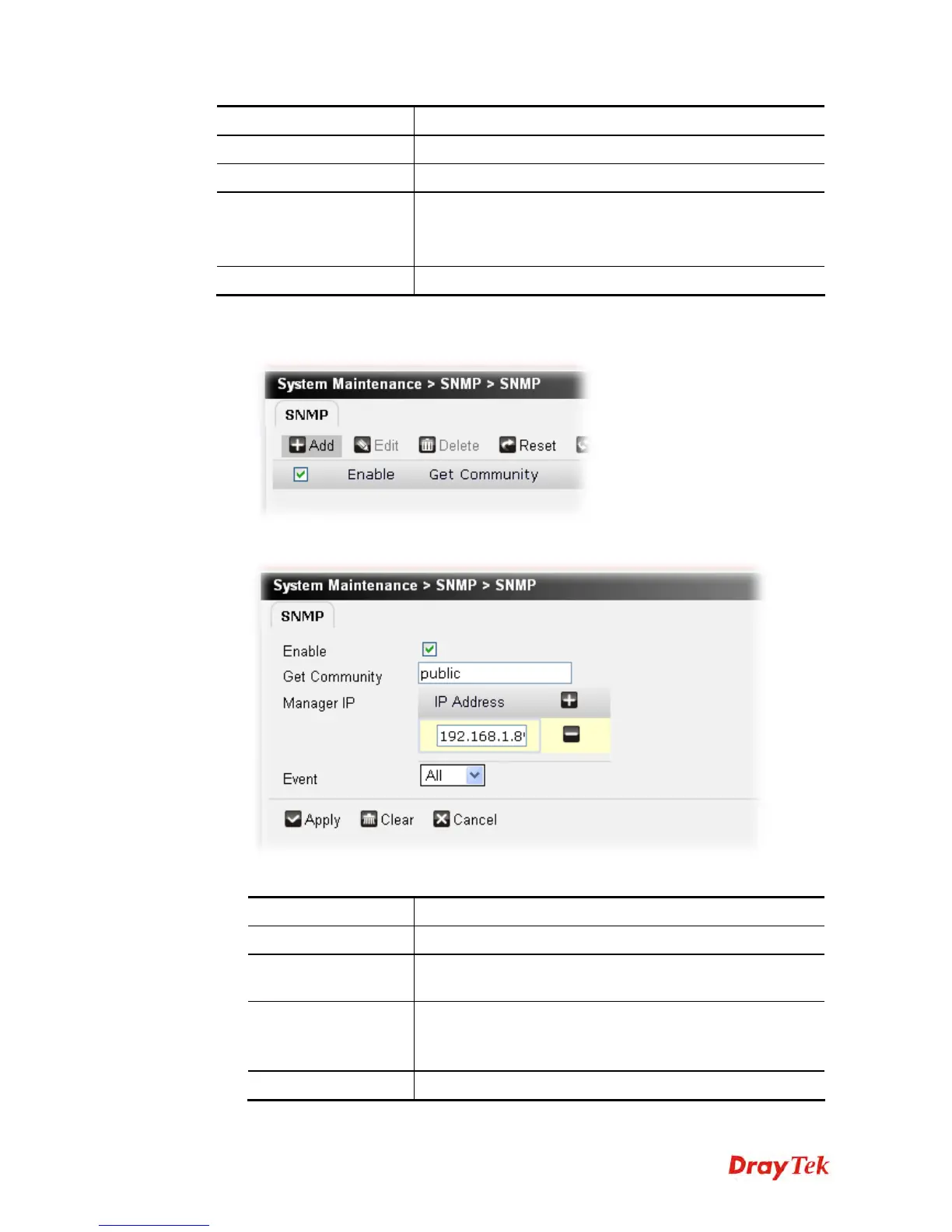
To add a SNMP profile, please do the following:
1. Click Add.
2. The following page appears.
Available parameters are listed below:
Item Description
SNMP Enable
Check the box to enable such profile.
Get Community
Set the name for getting community by typing a proper
character. The default setting is public.
Manager IP
Set one host as the manager to execute SNMP function.
Please type in IP address to specify certain host.
Click the + button to add a new IP address.
SNMP Event
Specify the items to be executed by SNMP function.











 To Next Page