Vigor2760 Series User’s Guide
301
TX/RX Packet Count
Display the transmitting/receiving packets counted by such
user.
Status
Display the status (block or pass) of the PC.
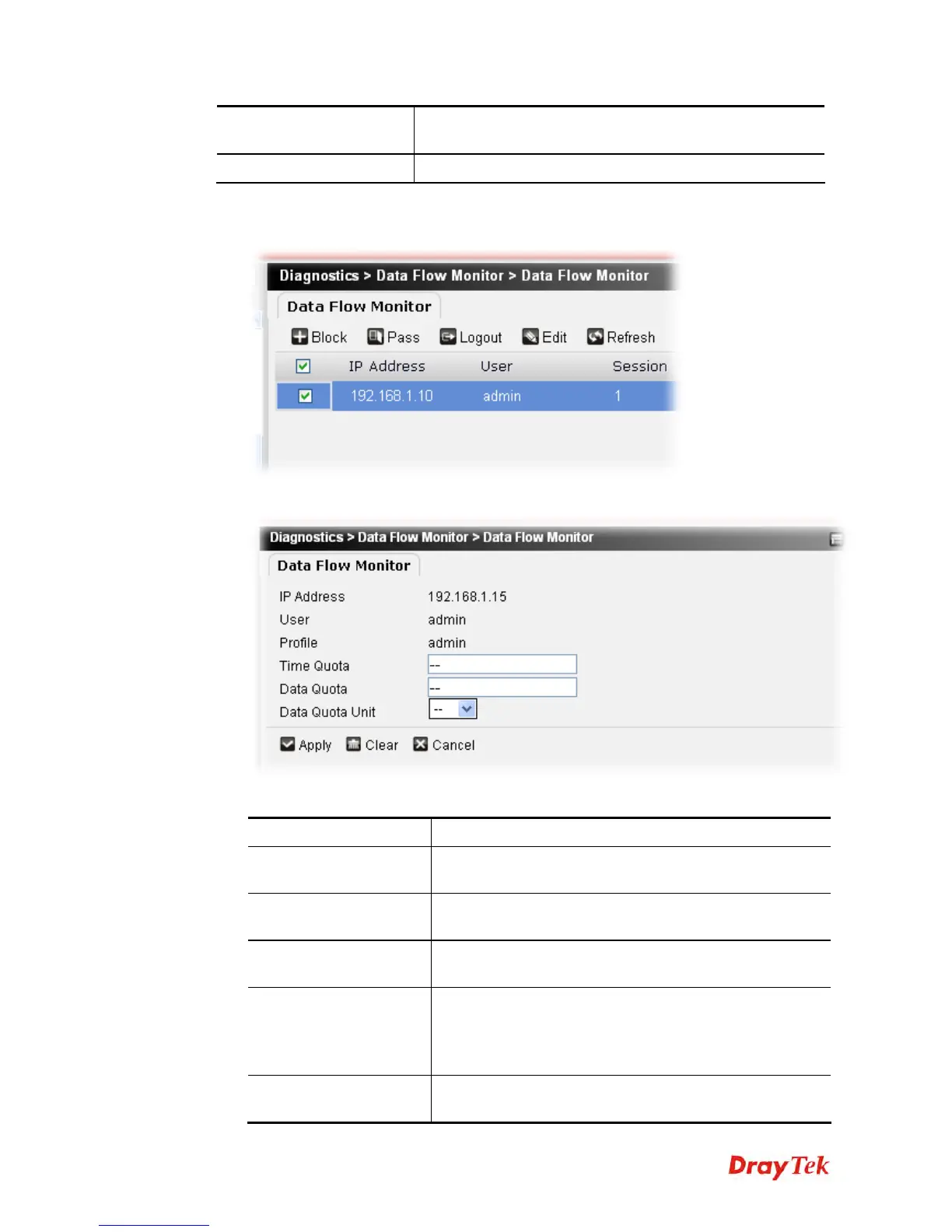
To edit a time quota or data quota of data flow monitor, please do the following:
1. Choose and check the profile you want.
2. Click Edit to open the following page.
Available parameters are listed below:
Item Description
IP Address
Display the IP address of the host. Such IP address is fixed
and cannot be changed.
User
Display the name of the user. Such name cannot be
changed.
Profile
Display the name of the profile. Such name cannot be
changed.
Time Quota
Change the value if you want.
If you did not configure such settings for such user under
User Management>>Privilege, it is impossible for you to
modify the value here.
Data Quota
Change the value if you want.
If you did not configure such settings for such user under











 To Next Page