Vigor2760 Series User’s Guide
303
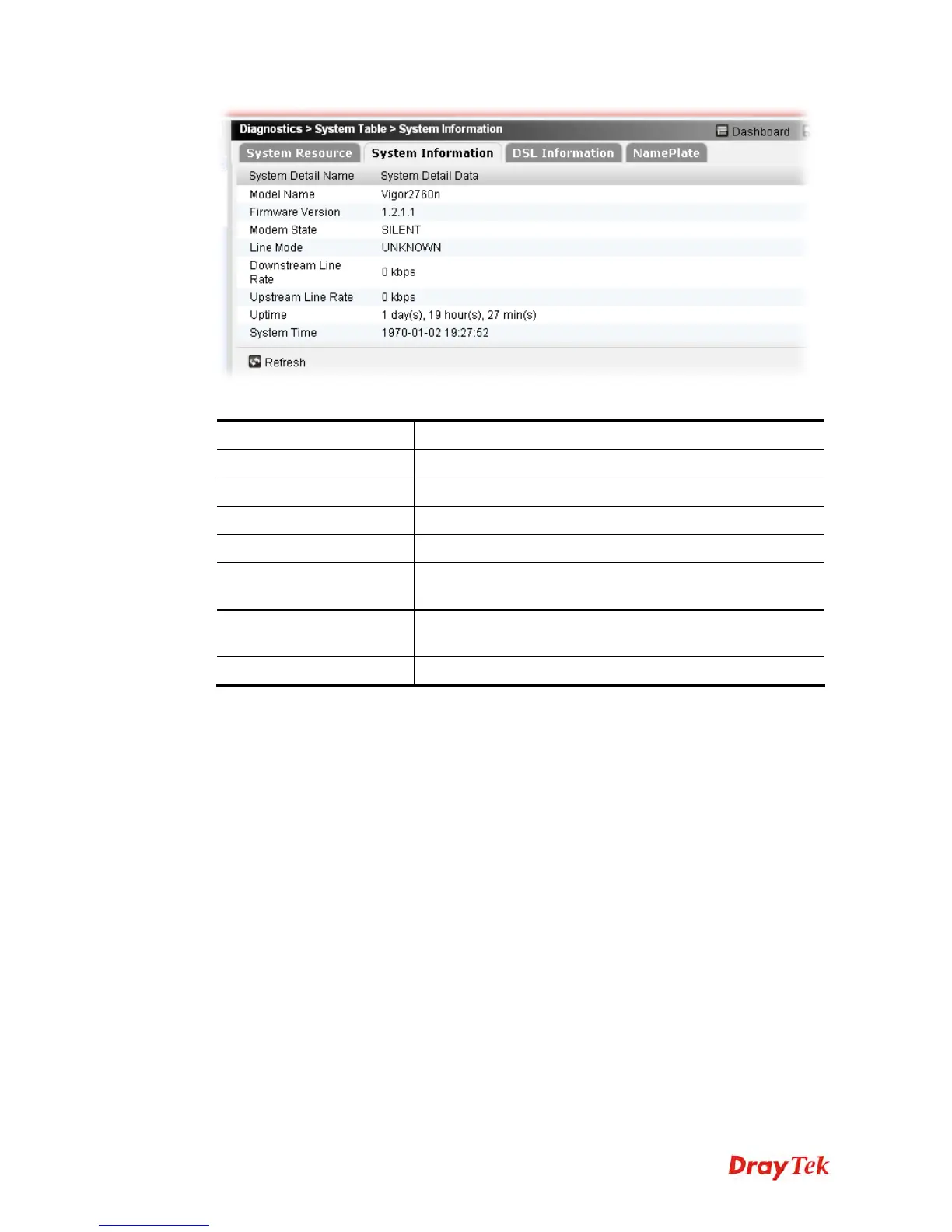
Each item will be explained as follows:
Item Description
Model Name
Display the model name of the Vigor router.
Firmware Version
Display current firmware version used by the router.
Modem State
Display if such router is active, inactive or silent.
Line Mode
Display the speed allowed by hardware.
Downstream/Upstream
Line Rate
Display the speed for incoming /outgoing traffic via such
router.
Uptime
Display the duration time when the router connects to
Internet.
System Time
Display the time of the system.
Related information of DSL interface will be seen by clicking Diagnostics>>System
Table>>DSL Information.











 To Next Page