Vigor2760 Series User’s Guide
54
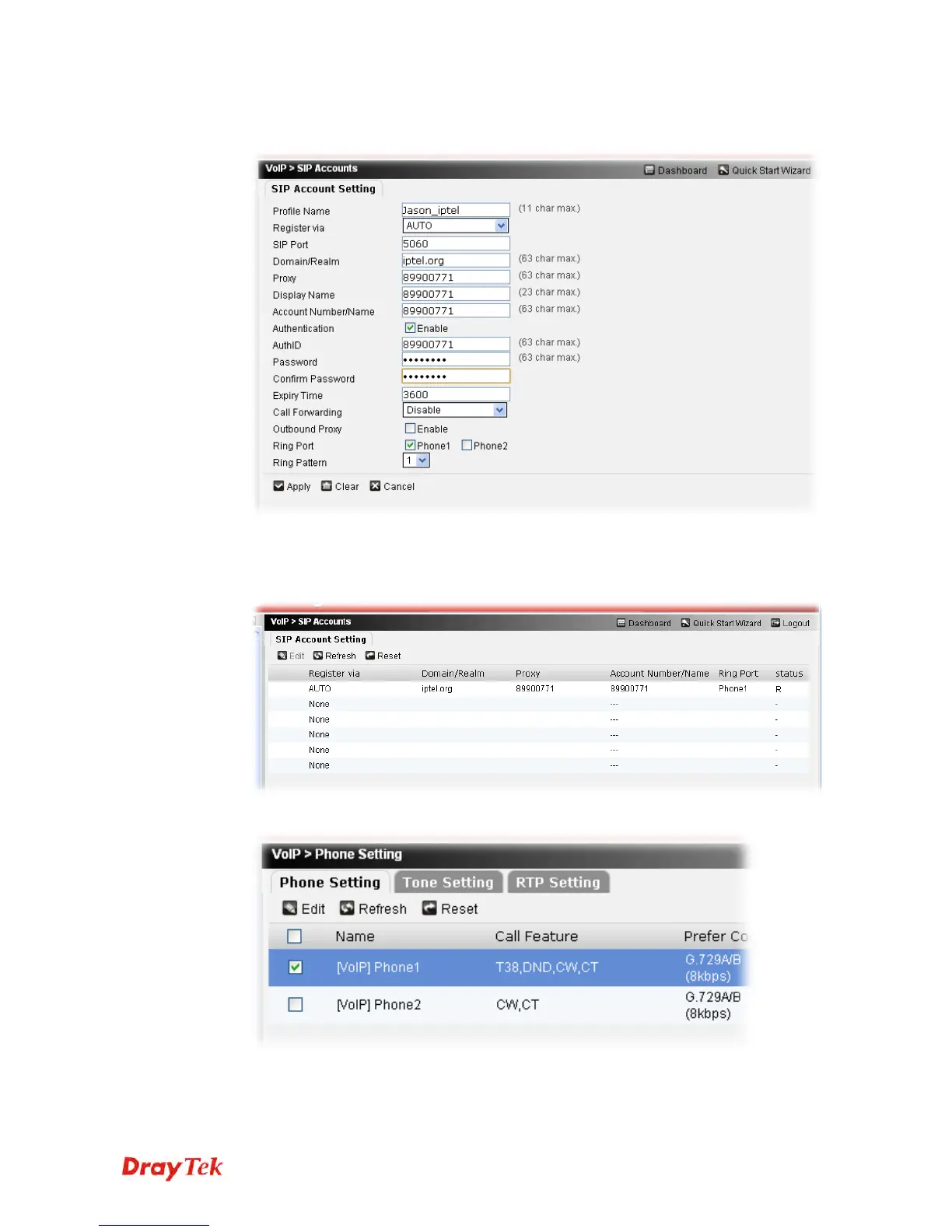
4. Choose Account1 by checking the selection box. Then click Edit. In the following page,
carefully fill in all the required information for registration the account.
5. After finished the above settings, click Apply to save the settings.
6. If the SIP account has been registered successfully, you will see “R” (means registered)
appearing under Status on the page.
7. Open VoIP>>Phone Setting and select Phone1.











 To Next Page