4
Miscellaneous Functions
99
Special Functions
Batch Print Mode
This function switches from the normal “Batch Print Mode” to the “Sequental Batch Print Mode.” The default
settings is “Batch Print Mode.”
The Batch Print Mode prints out all sets input (number of pages x number of groups) as a single document.
The Sequental Batch Print Mode handles each set as a single document.
○○○○○○○○○○○○○○○○○○○○○○○○○○○○○○○○○○○○○○○○○○○○○○○○○○○○○○○○○○
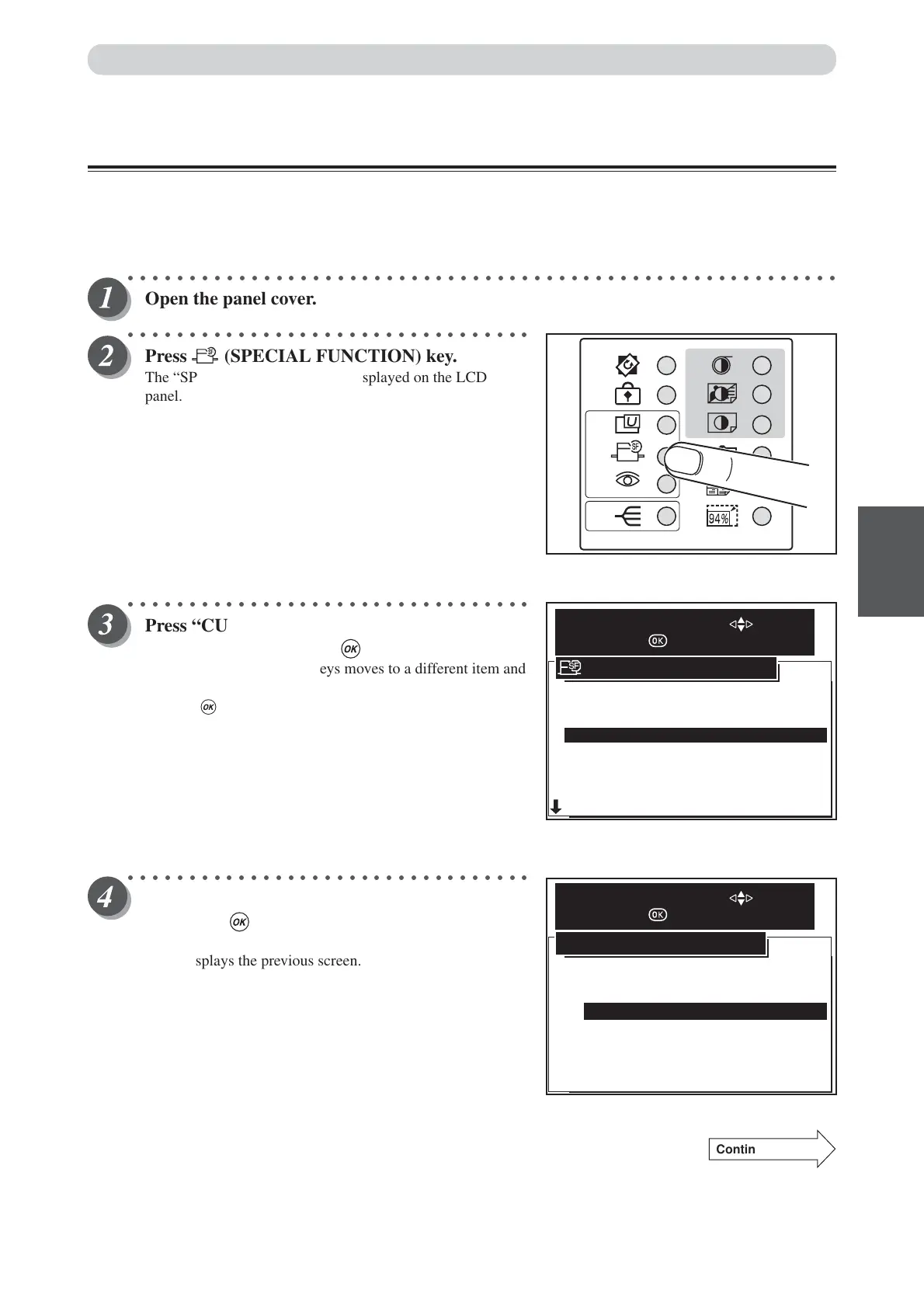
Open the panel cover.
○○○○○○○○○○○○○○○○○○○○○○○○○○○○○○○○○
Press (SPECIAL FUNCTION) key.
The “SPECIAL FUNCTION” is displayed on the LCD
panel.
○○○○○○○○○○○○○○○○○○○○○○○○○○○○○○○○○
Press “CURSOR” keys to select “BATCH
PRINT”, and then press (OK) key.
Each press of “CURSOR” keys moves to a different item and
that item is displayed highlighted.
Pressing (OK) key set the highlighted item.
○○○○○○○○○○○○○○○○○○○○○○○○○○○○○○○○○
Press “CURSOR” key to select one item, and
then press (OK) key.
Default is “BATCH PRINT”. “Cancel” cancels this screen,
and redisplays the previous screen.
Continue Page
•••
5.AUTO POWER OFF
6.AUTO LCD OFF
7.LONG MODE
8.INK CIRCULATION
9.TAPE CLUSTER
1.FINE START AUTO
OFF
OFF
OFF
OFF
2.AUTO CLEAR 5 MIN
3.PRE-PRINT 3 PRINTS
4.BATCH PRINT BATCH
SPECIAL FUNCTION
SELECT AN ITEM WITH
AND PRESS
BATCH PRINT
SEQUENTAL BATCH PRINT
CANCEL
BATCH PRINT
SELECT AN ITEM WITH
AND PRESS






 To Next Page