114
User Setting Functions
○○○○○○○○○○○○○○○○○○○○○○○○○○○○○○○○○
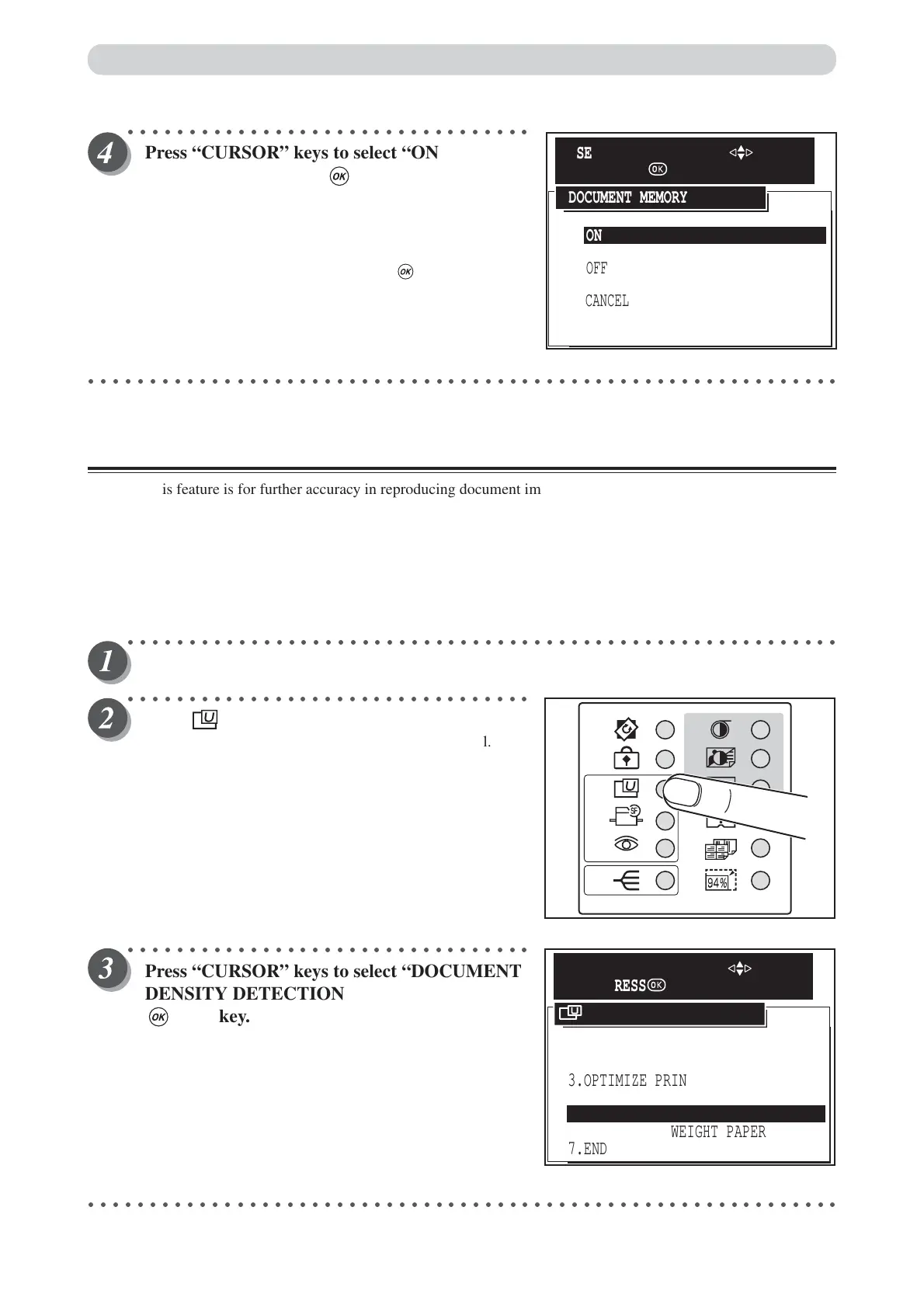
Press “CURSOR” keys to select “ON” or
“OFF”, and then press (OK) key.
“ON” enables memory functions.
“OFF” disables memory functions.
“Cancel” cancels this screen, and return to the USER
SETTING display.
Document memory is setted by pressing (OK) key and
return to the USER SETTING display.
○○○○○○○○○○○○○○○○○○○○○○○○○○○○○○○○○○○○○○○○○○○○○○○○○○○○○○○○○○○○○
Document Density Detection Mode
This feature is for further accuracy in reproducing document image.
•Before scanning the image for printing, the scanner pre-views the document and detects the lightest part and
the darkest part on the document.
• This feature is effective with documents which have photograph / half-tone image, newspaper etc.
• Pressing Plate-make key during the document density detection may interfere the process and cause error in
print image.
•When this feature is ON, Duprinter takes a little longer to make a master than when it is OFF.
○○○○○○○○○○○○○○○○○○○○○○○○○○○○○○○○○○○○○○○○○○○○○○○○○○○○○○○○○○
Open the panel cover.
○○○○○○○○○○○○○○○○○○○○○○○○○○○○○○○○○
Press (USER SETTING) key.
The “USER SETTING” is displayed on the LCD panel.
○○○○○○○○○○○○○○○○○○○○○○○○○○○○○○○○○
Press “CURSOR” keys to select “DOCUMENT
DENSITY DETECTION”, and then press
(OK) key.
○○○○○○○○○○○○○○○○○○○○○○○○○○○○○○○○○○○○○○○○○○○○○○○○○○○○○○○○○○○○○
ON
CANCEL
OFF
DOCUMENT MEMORY
SELECT AN ITEM WITH
AND PRESS
1.JOB SETTING MEMORY
2.INITIAL SETTING
6.FEED HEAVY WEIGHT PAPER
7.END
3.OPTIMIZE PRINT
4.DOCUMENT MEMORY
5.DOCUMENT DENSITY DETECTION
USER SETTING
SELECT AN ITEM WITH
AND PRESS






 To Next Page