2
35
Printing Using Basic Functions
Loading and Replacing Paper
This section describes how to load the printer with paper. You can load approximately 1,500 sheets in this
printer.
○○○○○○○○○○○○○○○○○○○○○○○○○○○○○○○○○
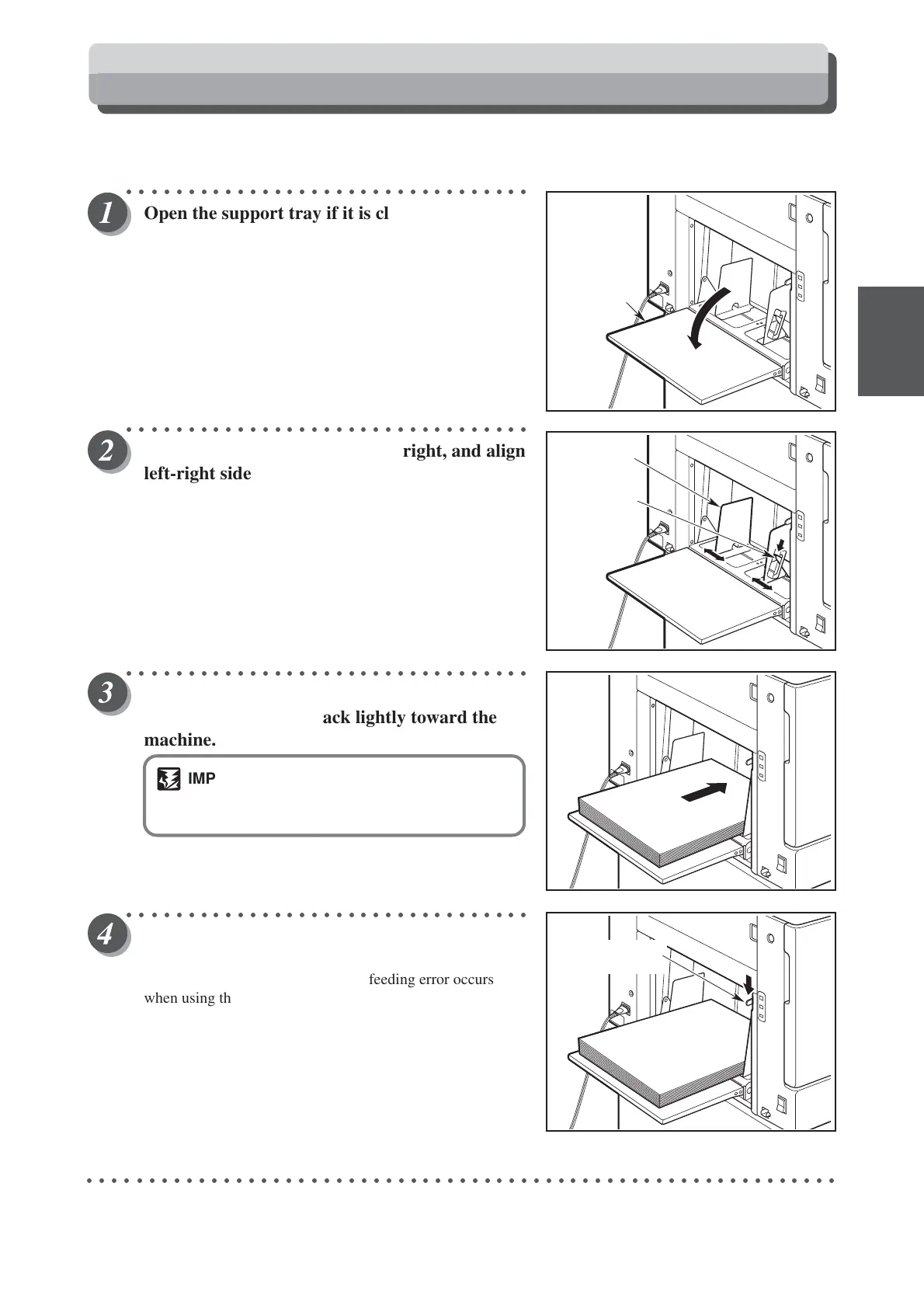
Open the support tray if it is closed.
○○○○○○○○○○○○○○○○○○○○○○○○○○○○○○○○○
Raise the side guide lever on the right, and align
left-right side guides to match the width of the
paper.
Lower the side guide lever to the bottom, and
lock after it matched the width of the paper.
○○○○○○○○○○○○○○○○○○○○○○○○○○○○○○○○○
Load a stack of aligned sheets between side
guides and press the stack lightly toward the
machine.
IMPORTANT
•You can load the feed tray with approximately
1,500 sheets of 55kg high-grade paper.
○○○○○○○○○○○○○○○○○○○○○○○○○○○○○○○○○
Adjust the feed pressure adjuster lever to the
paper thickness.
Adjust the paper feed pressure if an feeding error occurs
when using thick or thin paper.
■ When no thick paper is fed
Adjust the paper feed pressure adjuster lever to “HIGH”.
■ When two pieces of thin paper are fed
Adjust the paper feed pressure adjuster lever to “LOW”.
○○○○○○○○○○○○○○○○○○○○○○○○○○○○○○○○○○○○○○○○○○○○○○○○○○○○○○○○○○○○○
Support
Tray
Sids guide
Side guide
lever
Feed pressure
adjuster lever






 To Next Page