145
6
Troubleshooting
When and old master remains on the drum, “PLATE EJECTION ERROR” is displayed on the LCD panel. Remove it by
following the procedure below.
WARNING
• Do not press the surface of the drum unit with your fingers or scratch it.
Doing so will not only dirty your fingers or clothing but will also indent the drum unit surface,
preventing normal printing.
• Before placing the drum unit, check the location for other objects so that it is placed on a
level surface.
• Scratches or dents on the drum unit surface prevents normal printing.
○○○○○○○○○○○○○○○○○○○○○○○○○○○○○○○○○
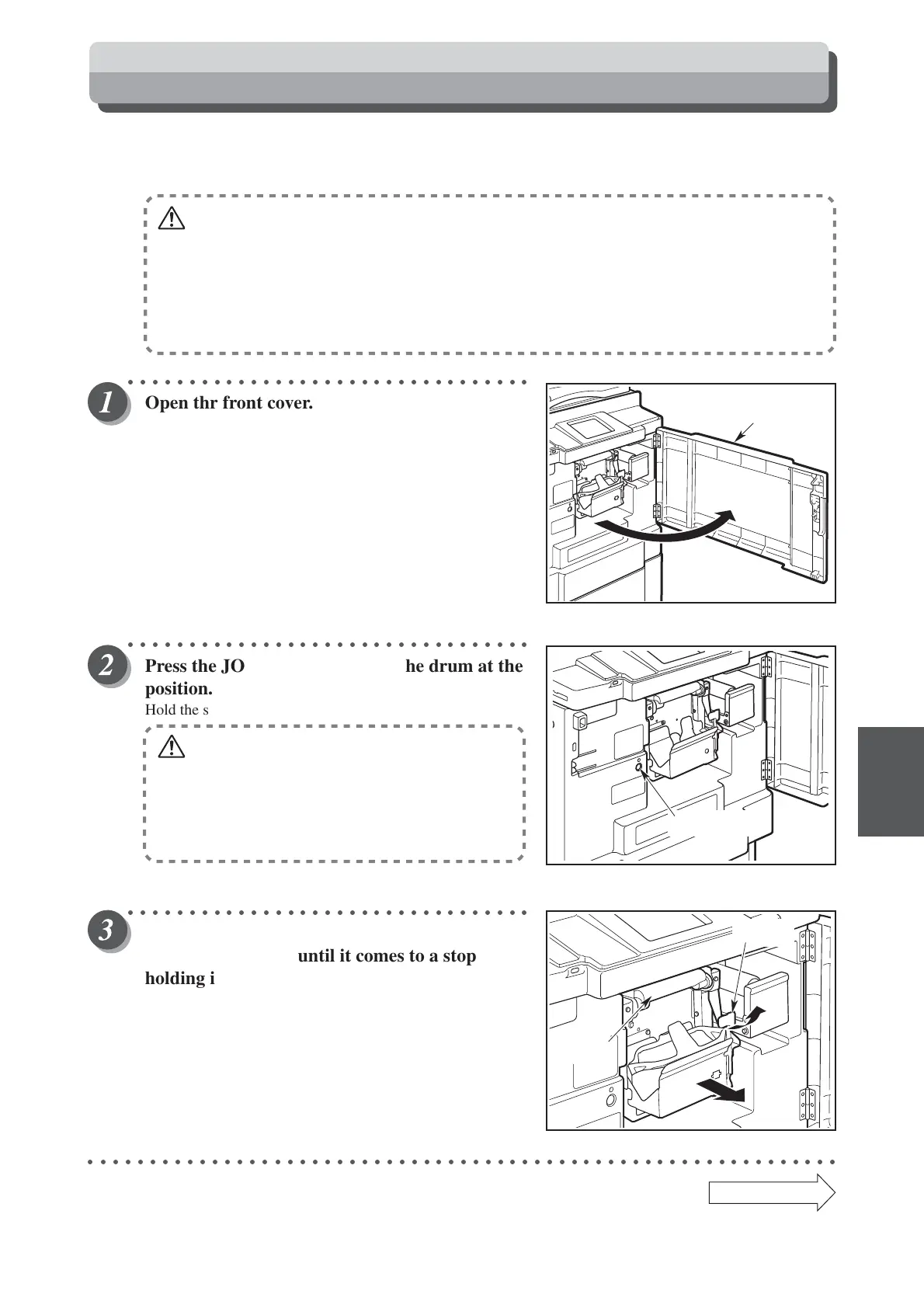
Open thr front cover.
○○○○○○○○○○○○○○○○○○○○○○○○○○○○○○○○○
Press the JOG switch until stop the drum at the
position.
Hold the switch down until the master peels off.
WARNING
• Do not touch the drum or rollers when you
operate the JOG switch.
• Do not put your hands inside the machine
while it is operating. Your hands may be
pulled in or nipped.
○○○○○○○○○○○○○○○○○○○○○○○○○○○○○○○○○
Pull up the lever towards you, and pull out the
drum unit straight until it comes to a stop
holding it by its handle.
○○○○○○○○○○○○○○○○○○○○○○○○○○○○○○○○○○○○○○○○○○○○○○○○○○○○○○○○○○○○○
Continue Page
•••
When “PLATE EJECTION ERROR” is Displayed
Lever
handle
JOG switch
Front cover



 To Next Page