3
Printing With Various Functions
69
○○○○○○○○○○○○○○○○○○○○○○○○○○○○○○○○○
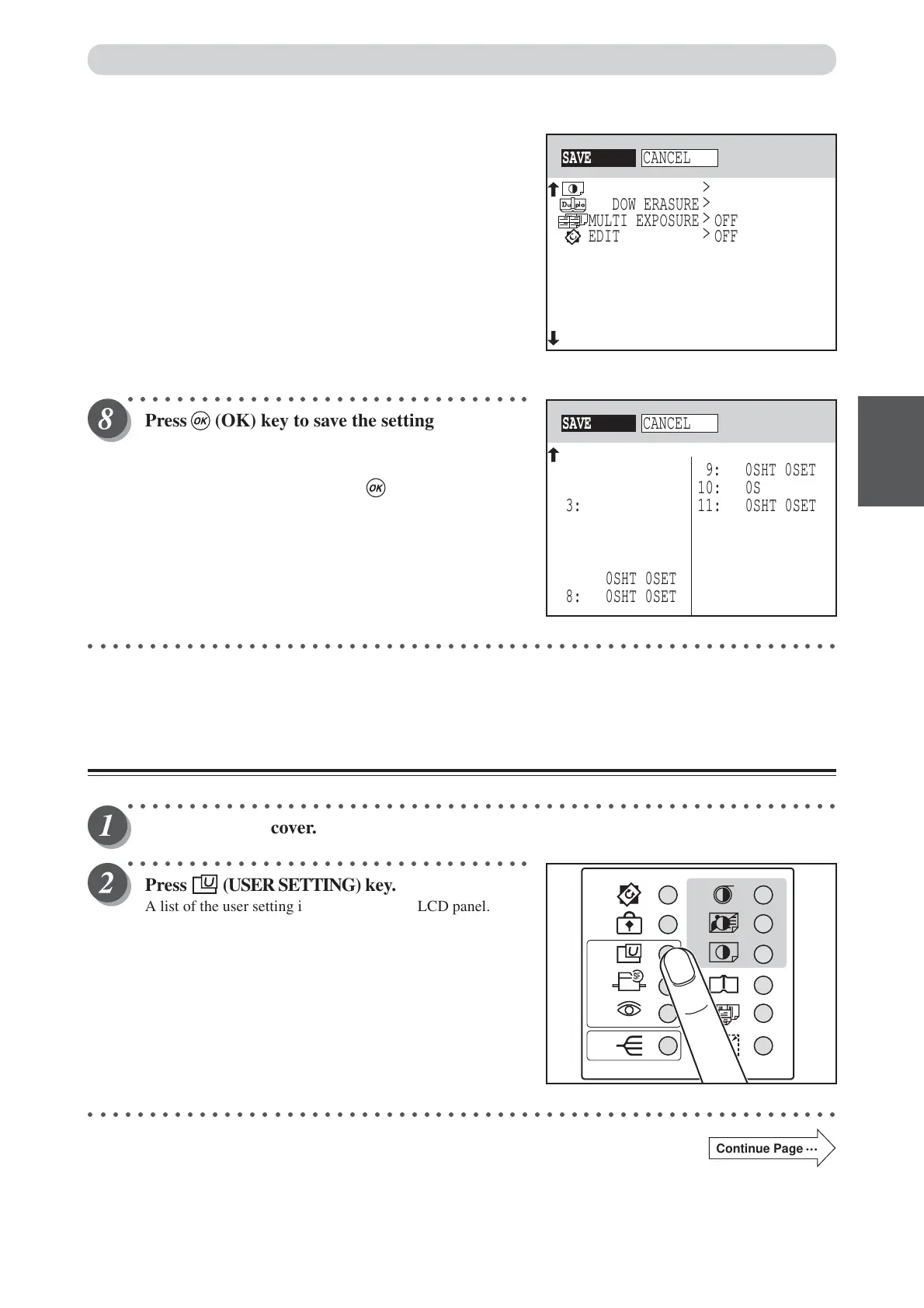
Press (OK) key to save the settings if they are
not in error.
To cancel saving settings, select CANCEL with
“CURSOR” keys and press (OK) key.
○○○○○○○○○○○○○○○○○○○○○○○○○○○○○○○○○○○○○○○○○○○○○○○○○○○○○○○○○○○○○
Retrieving Settings
○○○○○○○○○○○○○○○○○○○○○○○○○○○○○○○○○○○○○○○○○○○○○○○○○○○○○○○○○○
Open the panel cover.
○○○○○○○○○○○○○○○○○○○○○○○○○○○○○○○○○
Press (USER SETTING) key.
A list of the user setting is displayed on the LCD panel.
○○○○○○○○○○○○○○○○○○○○○○○○○○○○○○○○○○○○○○○○○○○○○○○○○○○○○○○○○○○○○
Continue Page
•••
>
>
>
>
SAVE
CANCEL
OFF
MULTI EXPOSURE
0
PRINT DARKNESS
OFF
SHADOW ERASURE
OFF
EDIT
SAVE
CANCEL
3: 0SHT 0SET
1: 0SHT 0SET
2: 0SHT 0SET
4: 0SHT 0SET
5: 0SHT 0SET
6: 0SHT 0SET
7: 0SHT 0SET
8: 0SHT 0SET
11: 0SHT 0SET
9: 0SHT 0SET
10: 0SHT 0SET
12: 0SHT 0SET
13: 0SHT 0SET
14: 0SHT 0SET
15: 0SHT 0SET
BATCH PRINT
94%
Saving / Retrieving Settings






 To Next Page