94
Fine Start “Operation at Next Platemaking”
This setting forces the machine to operate once under maximum conditions the first time a plate is made after
the drum is replaced, regardless of the elapsed time.
○○○○○○○○○○○○○○○○○○○○○○○○○○○○○○○○○○○○○○○○○○○○○○○○○○○○○○○○○○
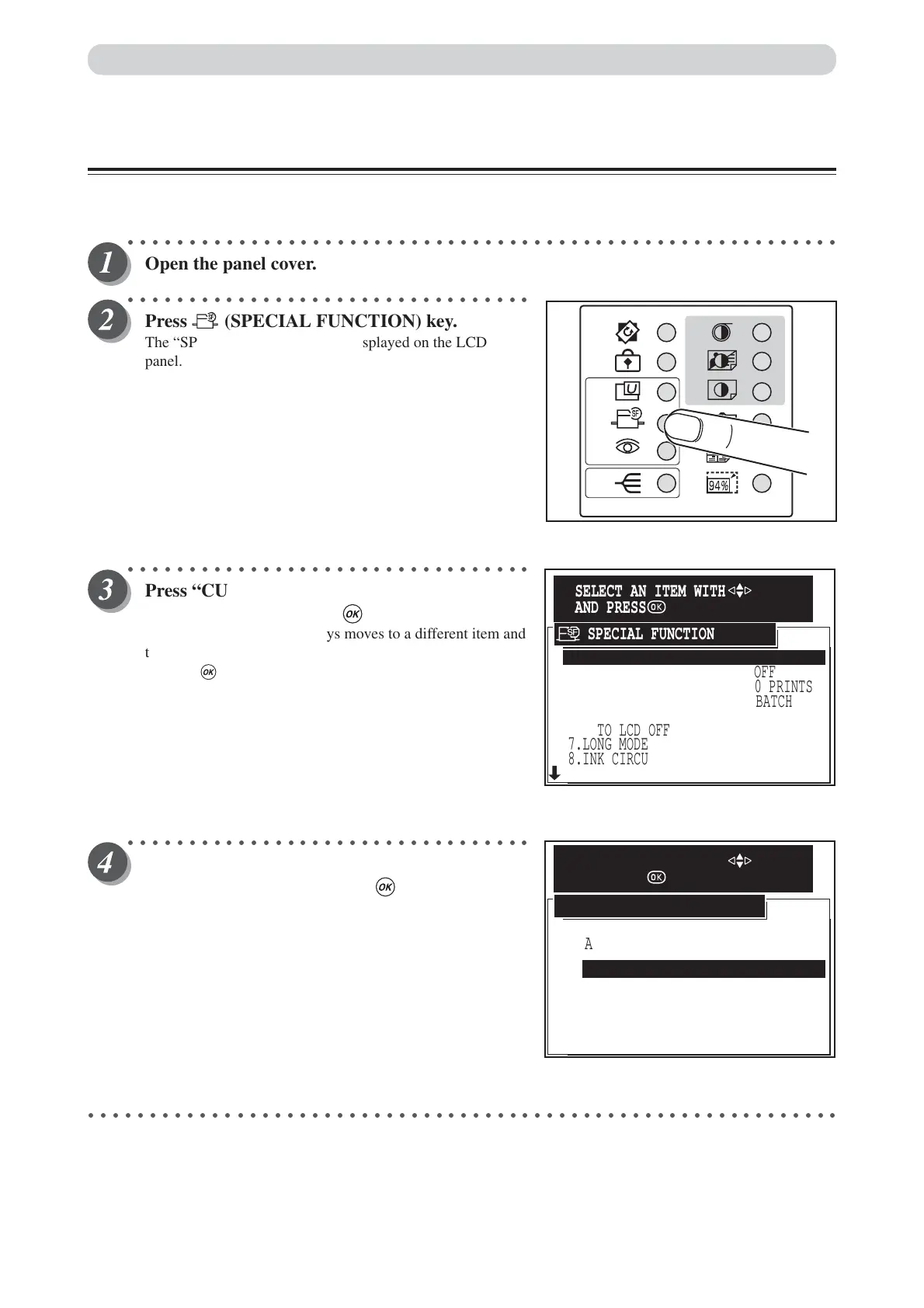
Open the panel cover.
○○○○○○○○○○○○○○○○○○○○○○○○○○○○○○○○○
Press (SPECIAL FUNCTION) key.
The “SPECIAL FUNCTION” is displayed on the LCD
panel.
○○○○○○○○○○○○○○○○○○○○○○○○○○○○○○○○○
Press “CURSOR” keys to select “FINE
START”, and then press (OK) key.
Each press of “CURSOR” keys moves to a different item and
that item is displayed highlighted.
Pressing (OK) key set the highlighted item.
○○○○○○○○○○○○○○○○○○○○○○○○○○○○○○○○○
Press “CURSOR” keys to select “ENABLE IN
NEXT JOB”, and then press (OK) key.
○○○○○○○○○○○○○○○○○○○○○○○○○○○○○○○○○○○○○○○○○○○○○○○○○○○○○○○○○○○○○
Special Functions
2.AUTO CLEAR
5.AUTO POWER OFF
6.AUTO LCD OFF
7.LONG MODE
8.INK CIRCULATION
9.TAPE CLUSTER
3.PRE-PRINT
4.BATCH PRINT
1.FINE START OFF
OFF
OFF
OFF
OFF
BATCH
0 PRINTS
OFF
SPECIAL FUNCTION
SELECT AN ITEM WITH
AND PRESS
AUTO SELECTION
CANSEL
ENABLE IN NEXT JOB
FINE START
SELECT AN ITEM WITH
AND PRESS






 To Next Page