3
Printing With Various Functions
49
○○○○○○○○○○○○○○○○○○○○○○○○○○○○○○○○○○○○○○○○○○○○○○○○○○○○○○○○○○○○○
Proceed with steps 1 to 4 of the sequence described in “ Basic Printmaking” (
aa
aa
a page 32).
○○○○○○○○○○○○○○○○○○○○○○○○○○○○○○○○○
Open the Panel cover.
○○○○○○○○○○○○○○○○○○○○○○○○○○○○○○○○○
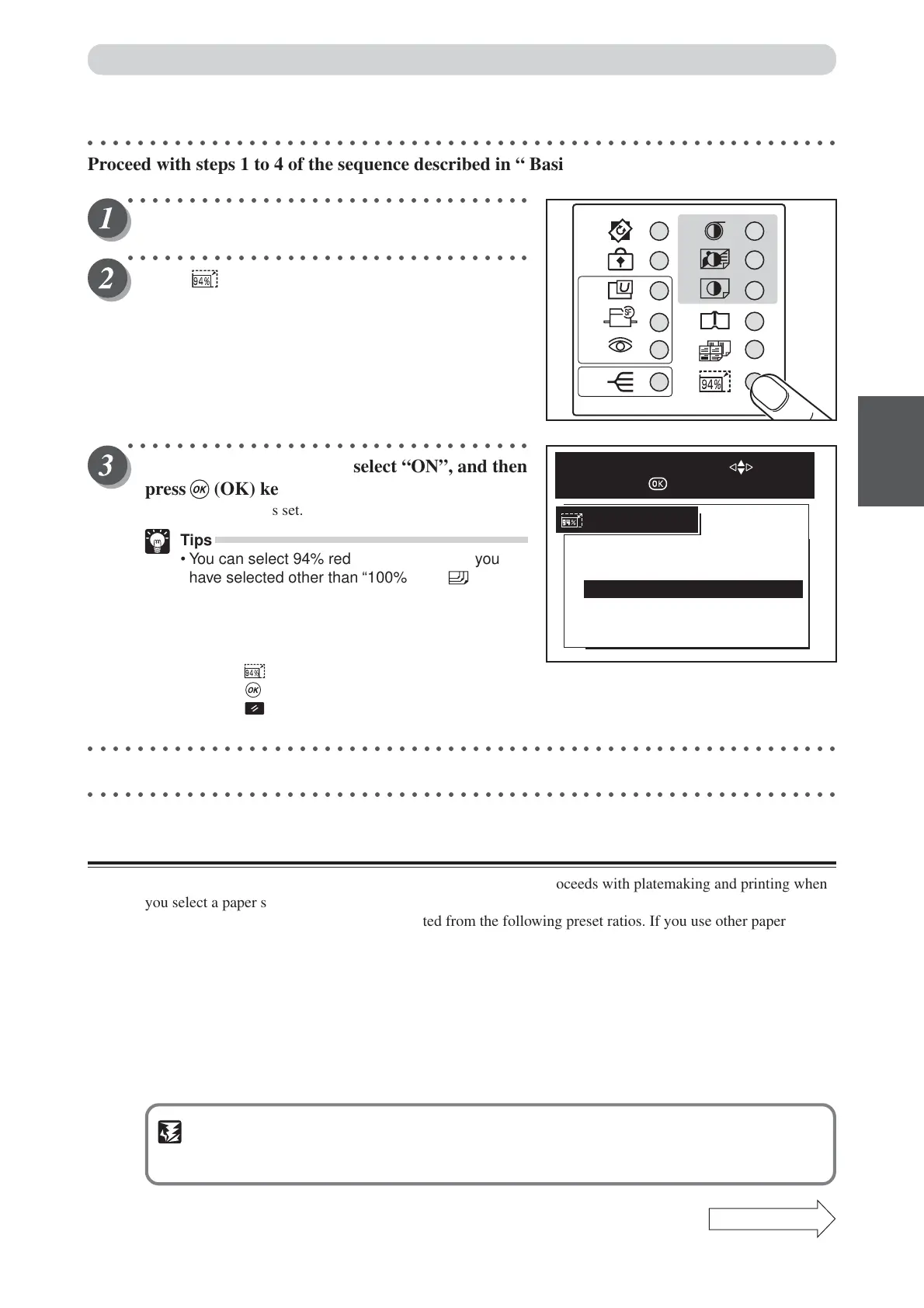
Press (94%) key.
○○○○○○○○○○○○○○○○○○○○○○○○○○○○○○○○○
Press “CURSOR” keys to select “ON”, and then
press (OK) key.
The 94% reduction is set.
Tips
•You can select 94% reduction even when you
have selected other than “100%” with (PRINT
SIZE) key. In this case, the zoom ratio will be the
zoom ratio shown on the LCD x 94%.
•You can cancel 94% reduction using one of the
following two methods:
• Press (94%) key again, select “OFF ” and
press (OK) key.
• Press (ALL CLEAR) key. In this case, all
settings are reset to standard mode (a page 26).
○○○○○○○○○○○○○○○○○○○○○○○○○○○○○○○○○○○○○○○○○○○○○○○○○○○○○○○○○○○○○
Start platemaking and printing. (
aa
aa
a See steps 5 to 8 of “Basic Printmaking” page 32.)
○○○○○○○○○○○○○○○○○○○○○○○○○○○○○○○○○○○○○○○○○○○○○○○○○○○○○○○○○○○○○
Auto Zoom
The machine automatically selects the optimum zoom ratio and proceeds with platemaking and printing when
you select a paper size and then load the document to be copied.
The auto zoom ratios are automatically selected from the following preset ratios. If you use other paper sizes
or document sizes, the closest ratio is automatically selected from the preset values.
● European paper sizes ● U.S. paper sizes
141% ......................... A4R → A3 / B5R → B4 129% ......................... LTR → LDG
122% ......................... A4R → B4 / A5R → B5 121% ......................... LGL → LDG
115% ......................... B4 → A3 / B5R → A4R 77% ........................... LGL → LTR
86% ........................... A3 → B4 / A4R→ B5R 74% ........................... LDG → LGL
81% ........................... B4 → A4R/ B5R→ A5R 64% ........................... LDG → LTR
70% ........................... A3 → A4Rand B4 → B5R
IMPORTANT
•Select “Auto Zoom” before starting platemaking.
•You cannot select “94% Reduction” at the same time as “Auto Zoom”.
Continue Page
•••
Enlargement and Reduction
ON
OFF
94%
SELECT AN ITEM WITH
AND PRESS






 To Next Page