4
Miscellaneous Functions
97
The “AUTO CLEAR” setting in the “SPECIAL FUNCTION
Screen” changes to "5 MIN" (when 5 minutes is set).
○○○○○○○○○○○○○○○○○○○○○○○○○○○○○○○○○
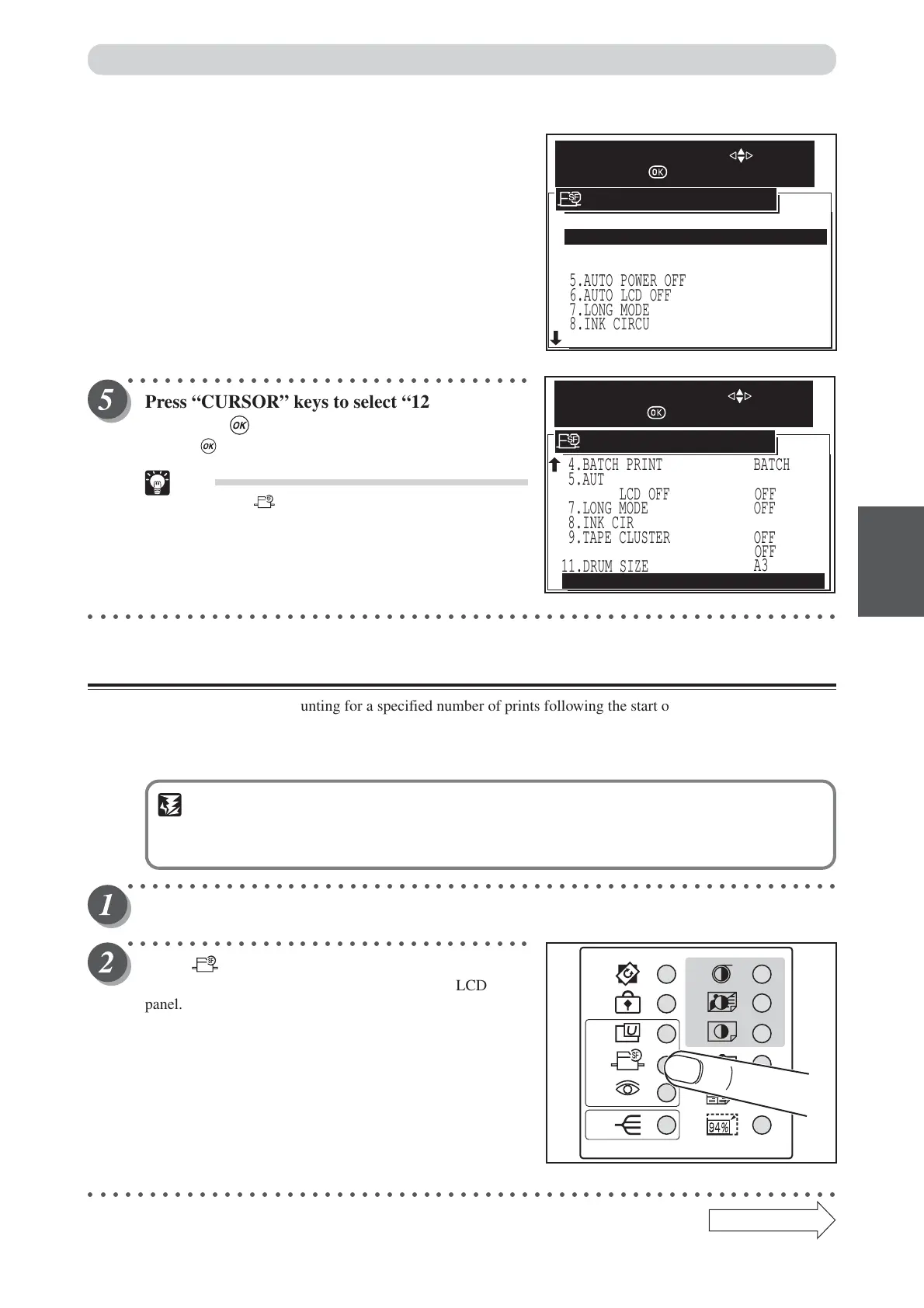
Press “CURSOR” keys to select “12. END”, and
then press (OK) key.
Pressing (OK) key set the auto clear function.
Tip
• Pressing (SPECIAL FUNCTION) key set the
auto clear function also.
○○○○○○○○○○○○○○○○○○○○○○○○○○○○○○○○○○○○○○○○○○○○○○○○○○○○○○○○○○○○○
Preprint
This function disables counting for a specified number of prints following the start of a printing operation. For
example, if you set the Preprint mode to three (3) pages, the count function ignores the first three pages
printed, and starts counting from the fourth printed page.
You can set 0 (default) to 15.
IMPORTANT
• When the sorter is being used (Sort mode and Group mode), the number of pages set in
the Preprint mode is output to the non-sort bin.
○○○○○○○○○○○○○○○○○○○○○○○○○○○○○○○○○○○○○○○○○○○○○○○○○○○○○○○○○○
Open the panel cover.
○○○○○○○○○○○○○○○○○○○○○○○○○○○○○○○○○
Press (SPECIAL FUNCTION) key.
The “SPECIAL FUNCTION” is displayed on the LCD
panel.
○○○○○○○○○○○○○○○○○○○○○○○○○○○○○○○○○○○○○○○○○○○○○○○○○○○○○○○○○○○○○
4.BATCH PRINT
9.TAPE CLUSTER
11.DRUM SIZE
BATCH
5.AUTO POWER OFF OFF
6.AUTO LCD OFF OFF
OFF
7.LONG MODE
8.INK CIRCULATION
10.DOUBLE FEED DETECTION
12.END
SPECIAL FUNCTION
SELECT AN ITEM WITH
AND PRESS
OFF
OFF
A3
5.AUTO POWER OFF
6.AUTO LCD OFF
7.LONG MODE
8.INK CIRCULATION
9.TAPE CLUSTER
3.PRE-PRINT
4.BATCH PRINT
1.FINE START AUTO
OFF
OFF
OFF
OFF
BATCH
0 PRINTS
2.AUTO CLEAR 5 MIN
SPECIAL FUNCTION
SELECT AN ITEM WITH
AND PRESS
Continue Page
•••
Special Functions






 To Next Page