78
Dividing Sections with Tape
Available only with Tape Cluster Device
Only the specified number of sets is printed with the specified number of prints taken as one set. Paper tape is
inserted when printing of each set is completed.
You can enter up to 15 groups of number of prints x number of sets.
IMPORTANT
• The optional tape cluster is required for dividing sections with tape.
○○○○○○○○○○○○○○○○○○○○○○○○○○○○○○○○○○○○○○○○○○○○○○○○○○○○○○○○○○
Set the “TAPE CLUSTER” in SPECIAL FUNCTION display with (SPECIAL
FUNCTION) key. (
aa
aa
a See page 106, “Tape Cluster Mode”.)
○○○○○○○○○○○○○○○○○○○○○○○○○○○○○○○○○
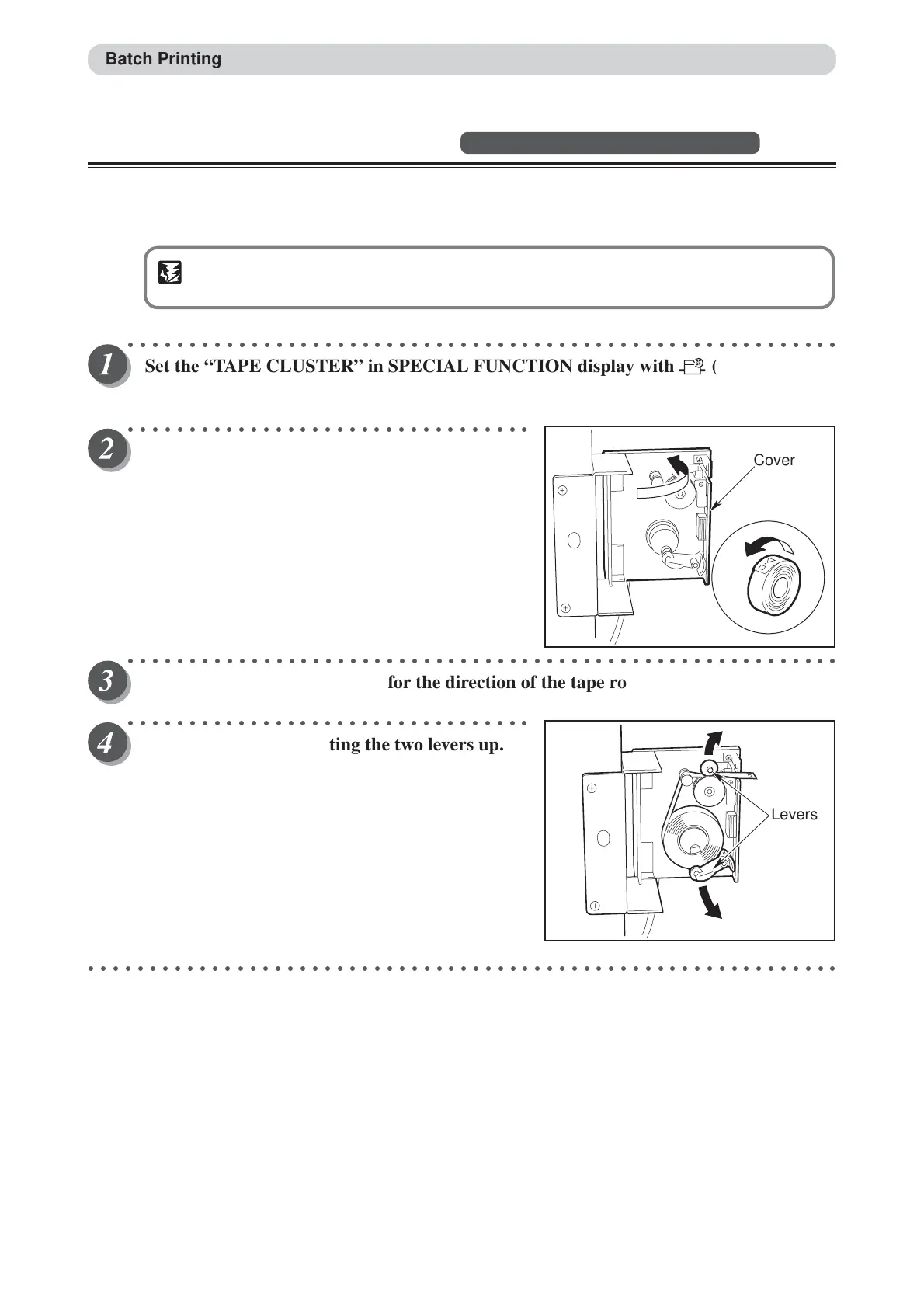
Open the tape cluster cover.
○○○○○○○○○○○○○○○○○○○○○○○○○○○○○○○○○○○○○○○○○○○○○○○○○○○○○○○○○○
Insert the tape while checking for the direction of the tape roll.
○○○○○○○○○○○○○○○○○○○○○○○○○○○○○○○○○
Insert the tape while lifting the two levers up.
○○○○○○○○○○○○○○○○○○○○○○○○○○○○○○○○○○○○○○○○○○○○○○○○○○○○○○○○○○○○○
Batch Printing
Cover
Levers






 To Next Page