86
The confidential safeguard function, which prevents printing unless platemaking has been completed, is a simple means
of prohibiting others from printing sensitive documents.
IMPORTANT
• When the Confidential Safeguard function is ON, printing cannot be performed with
(PRINT) or (TEST PRINT) keys. Other operations can be performed as normal.
•Turning the power OFF does not turn the Confidential Safeguard function OFF.
• Once platemaking is carried out, the Confidential Safeguard function is cleared.
• Platemaking still functions even if the Confidential Safeguard function in ON.
○○○○○○○○○○○○○○○○○○○○○○○○○○○○○○○○○○○○○○○○○○○○○○○○○○○○○○○○○○
Open the panel cover.
○○○○○○○○○○○○○○○○○○○○○○○○○○○○○○○○○
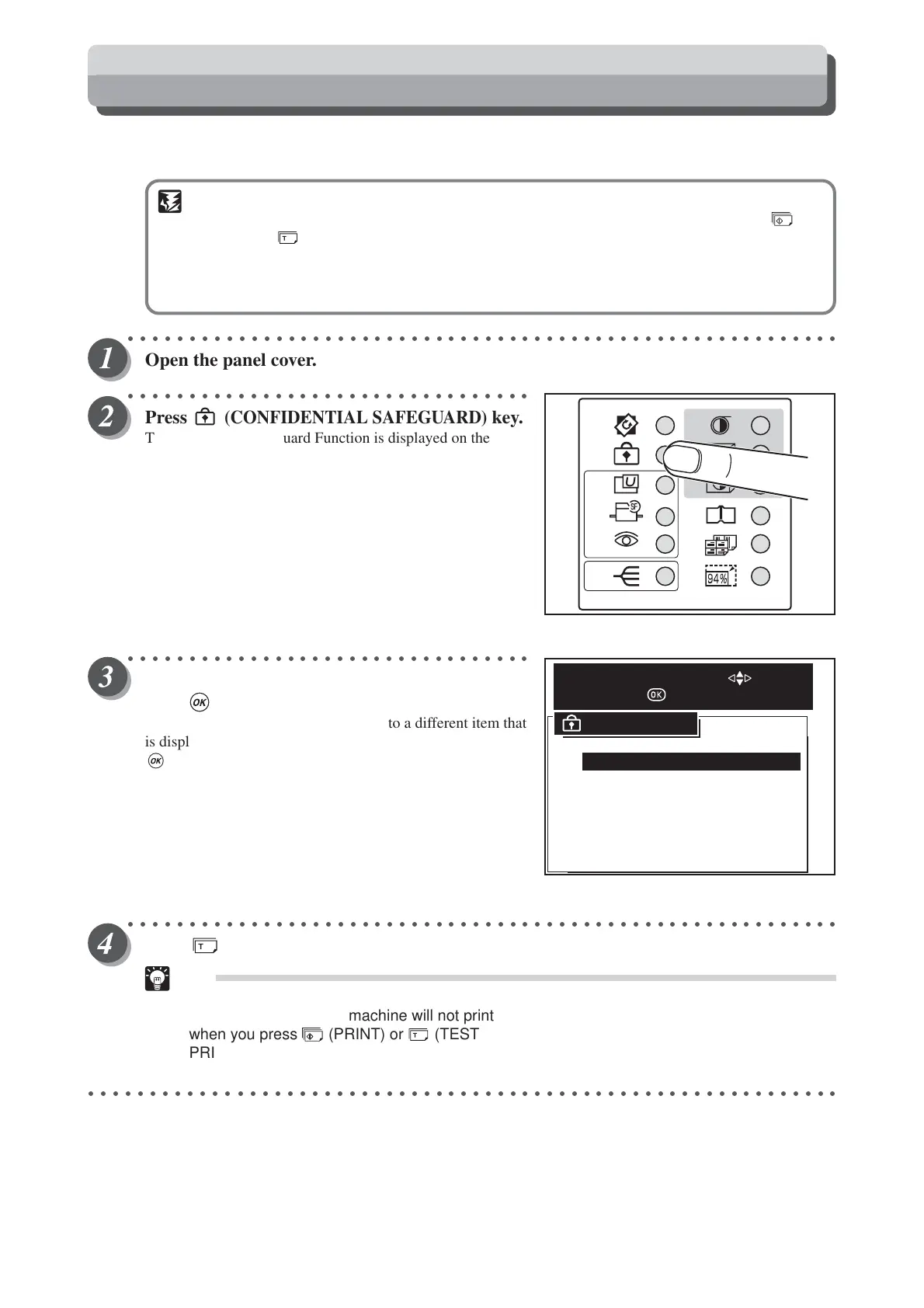
Press
(CONFIDENTIAL SAFEGUARD)
key.
The confidential safeguard Function is displayed on the LCD
panel.
○○○○○○○○○○○○○○○○○○○○○○○○○○○○○○○○○
Press “CURSOR” keys to select “ON”, and then
press (OK) key.
Each press of “CURSOR” keys moves to a different item that
is displayed highlighted. After moving to “ON”, press
(OK) key to select “ON”. The confidential safeguard
Function is set.
○○○○○○○○○○○○○○○○○○○○○○○○○○○○○○○○○○○○○○○○○○○○○○○○○○○○○○○○○○
Press (TEST PRINT) key to check that no print is made.
Tips
• The message “CANNOT PRINT” is displayed on
the LCD panel and the machine will not print
when you press (PRINT) or (TEST
PRINT) key while the Confidential Safeguard
function is “ON”.
○○○○○○○○○○○○○○○○○○○○○○○○○○○○○○○○○○○○○○○○○○○○○○○○○○○○○○○○○○○○○
ON
CANCEL
CONFIDENTIAL
SELECT AN ITEM WITH
AND PRESS
Confidential Safeguard Function






 To Next Page