90
Position Reset
○○○○○○○○○○○○○○○○○○○○○○○○○○○○○○○○○
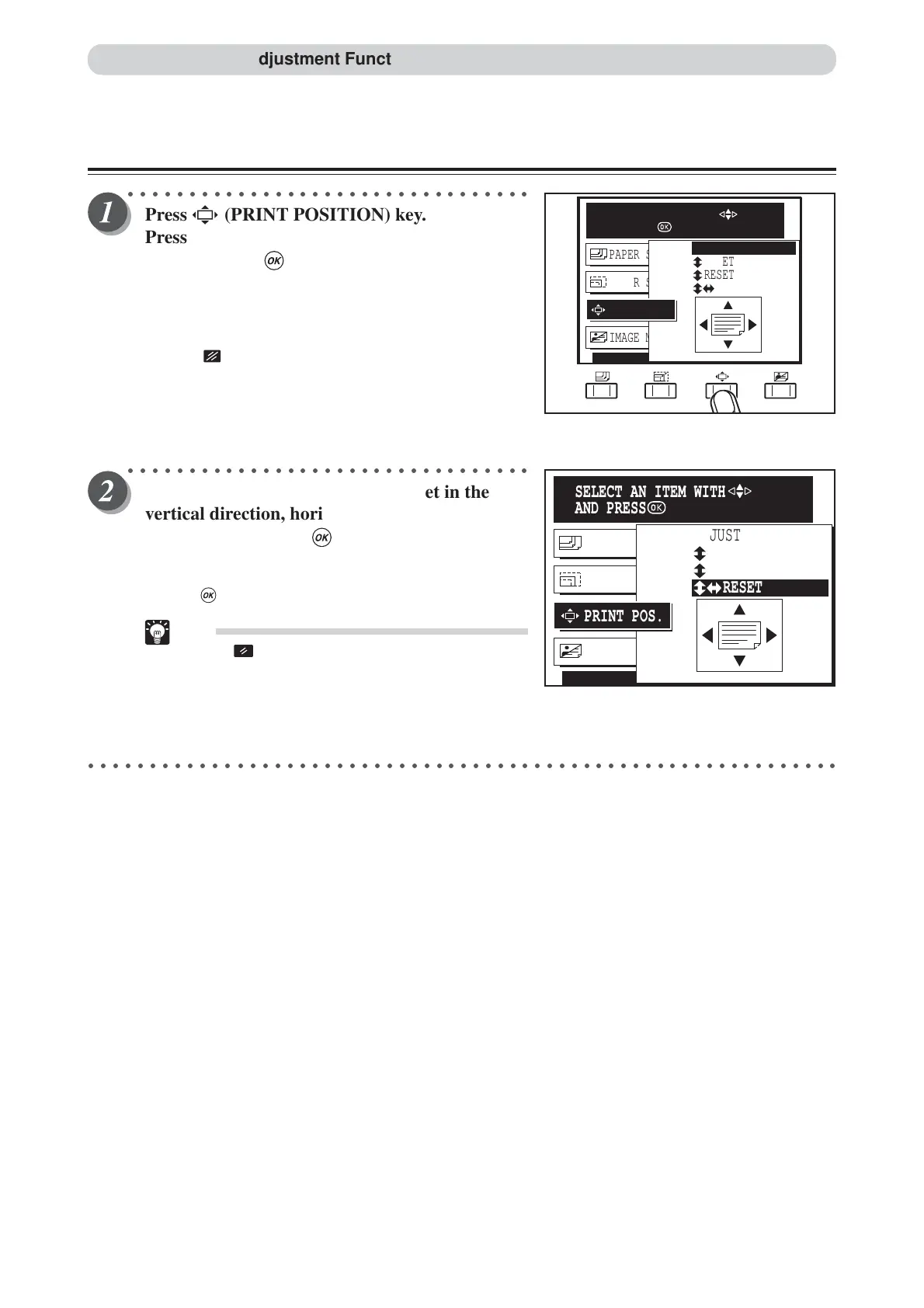
Press (PRINT POSITION) key.
Press “CURSOR” keys to select “ADJUST”,
and then press (OK) key.
The printing position setting is displayed on the LCD panel.
Each press of “CURSOR” keys moves to a different item and
that item is displayed highlighted. The printing position
adjustment is set when the cursor is moved to “ADJUST”.
Pressing (CANCEL) key redisplays the main screen.
○○○○○○○○○○○○○○○○○○○○○○○○○○○○○○○○○
Press “CURSOR” keys to select reset in the
vertical direction, horizontal direction or both
directions, and press (OK) key.
The printing position returns to the standard position only
when both positions are selected.
Pressing (OK) key reset the printing position.
Tip
• Press (ALL CLEAR) key. In this case, all
settings are reset to standard mode (a page
26).
○○○○○○○○○○○○○○○○○○○○○○○○○○○○○○○○○○○○○○○○○○○○○○○○○○○○○○○○○○○○○
IMAGE MODE TEXT
PAPER SIZE A3
PAPER SIZE A3
RESET
RESET
ADJUST
RESET
PRINT POS.
SELECT AN ITEM WITH
AND PRESS
IMAGE MODE TEXT
PAPER SIZE A3
PAPER SIZE A3
RESET
RESET
RESET
ADJUST
PRINT POS.
SELECT AN ITEM WITH
AND PRESS
Printing Position Adjustment Function






 To Next Page