102
Special Functions
Auto LCD Off
This function automatically turn off the LCD panel when the LCD panel is not operated for a specified period
of time. The specified time period can be set for 5 minutes, 10 minutes, 30 minutes, 60 minutes, or OFF. (The
default setting is “OFF”.)
○○○○○○○○○○○○○○○○○○○○○○○○○○○○○○○○○○○○○○○○○○○○○○○○○○○○○○○○○○
Open the panel cover.
○○○○○○○○○○○○○○○○○○○○○○○○○○○○○○○○○
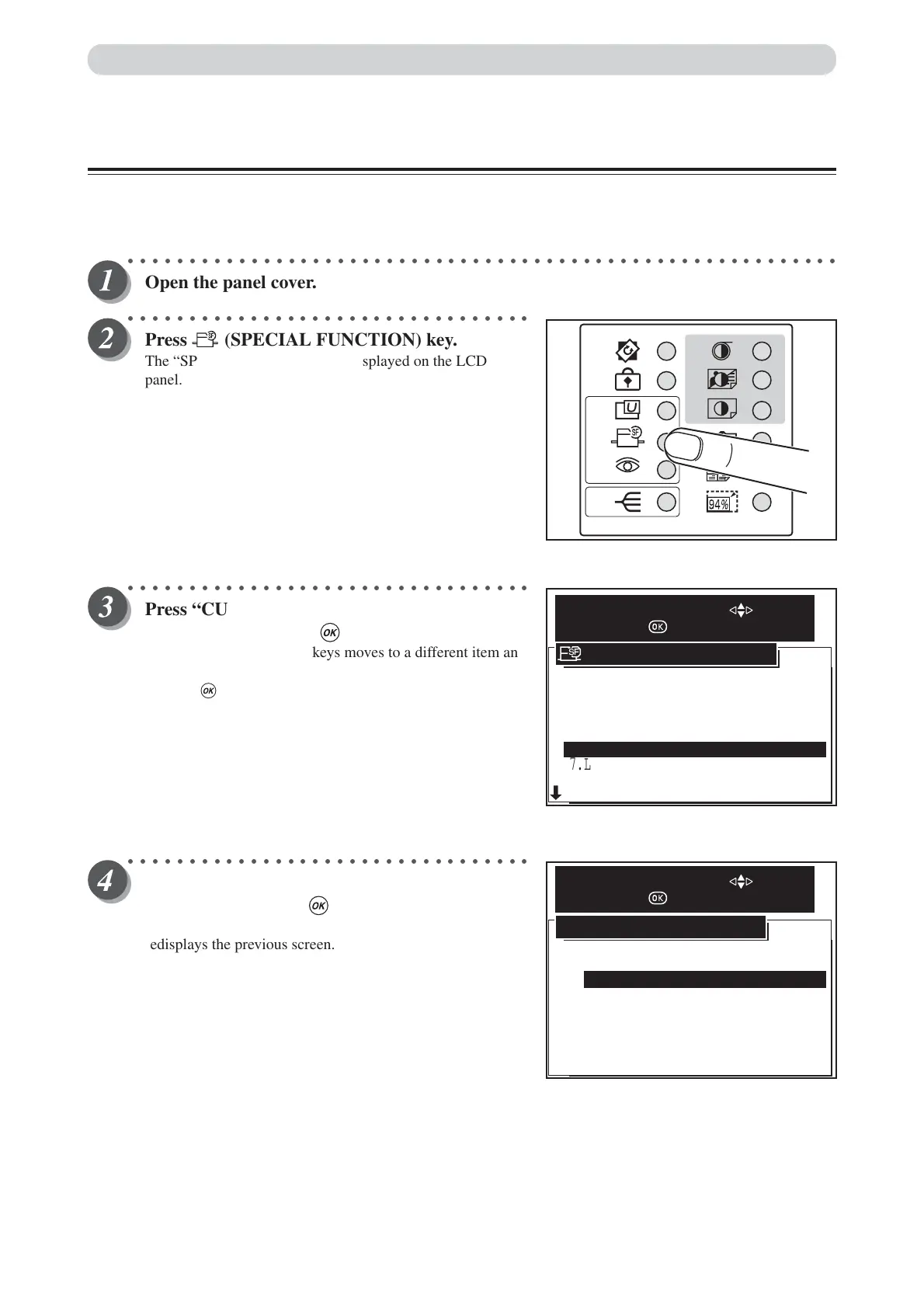
Press (SPECIAL FUNCTION) key.
The “SPECIAL FUNCTION” is displayed on the LCD
panel.
○○○○○○○○○○○○○○○○○○○○○○○○○○○○○○○○○
Press “CURSOR” keys to select “AUTO LCD
OFF”, and then press (OK) key.
Each press of “CURSOR” keys moves to a different item and
that item is displayed highlighted.
Pressing (OK) key set the highlighted item.
○○○○○○○○○○○○○○○○○○○○○○○○○○○○○○○○○
Press “CURSOR” keys to select the power off
time, and then press (OK) key.
Default is “OFF”. “Cancel” cancels this screen, and
redisplays the previous screen.
7.LONG MODE
8.INK CIRCULATION
9.TAPE CLUSTER
1.FINE START AUTO
10 MIN
SEQ.BATCH
3 PRINTS
5 MIN
2.AUTO CLEAR
3.PRE-PRINT
4.BATCH PRINT
5.AUTO POWER OFF
6.AUTO LCD OFF OFF
SPECIAL FUNCTION
SELECT AN ITEM WITH
AND PRESS
OFF
OFF
5 MIN
30 MIN
60 MIN
OFF
CANCEL
10 MIN
AUTO LCD OFF
SELECT AN ITEM WITH
AND PRESS






 To Next Page