130
Replacing the Drum Unit
○○○○○○○○○○○○○○○○○○○○○○○○○○○○○○○○○
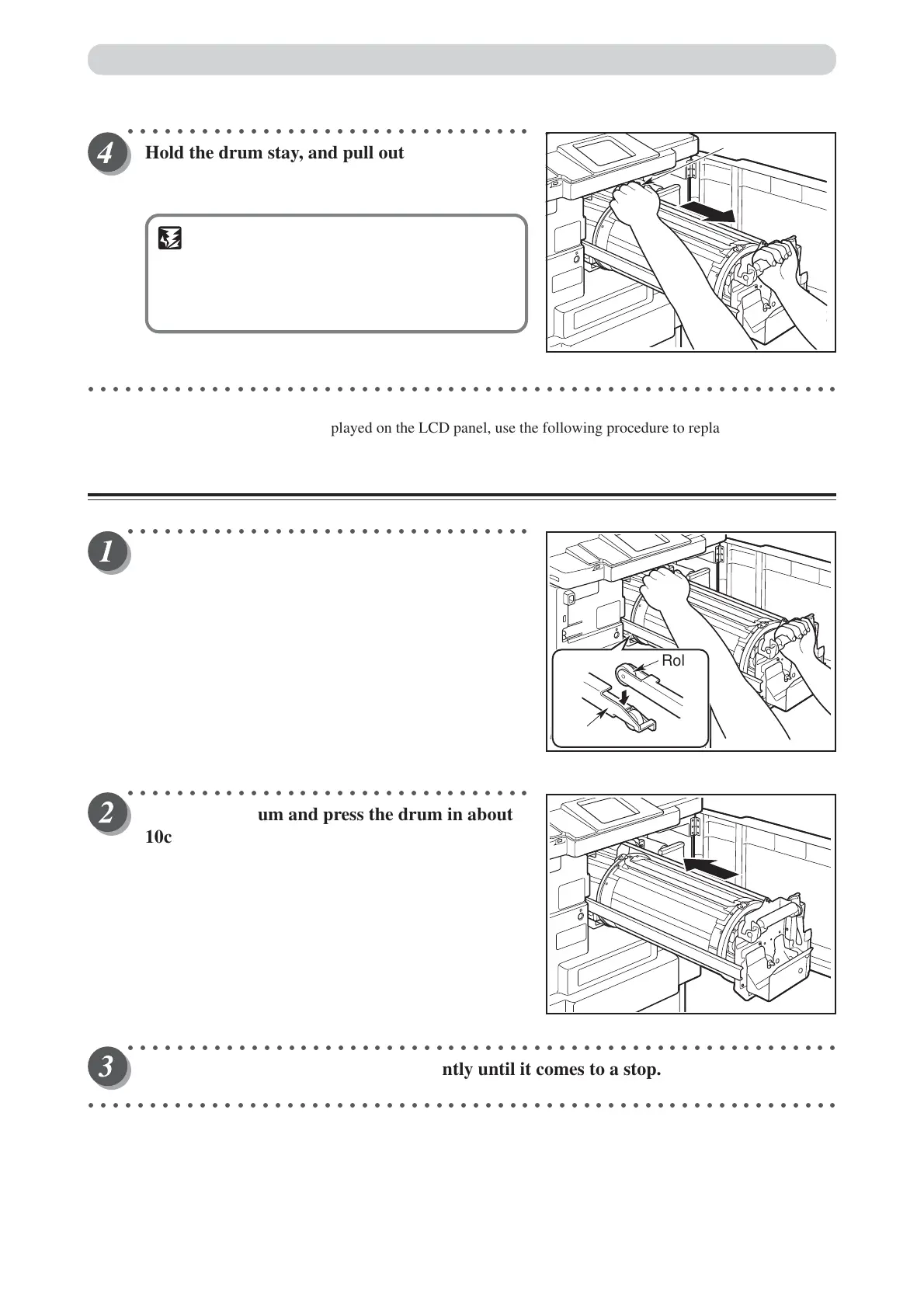
Hold the drum stay, and pull out the drum
towards you while slightly lifting the front end
of the drum.
IMPORTANT
• Do not touch the drum surface. Ink may
transfer to your clothes.
•Hold the drum level and place it on a flat,
solid surface.
○○○○○○○○○○○○○○○○○○○○○○○○○○○○○○○○○○○○○○○○○○○○○○○○○○○○○○○○○○○○○
When the message “NO DRUM” is displayed on the LCD panel, use the following procedure to replace the drum.
Installing the Drum Unit
○○○○○○○○○○○○○○○○○○○○○○○○○○○○○○○○○
Hold the drum level and place the drum guide
roller onto the rail in the machine.
○○○○○○○○○○○○○○○○○○○○○○○○○○○○○○○○○
Release the drum and press the drum in about
10cm while lifting up the front end slightly.
○○○○○○○○○○○○○○○○○○○○○○○○○○○○○○○○○○○○○○○○○○○○○○○○○○○○○○○○○○
Hold the drum level and press it in gently until it comes to a stop.
○○○○○○○○○○○○○○○○○○○○○○○○○○○○○○○○○○○○○○○○○○○○○○○○○○○○○○○○○○○○○
Roller
Rail
Drum handle



 To Next Page