4
Miscellaneous Functions
87
Total Counter Display Function
This function displays the total numbers of prints and plates on the LCD panel.
○○○○○○○○○○○○○○○○○○○○○○○○○○○○○○○○○○○○○○○○○○○○○○○○○○○○○○○○○○
Check that the machine is not printing.
IMPORTANT
• If the machine is printing, press (STOP) key to stop the print run.
○○○○○○○○○○○○○○○○○○○○○○○○○○○○○○○○○
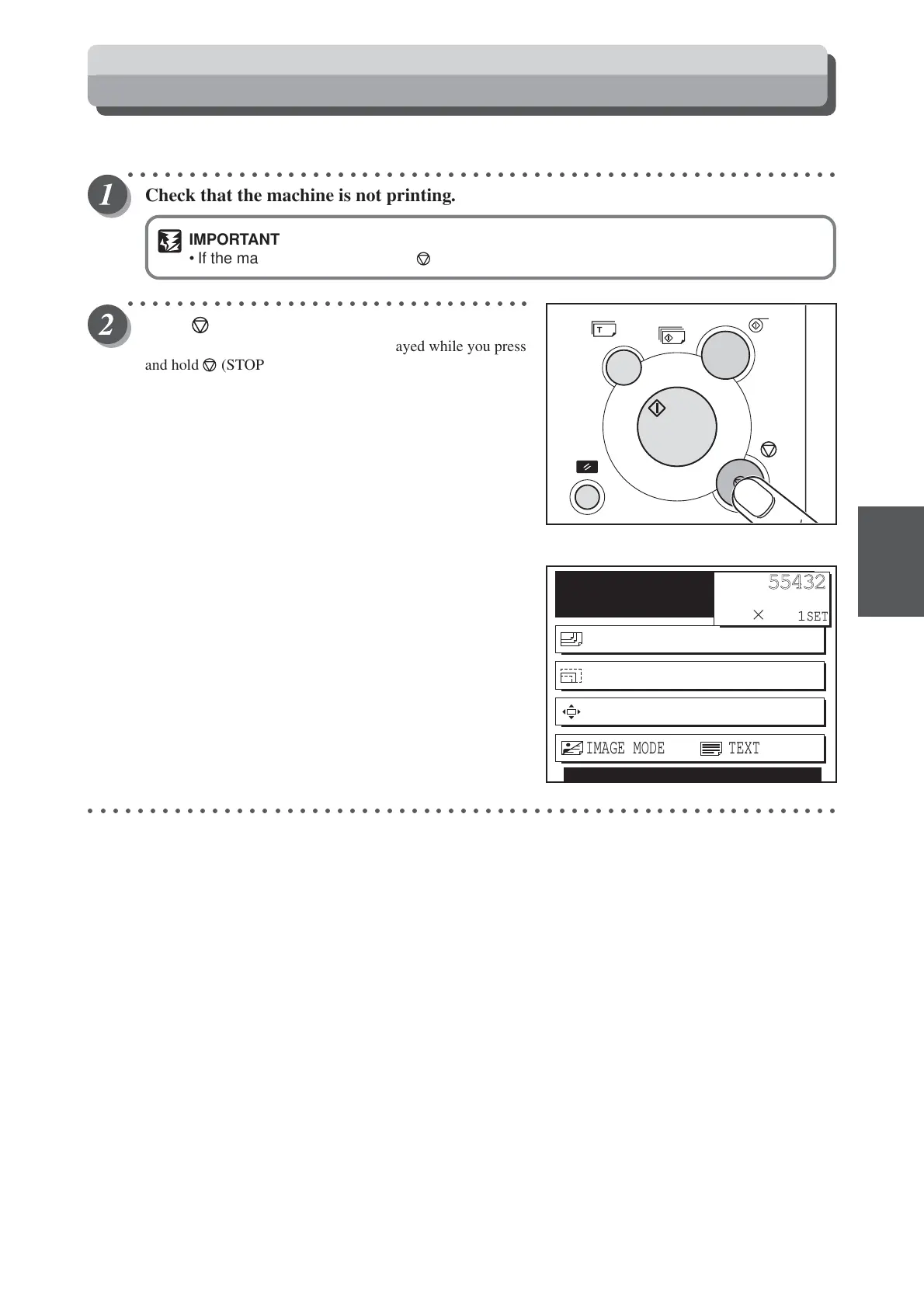
Press (STOP) key.
The total print and plate counts are displayed while you press
and hold (STOP) key.
The total number of prints is shown at the top of the LCD
panel; the total number of plates is shown at the bottom.
Example:In this example, the total number of prints is
455432, and the total number of plates is 245.
○○○○○○○○○○○○○○○○○○○○○○○○○○○○○○○○○○○○○○○○○○○○○○○○○○○○○○○○○○○○○
READY
PAPER SIZE A3
ZOOM 100%
PRINT POS. 0.0mm 0.0mm
F 000245
P0455432
1
SET
×
IMAGE MODE TEXT






 To Next Page