118
This function allows you to make prints of documents directly from on-line data from personal computers.
IMPORTANT
•For details on connections and settings, and refer to the Printer Driver Operation Manual.
○○○○○○○○○○○○○○○○○○○○○○○○○○○○○○○○○○○○○○○○○○○○○○○○○○○○○○○○○○
Check that the top menu is displayed.
○○○○○○○○○○○○○○○○○○○○○○○○○○○○○○○○○○○○○○○○○○○○○○○○○○○○○○○○○○
Set the size of the printing paper. (
aa
aa
a See page 41, “Selecting Printing Paper Size”.)
○○○○○○○○○○○○○○○○○○○○○○○○○○○○○○○○○
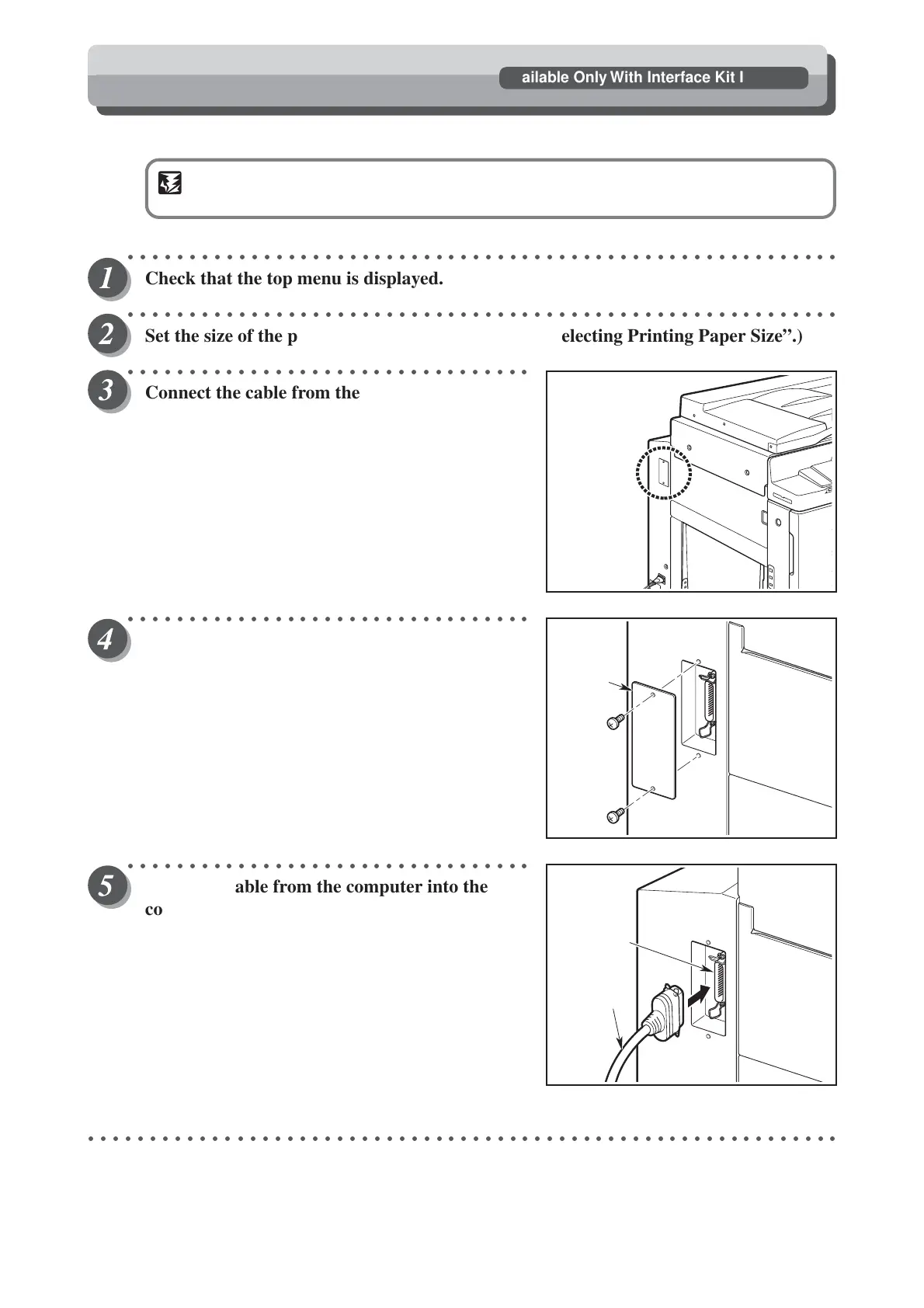
Connect the cable from the computer into the
printer as right figure.
○○○○○○○○○○○○○○○○○○○○○○○○○○○○○○○○○
Remove the two screws and the cover.
○○○○○○○○○○○○○○○○○○○○○○○○○○○○○○○○○
Insert the cable from the computer into the
connector on the printer.
○○○○○○○○○○○○○○○○○○○○○○○○○○○○○○○○○○○○○○○○○○○○○○○○○○○○○○○○○○○○○
Cover
Connector
Cable
On-Line Print Function
Available Only With Interface Kit Installed



 To Next Page