1
Before Using This Machine
25
This section describes the operating sequence from turning ON the power switch until the printer is ready to make
prints, and how to turn OFF the printer power.
Turning ON Printer Power
○○○○○○○○○○○○○○○○○○○○○○○○○○○○○○○○○
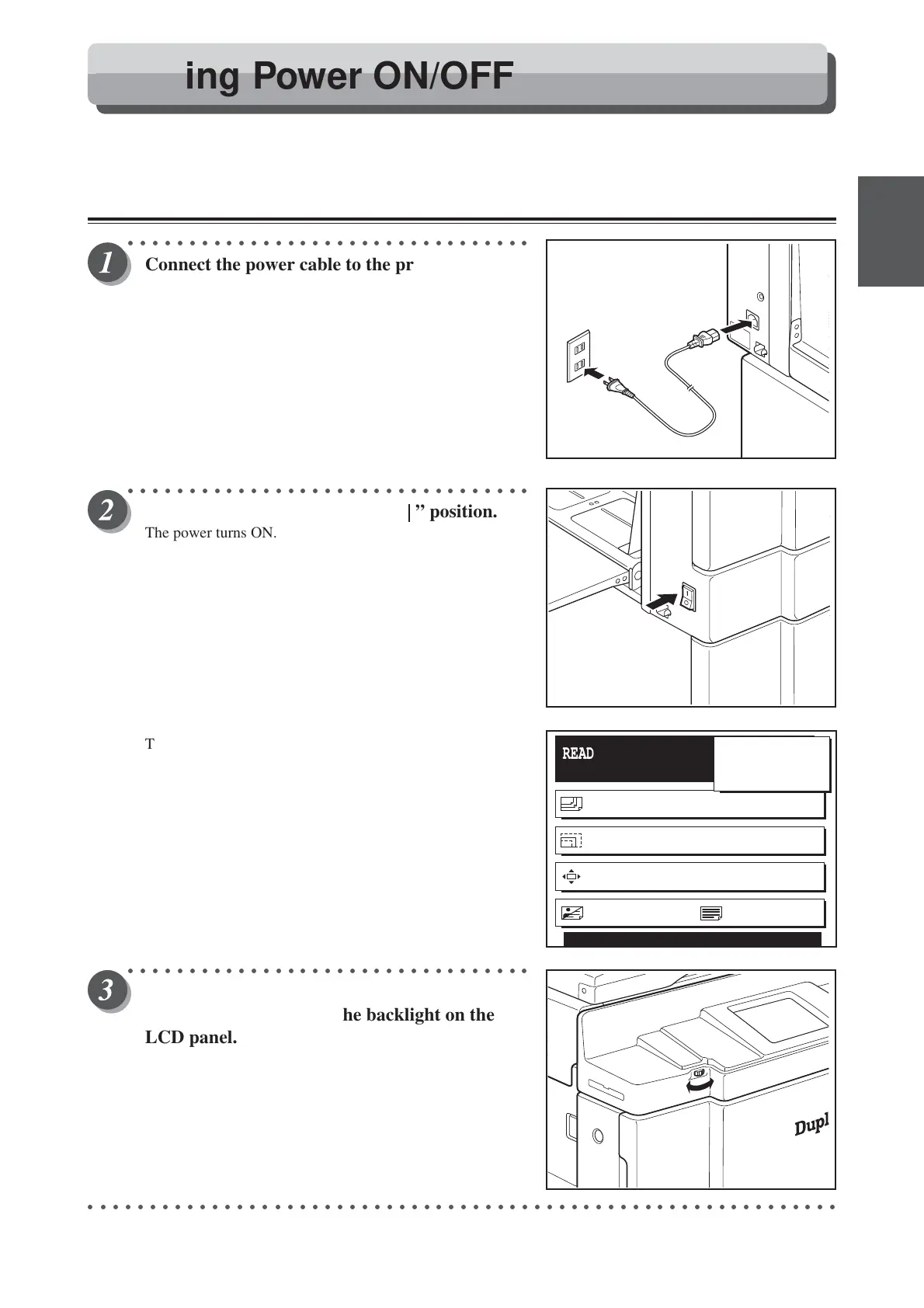
Connect the power cable to the printer and a
wall outlet.
○○○○○○○○○○○○○○○○○○○○○○○○○○○○○○○○○
Switch the power switch to the “ ” position.
The power turns ON.
The message “PLEASE WAIT” is displayed on the LCD
panel, and the screen at right is displayed.
The printer functions are now set in “Standard Mode”
(a page 26).
The message “RE-INSERT CARD” is displayed on the LCD
panel, insert a key card. (a See page 27, “Key Card
Counter”.)
○○○○○○○○○○○○○○○○○○○○○○○○○○○○○○○○○
Turn the LCD backlight control volume to
adjust the brightness of the backlight on the
LCD panel.
○○○○○○○○○○○○○○○○○○○○○○○○○○○○○○○○○○○○○○○○○○○○○○○○○○○○○○○○○○○○○
READY
PAPER SIZE A3
ZOOM 100%
PRINT POS. 0.0mm 0.0mm
SHT
1
SET
×
IMAGE MODE TEXT
0
Turning Power ON/OFF






 To Next Page