32
This section describes how to make prints using the basic functions.
○○○○○○○○○○○○○○○○○○○○○○○○○○○○○○○○○○○○○○○○○○○○○○○○○○○○○○○○○○
Turn ON the power. (
aa
aa
a
See page 25, “Turning Power ON/OFF”).
Tip
• If the power is already ON, press (ALL CLEAR) key.
○○○○○○○○○○○○○○○○○○○○○○○○○○○○○○○○○○○○○○○○○○○○○○○○○○○○○○○○○○
Load paper. (See page 35, “Loading and Replacing Paper.”)
○○○○○○○○○○○○○○○○○○○○○○○○○○○○○○○○○
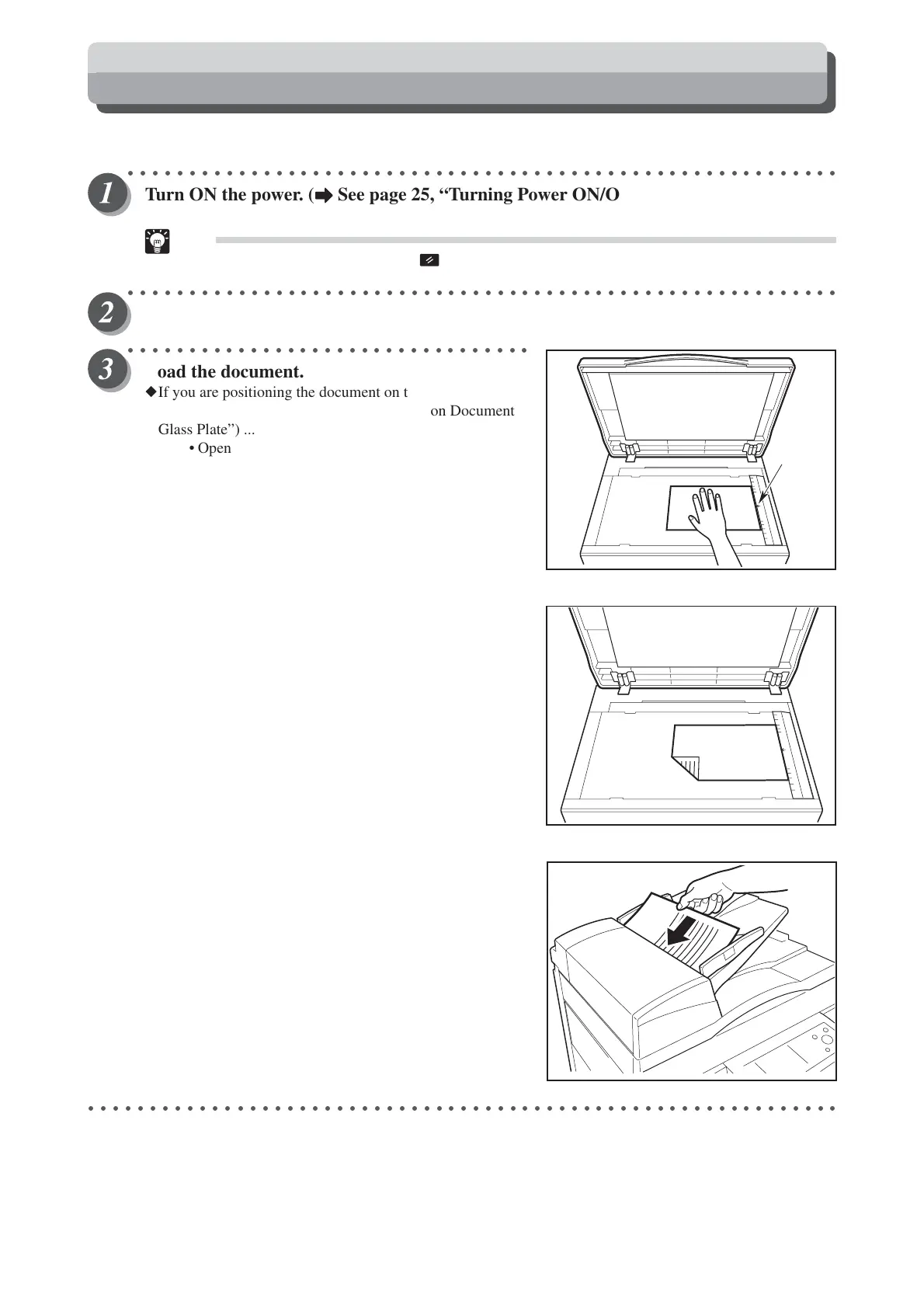
Load the document.
◆If you are positioning the document on the document glass
plate (
a
See page 37, “Loading Document on Document
Glass Plate”) ...
• Open the document cover.
•Place the document face down on the document
glass plate aligned with the scale.
•Close the document cover.
◆If you are loading the document in the optional ADF
(
a
See page 38, “Loading Document in ADF”) ...
• Adjust the slide guide to the marks for the size of the
document.
• Place the document face up in the document tray.
○○○○○○○○○○○○○○○○○○○○○○○○○○○○○○○○○○○○○○○○○○○○○○○○○○○○○○○○○○○○○
Basic Printmaking
Scale
ABC






 To Next Page