2
33
Printing Using Basic Functions
Basic Printmaking
○○○○○○○○○○○○○○○○○○○○○○○○○○○○○○○○○○○○○○○○○○○○○○○○○○○○○○○○○○
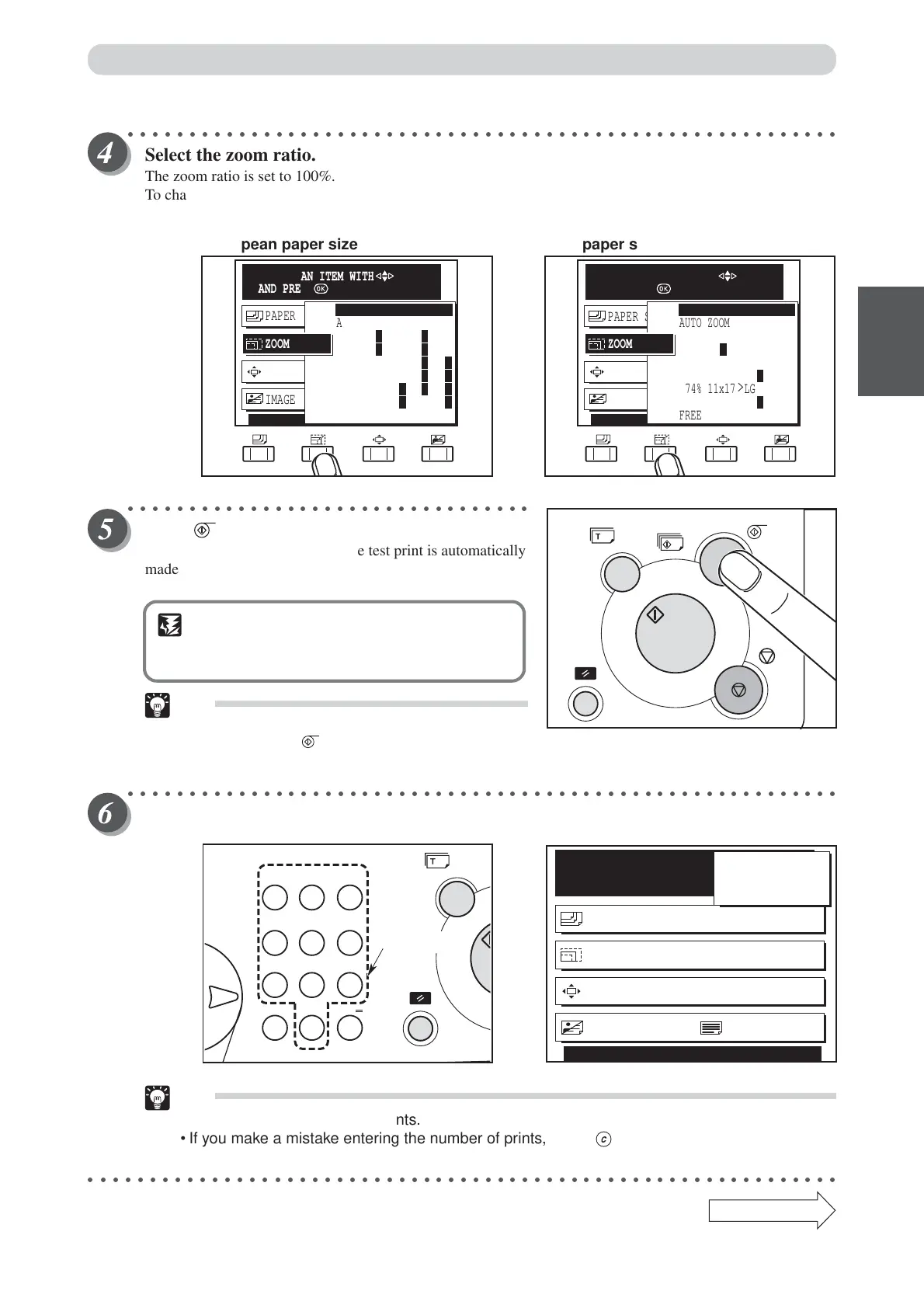
Select the zoom ratio.
The zoom ratio is set to 100%.
To change the zoom ratio, press “CURSOR” keys to high-light the desired zoom ratio. (a See page 39,
“Enlarging/Reducing from Standard-Size Document to Standard-Size Paper”.)
○○○○○○○○○○○○○○○○○○○○○○○○○○○○○○○○○
Press (PLATE MAKING) key.
When the plate has been made, one test print is automatically
made.
IMPORTANT
• The test print is for verification purposes only
and may be fainter than the final print.
Tip
•You can enter the number of desired prints
before pressing (PLATEMAKING) key to
immediately print the required number of copies.
○○○○○○○○○○○○○○○○○○○○○○○○○○○○○○○○○○○○○○○○○○○○○○○○○○○○○○○○○○
Use the key pad to specify the number of prints to make.
Tips
•You can specify up to 9999 prints.
• If you make a mistake entering the number of prints, press (CLEAR) key then enter the
correct number.
○○○○○○○○○○○○○○○○○○○○○○○○○○○○○○○○○○○○○○○○○○○○○○○○○○○○○○○○○○○○○
Continue Page
•••
READY
PAPER SIZE A3
ZOOM 100%
PRINT POS. 0.0mm 0.0mm
SHT
1
SET
×
IMAGE MODE TEXT
100
PRINT POS. 0.0mm 0.0mm
IMAGE MODE TEXT
PAPER SIZE A3
ZOOM
74% 11x17
>
LG
AUTO ZOOM
FREE ZOOM
100%
141%
77% LG
>
LT
R
121% LG
>
11x17
64% 11x17
>
LT
R
129% LT
R
>
11x17
SELECT AN ITEM WITH
AND PRESS
PRINT POS. 0.0mm 0.0mm
IMAGE MODE TEXT
PAPER SIZE A3
ZOOM
AUTO ZOOM
FREE ZOOM
100%
81% B4
>
A4R/B5R
>
A5R
86% A3
>
B4 /A4R
>
B5R
115% B4
>
A3 /B5R
>
B4R
70% A3
>
A4R/B4
>
B5R
122% A4R
>
B4 /A5R
>
B5
141% A4R
>
A3 /B5R
>
B4
SELECT AN ITEM WITH
AND PRESS
[European paper sizes] [U.S. paper sizes]
123
456
789
C0
X
key pad






 To Next Page