88
Print Speed Adjustment Function
The print speed can be adjusted in 5 steps between 45 pages per minute and 120 pages per minute. The default setting
when the power is turned ON is about 80 pages per minute. However, that when initial settings have been changed in
user settings, the print speed becomes the currently set print speed.
Tips
•Paper jams may become more frequent and the paper stacking deteriorate at high and low
speeds with certain types of paper and with certain images. Use the (LOW) and
(HIGH) keys to select the optimum print speed.
• The prints may be slightly lighter at high print speeds and slightly darker at slow print speeds.
•You can adjust the print speed while the machine is printing.
•You can adjust the print speed with “OPTIMIZE PRINT MODE”(a page 112).
○○○○○○○○○○○○○○○○○○○○○○○○○○○○○○○○○
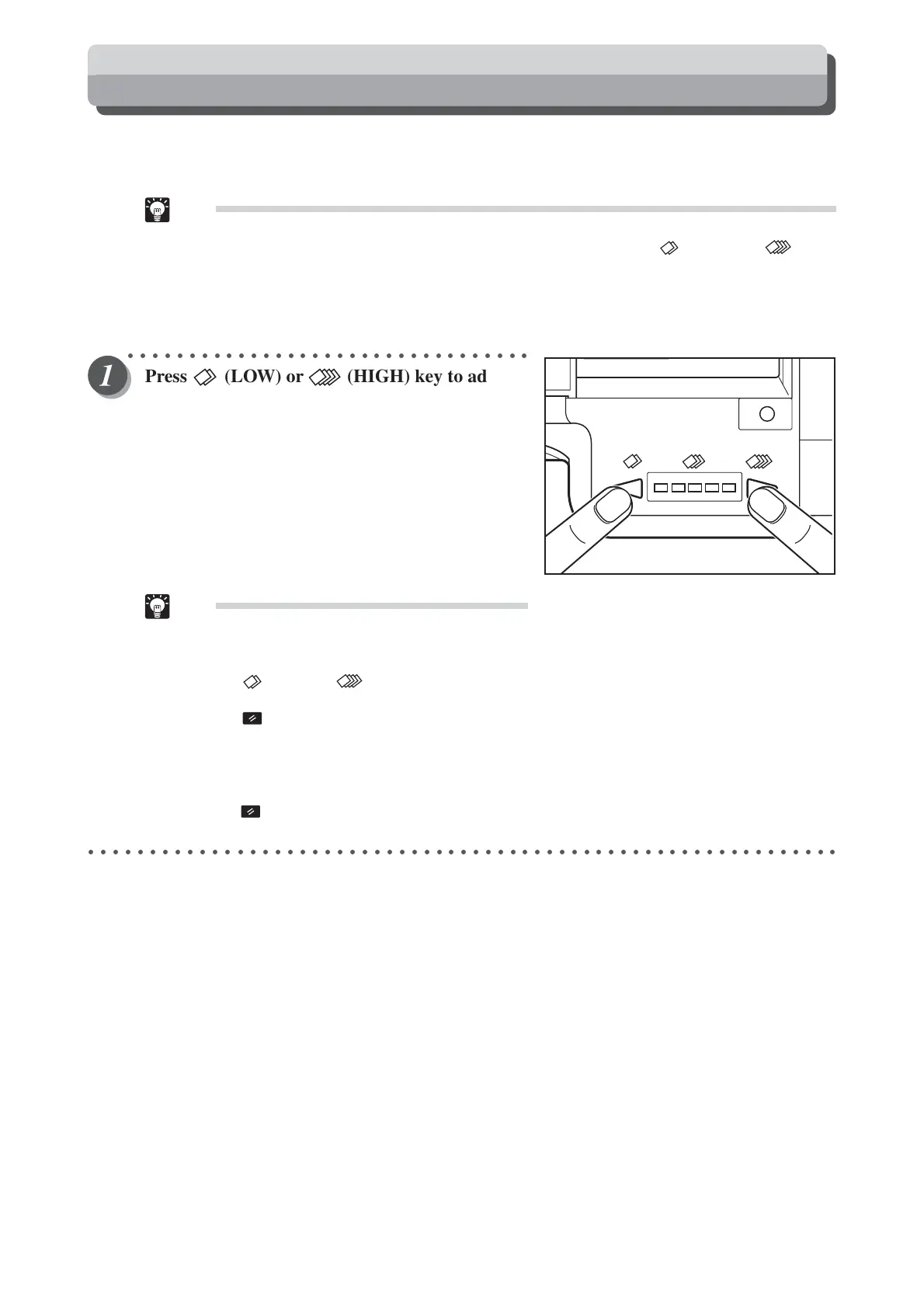
Press (LOW) or (HIGH) key to adjust
the speed.
Press the left key to decelerate printing. The speed lamp
moves to the left.
Press the right key to accelerate printing. The speed lamp
moves to the right.
Tip
•To return to the default setting (about 80 pages
per minute), use one of the following two meth-
ods:
• Press (LOW) or (HIGH) key repeatedly
until the center speed lamp is lit.
• Press (ALL CLEAR) key. In this case, all
settings are reset to standard mode (a page
26). However, that when initial settings have
been changed in user settings, the print speed
becomes the currently set print speed. Do not
press (ALL CLEAR) key while the machine
is printing.
○○○○○○○○○○○○○○○○○○○○○○○○○○○○○○○○○○○○○○○○○○○○○○○○○○○○○○○○○○○○○






 To Next Page