4
Miscellaneous Functions
115
User Setting Functions
○○○○○○○○○○○○○○○○○○○○○○○○○○○○○○○○○
Press “CURSOR” keys to select “ON” or
“OFF”, and then press (OK) key.
“ON” enables Document Density Detection.
“OFF” disables Document Density Detection.
“Cancel” cancels this screen, and return to the USER
SETTING display.
Document memory is setted by pressing (OK) key and
return to the USER SETTING display.
○○○○○○○○○○○○○○○○○○○○○○○○○○○○○○○○○○○○○○○○○○○○○○○○○○○○○○○○○○○○○
Feed Heavy Weight Paper Mode
This is an auxiliary feature to stabilize the feeding performance with heavy weight stock.
• The stocks of weight within specifications can be handled with standard setting. Enable this function in case
the unstable feeding performance (e.g. feed error etc.) is observed.
○○○○○○○○○○○○○○○○○○○○○○○○○○○○○○○○○○○○○○○○○○○○○○○○○○○○○○○○○○
Open the panel cover.
○○○○○○○○○○○○○○○○○○○○○○○○○○○○○○○○○
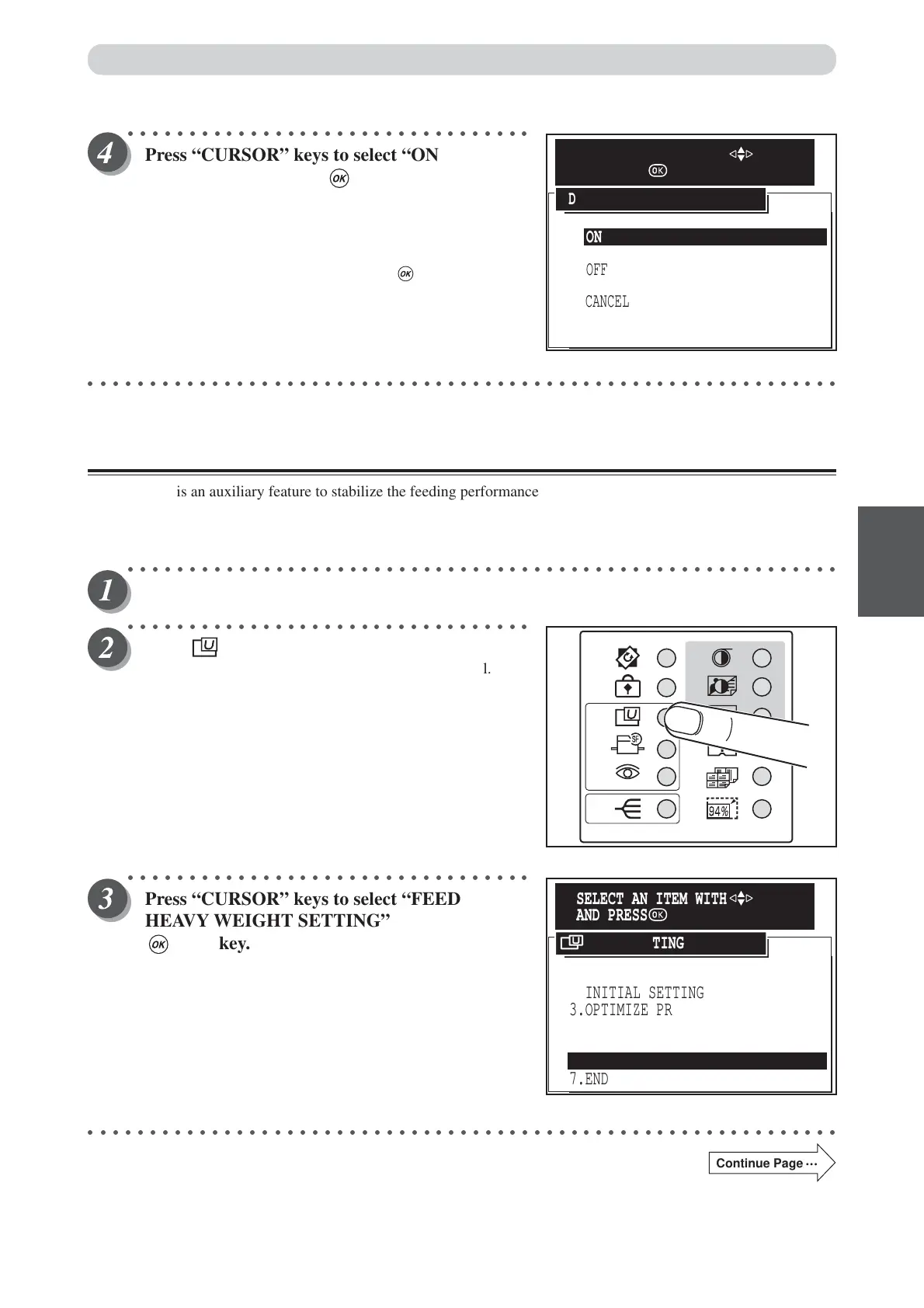
Press (USER SETTING) key.
The “USER SETTING” is displayed on the LCD panel.
○○○○○○○○○○○○○○○○○○○○○○○○○○○○○○○○○
Press “CURSOR” keys to select “FEED
HEAVY WEIGHT SETTING”, and then press
(OK) key.
○○○○○○○○○○○○○○○○○○○○○○○○○○○○○○○○○○○○○○○○○○○○○○○○○○○○○○○○○○○○○
Continue Page
•••
ON
CANCEL
OFF
DOCUMENT DENSITY DETECTION
SELECT AN ITEM WITH
AND PRESS
1.JOB SETTING MEMORY
2.INITIAL SETTING
7.END
3.OPTIMIZE PRINT
4.DOCUMENT MEMORY
5.DOCUMENT DENSITY DETECTION
6.FEED HEAVY WEIGHT PAPER
USER SETTING
SELECT AN ITEM WITH
AND PRESS






 To Next Page