24
No. Name Function
A
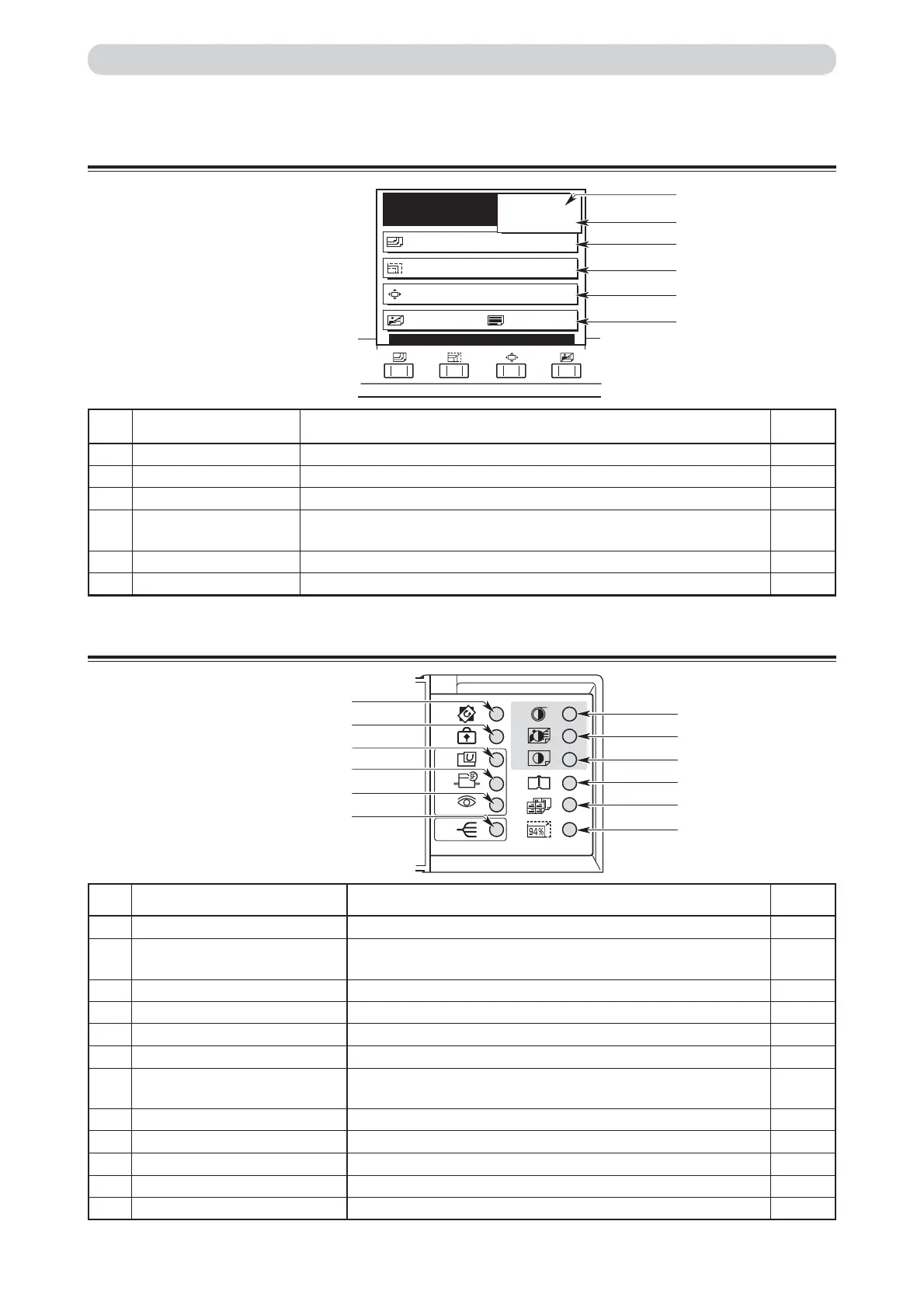
Print count Displays the number of prints to be made.
B
Sets Displays the number of sets to be printed.
C
Paper size Displays the selected paper size when push the “PAPER SIZE” key.
D
Zoom ratio Displays the selected zoom (enlargement/reduction) ratio when push the
“ZOOM” key.
E
Print position Displays the print mode when push the “PRINT POSITION” key.
F
Image mode Displays the print image mode when push the “IMAGE MODE” key.
READY
PAPER SIZE A3
ZOOM 100%
PRINT POS. 0.0mm 0.0mm
SHT
1
SET
×
IMAGE MODE TEXT
0
B
F
E
D
C
A
L
K
J
I
H
G
D
E
F
C
A
B
LCD Panel
Part Names and Their Functions
Keys Inside Panel Cover
Reference
page
33
74
41
39
89
58
No. Name Function
A
“EDIT” key Switches to rotate the document image for plate.
B
“
CONFIDENTIAL SAFEGUARD
” key Enables confidential safeguard function.Prints cannot be made
unless a new master is made.
C
“USER SETTING” key Switches to User setting list display.
D
“SPECIAL FUNCTION” key Switches to Special function list display.
E
“CURRENT SETTING” key Shows a list of current setting of the machine.
F
“SORTER” key Switches to sorter mode display.
G
“94%” key Reduces image to 94%. 94% key can be used in conjunction with
preset zoom setting.
H
“
MULTI EXPOSUSE
” key Switches multiple exposure setting display.
I
“
BOOK SHADOW ERASURE
” key Switches to Book Shadow erasure setting display.
J
“PRINT DARKNESS” key Switches to Print Darkness control display.
K
“PLATE CONTRAST” key Switches to Master contrast control display.
L
“PLATE DARKNESS” key Switches to Master darkness control display.
Reference
page
91
86
67,111
92
117
81
49
64
62
56
55
54






 To Next Page