1
Before Using This Machine
23
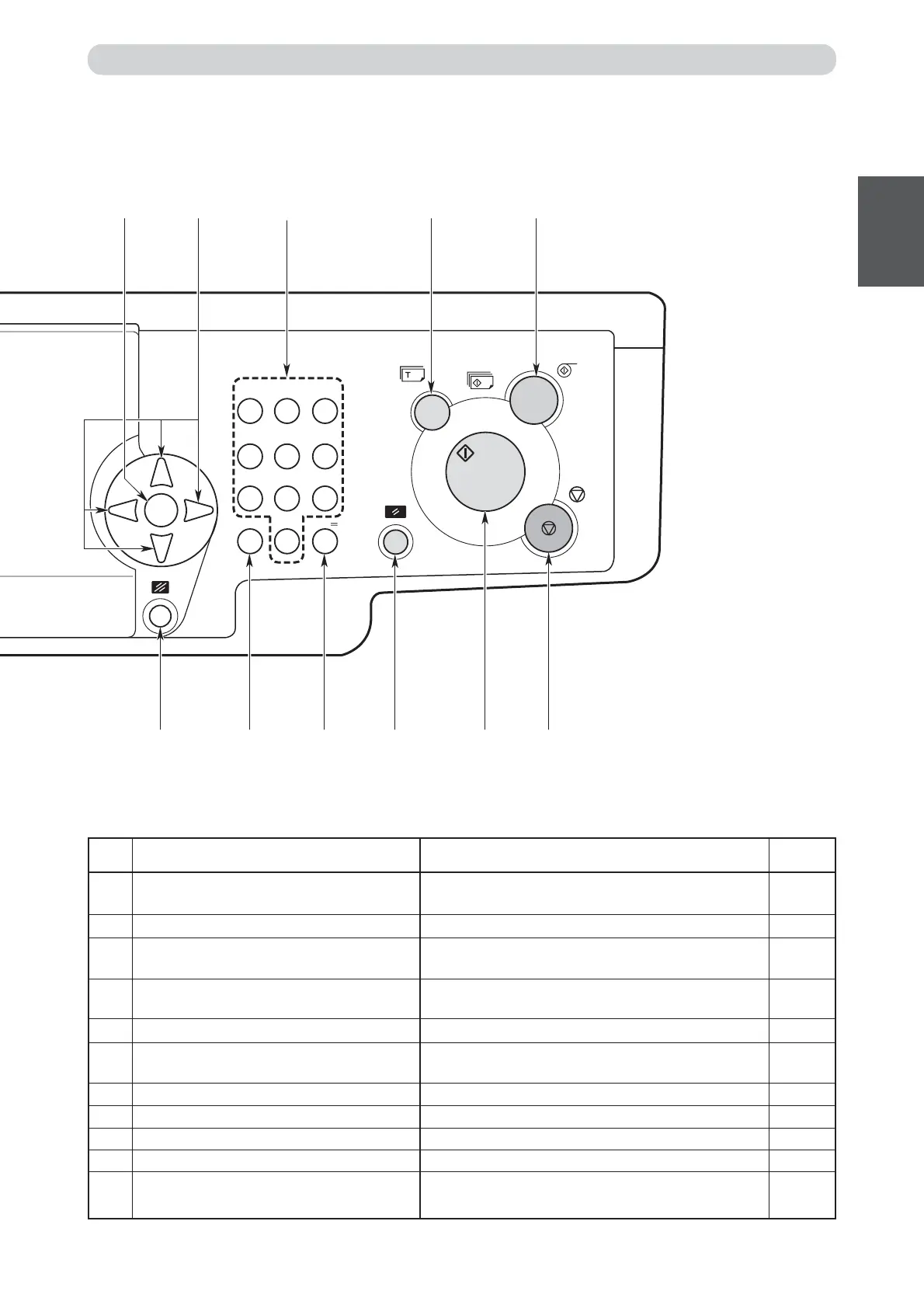
No. Name Function
I “ALL CLEAR” key Returns the control panel settings to the standard
mode settings. Press and hold for at least 1 second.
J
“X” key
Enters the number of prints and number of sets.
K “CLEAR” key Clears the display to “0”. Clears the number of prints
only.
L “Cancel” key Cancels setting in Special Functions etc and returns to
main display.
M “IMAGE MODE” key Press to image mode selection display.
N “PRINT/POSITION” keys The printing position (vertical/horizontal) is adjusted
with these keys.
O “ZOOM” key Selects Reduction/Enlargement percentage.
P “PAPER SIZE” key Selects the paper size.
Q
“PRINTING SPEED ADJUSTMENT” keys
The printing speed is adjusted with these keys.
R Printing speed indicator lamp The lamp for the specified printing speed lights.
S LCD backlight control volume Turn this volume to adjust the brightness of the
backlight on the LCD panel.
123
OK
456
789
C0
X
D
C E
GHIK JL
F
B
=
Reference
page
Part Names and Their Functions
—
73
—
—
58
89
39
41
88
88
25






 To Next Page