38
Loading Documents
Loading Document in ADF
Available only when ADF is installed
Load documents that consist of a series of sheets to be printed in the ADF. When one or more documents are
loaded in the ADF, platemaking and printing are automatically repeated until the document tray is empty.
IMPORTANT
• ADF mode is automatically selected when a document is loaded in the ADF. The ADF then
takes priority over the document glass plate in the platemaking process.
○○○○○○○○○○○○○○○○○○○○○○○○○○○○○○○○○
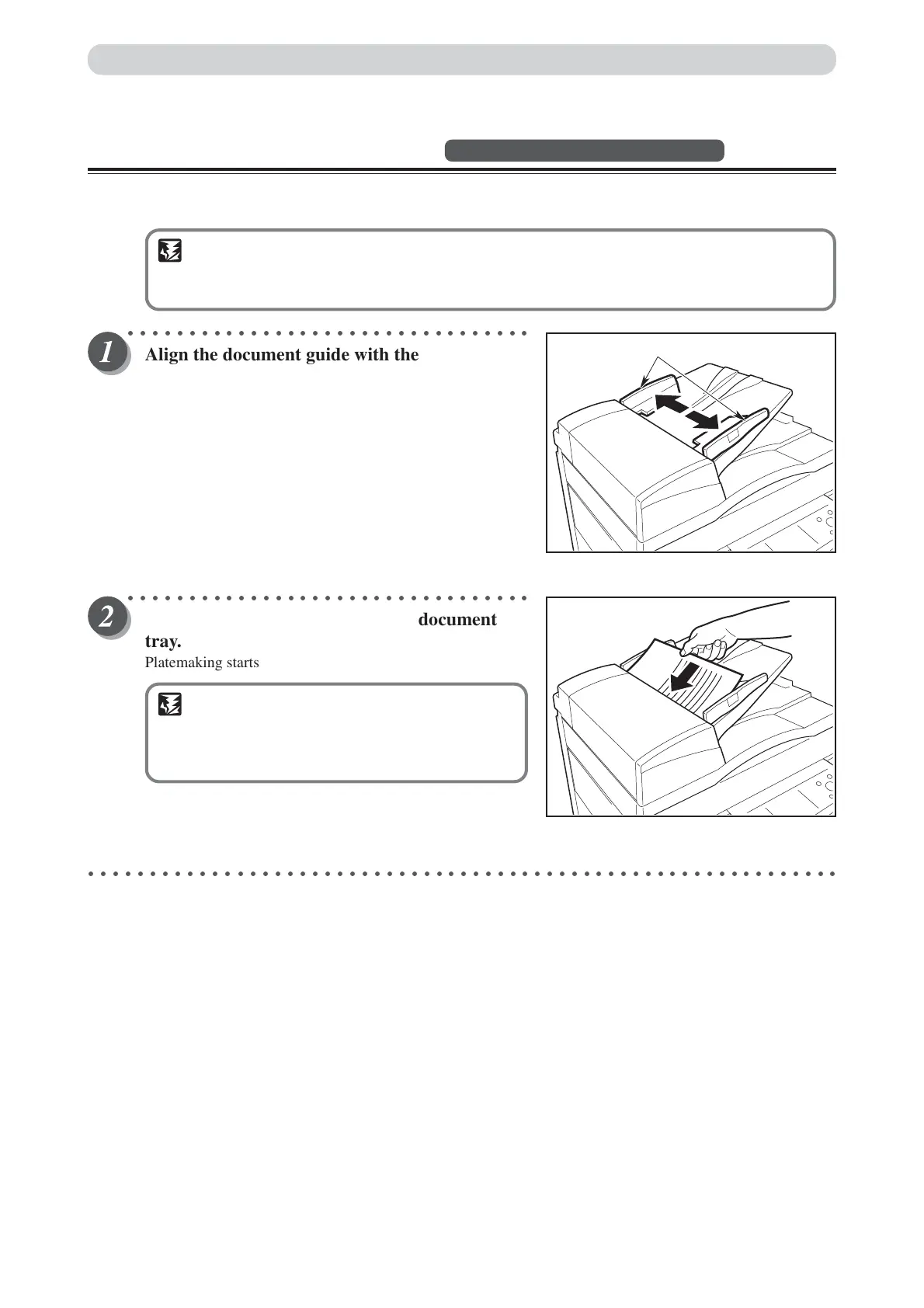
Align the document guide with the marks for
the size of document to be loaded in the ADF.
○○○○○○○○○○○○○○○○○○○○○○○○○○○○○○○○○
Place the document face-up in the document
tray.
Platemaking starts with the top document in the tray.
IMPORTANT
• Do not attempt to remove or add to the
documents in the document tray while
platemaking and printing are in progress.
○○○○○○○○○○○○○○○○○○○○○○○○○○○○○○○○○○○○○○○○○○○○○○○○○○○○○○○○○○○○○
ABC
Document Guide






 To Next Page