4
Miscellaneous Functions
95
○○○○○○○○○○○○○○○○○○○○○○○○○○○○○○○○○
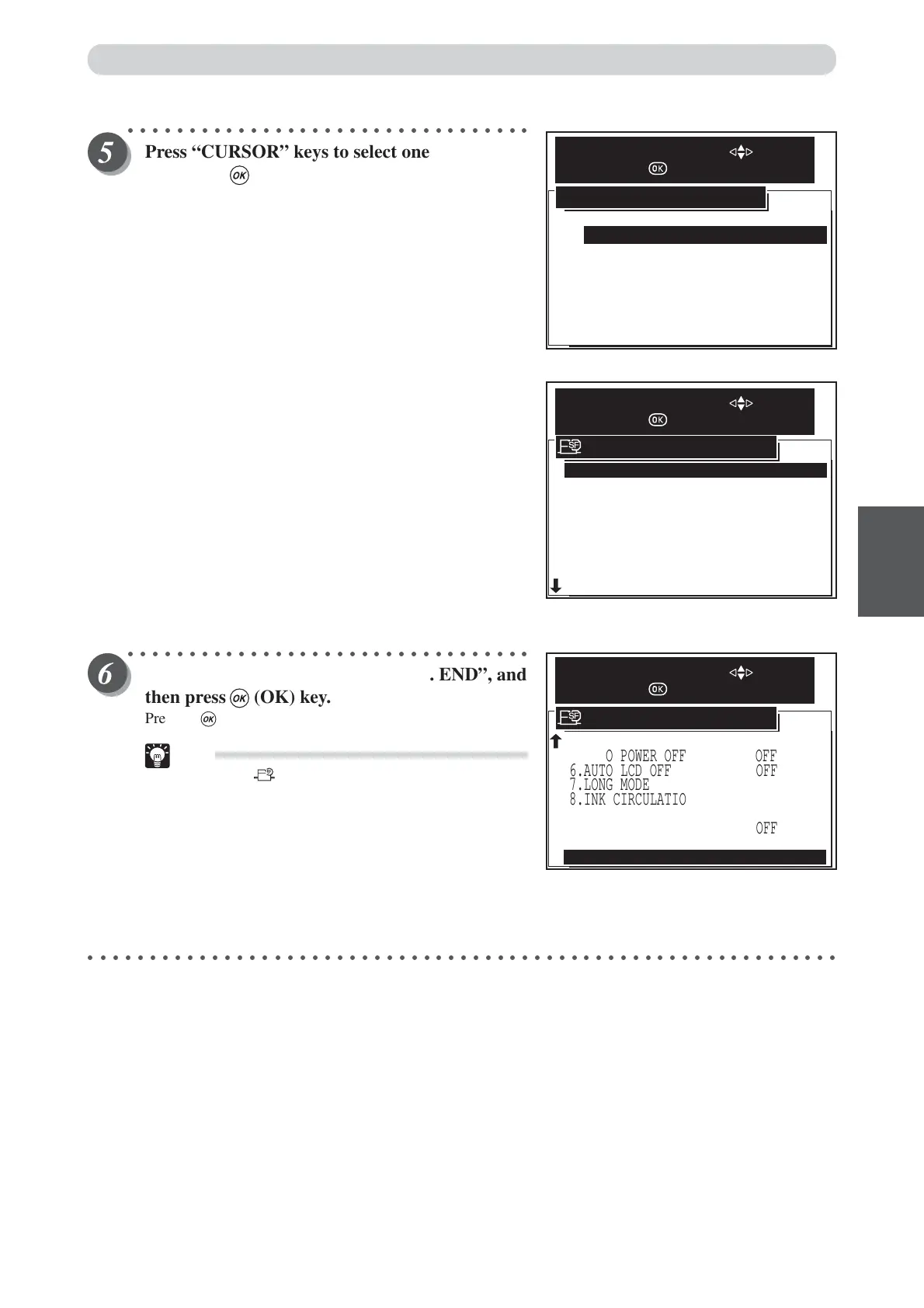
Press “CURSOR” keys to select one item, and
then press (OK) key.
Default is “OFF”. “Cancel” cancels this screen, and
redisplays the previous screen.
○○○○○○○○○○○○○○○○○○○○○○○○○○○○○○○○○
Press “CURSOR” keys to select “12. END”, and
then press (OK) key.
Pressing (OK) key set the enable in next job function.
Tip
• Pressing (SPECIAL FUNCTION) key set the
enable in next job function also.
○○○○○○○○○○○○○○○○○○○○○○○○○○○○○○○○○○○○○○○○○○○○○○○○○○○○○○○○○○○○○
Special Functions
4.BATCH PRINT
9.TAPE CLUSTER
11.DRUM SIZE
BATCH
5.AUTO POWER OFF OFF
6.AUTO LCD OFF OFF
OFF
7.LONG MODE
8.INK CIRCULATION
10.DOUBLE FEED DETECTION
12.END
SPECIAL FUNCTION
SELECT AN ITEM WITH
AND PRESS
OFF
OFF
A3
ON
CANCEL
OFF
ENABLE IN NEXT JOB
SELECT AN ITEM WITH
AND PRESS
2.AUTO CLEAR
5.AUTO POWER OFF
6.AUTO LCD OFF
7.LONG MODE
8.INK CIRCULATION
9.TAPE CLUSTER
3.PRE-PRINT
4.BATCH PRINT
1.FINE START ON
OFF
OFF
OFF
OFF
BATCH
0 PRINTS
OFF
SPECIAL FUNCTION
SELECT AN ITEM WITH
AND PRESS






 To Next Page