3
Printing With Various Functions
51
○○○○○○○○○○○○○○○○○○○○○○○○○○○○○○○○○○○○○○○○○○○○○○○○○○○○○○○○○○
Load paper. (
aa
aa
a See page 35, “Loading and Replacing Paper.”)
○○○○○○○○○○○○○○○○○○○○○○○○○○○○○○○○○○○○○○○○○○○○○○○○○○○○○○○○○○○○○
IMPORTANT:
•Always select the size of printing paper to be used.
•You cannot obtain the correct zoom ratio if you select a wrong paper size.
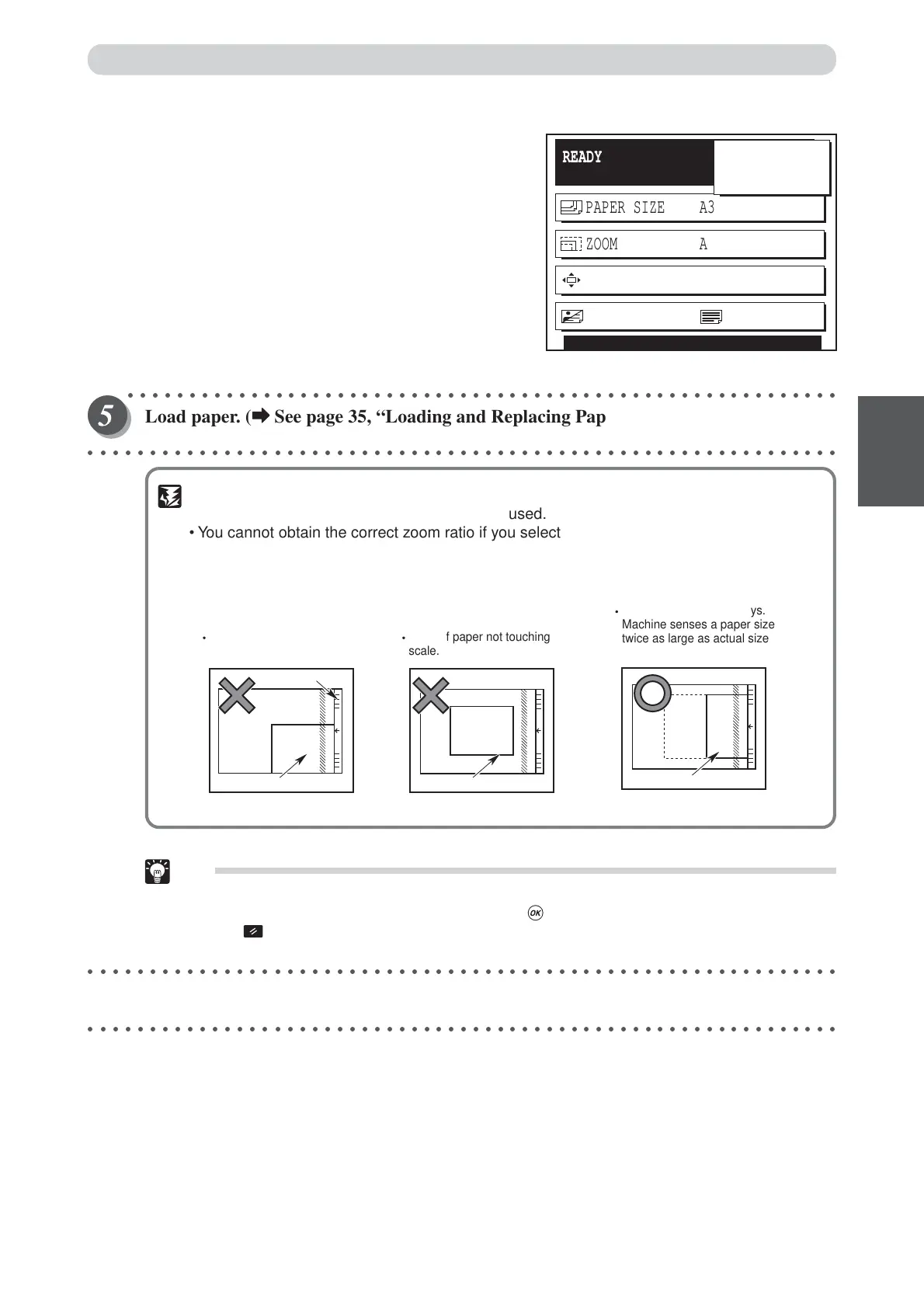
• This machine detects the document size about 30mm from the scale (the shaded area in
the figure). The machine cannot, therefore, detect the size correctly if the document is
positioned as illustrated below.
Tip:
•To exit auto zoom, select one of the following two methods:
• Select 100% using “CURSOR” keys, and press (OK) key.
• Press (ALL CLEAR) key. In this case, all settings are reset to standard mode
(a page 26).
○○○○○○○○○○○○○○○○○○○○○○○○○○○○○○○○○○○○○○○○○○○○○○○○○○○○○○○○○○○○○
Start platemaking and printing. (
aa
aa
a See steps 5 to 8 of “Basic Printmaking” page 32.)
○○○○○○○○○○○○○○○○○○○○○○○○○○○○○○○○○○○○○○○○○○○○○○○○○○○○○○○○○○○○○
Document
Paper positioned sideways.
Machine senses a paper size
twice as large as actual size
of paper.
Scale
Document
Document not positioned
centrally against the scale.
Document
Edge of paper not touching
scale.
READY
PAPER SIZE A3
ZOOM AUTO ZOOM
PRINT POS. 0.0mm 0.0mm
SHT
1
SET
×
IMAGE MODE TEXT
0
Enlargement and Reduction
“AUTO ZOOM” was set when return to menu display.






 To Next Page