3
Printing With Various Functions
53
○○○○○○○○○○○○○○○○○○○○○○○○○○○○○○○○○○○○○○○○○○○○○○○○○○○○○○○○○○
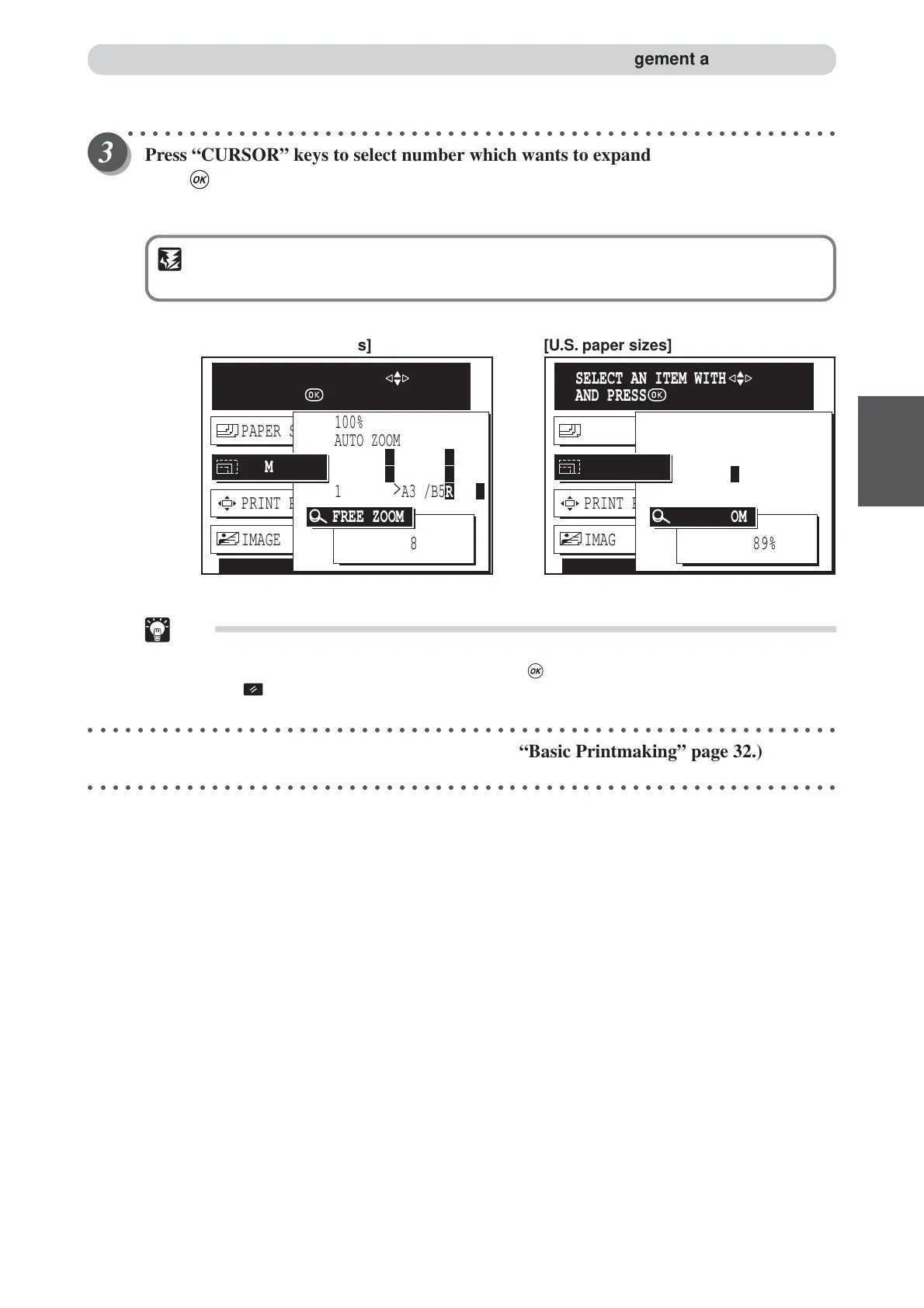
Press “CURSOR” keys to select number which wants to expand, and then
press (OK) key.
The zoom ratio changes in 1% increments. You can also press and hold the “CURSOR” key to continuously
change the zoom ratio.
IMPORTANT
•Text and lines may appear jagged at high zoom ratios.
Tip:
•To exit free zoom, select one of the following two methods:
• Select 100% using “CURSOR” keys, and press (OK) key.
• Press (ALL CLEAR) key. In this case, all settings are reset to standard mode
(a page 26).
○○○○○○○○○○○○○○○○○○○○○○○○○○○○○○○○○○○○○○○○○○○○○○○○○○○○○○○○○○○○○
Start platemaking and printing. (
aa
aa
a See steps 5 to 8 of “Basic Printmaking” page 32.)
○○○○○○○○○○○○○○○○○○○○○○○○○○○○○○○○○○○○○○○○○○○○○○○○○○○○○○○○○○○○○
PRINT POS. 0.0mm 0.0mm
IMAGE MODE TEXT
PAPER SIZE A3
ZOOM
AUTO ZOOM
100%
141%
121% LG
>
11x17
129% LT
R
>
11x17
SELECT AN ITEM WITH
AND PRESS
PRINT POS. 0.0mm 0.0mm
IMAGE MODE TEXT
PAPER SIZE A3
ZOOM
AUTO ZOOM
100%
115% B4
>
A3 /B5R
>
B4R
122% A4R
>
B4 /A5R
>
B5
141% A4R
>
A3 /B5R
>
B4
SELECT AN ITEM WITH
AND PRESS
[European paper sizes] [U.S. paper sizes]
FREE ZOOM
89%
FREE ZOOM
89%
Enlargement and Reduction






 To Next Page